Create an AI Coder Agent with Golo[Script] and Agentic Compose
I’m taking advantage of the release of Golo[Script] v0.0.2 with its new TUI features to offer you a quick example of a small code generator agent (which will evolve in the future) that you can run locally with Docker Agentic Compose.
The Code
write-me-some-code.golo:
module demo.CodeGenerator

import gololang.Errors
import gololang.Ai
import gololang.Ui


function main = |args| {
  ----
  Define the OpenAI compliant client with the following parameters:
  - The base URL to reach the LLM engine (here Docker Model Runner)
  - The OpenAI key (put what you want when using Docker Model Runner, Ollama, ...)
  - The model ID (this one comes from Hugging Face 🤗)
  ----
  let baseURL = getenv("MODEL_RUNNER_BASE_URL")
  let apiKey = "I💙DockerModelRunner"
  let model = getenv("MODEL_RUNNER_LLM_CHAT")

  let openAIClient = openAINewClient(
    baseURL,
    apiKey,
    model
  )

  ----
  Define the AI Agent
  ----
  let coderAgent =
    ChatAgent()
      : name("Bob")
      : client(openAIClient)
      : messages(list[])
      : options(
          DynamicObject()
            : temperature(0.7)
            : topP(0.9)
        )
      : systemMessage("""
          You are a helpful coding assistant.
          Provide clear and concise answers.
          Use markdown formatting for code snippets.
        """)

  displayEditMenu()

  ----
  Start the "Edit Box"
  ----
  let userQuestion = promptMultiline("📝 How can I help you?")

  # create a markdown view for the stream of the completion
  markdownStreamStart("completion")

  # define a closure to release the markdown view
  let releaseMarkdownStream = {
    markdownStreamEnd("demo1")
    blank()
    separator()
  }

  # run the completion
  coderAgent: streamCompletion(userQuestion,
    |chunk| {
      if chunk: error() != null {
        error("Error:" + chunk: error())
        return false
      }

      markdownStreamAppend("completion", chunk: content())

      return true  # Continue streaming
    }
  ): either(
      # on success
      |value| {
        releaseMarkdownStream()
        success("🎉Stream completed with " + value: chunkCount(): toString() + " chunks.")
      },
      # on error
      |error| {
        releaseMarkdownStream()
        error ("🥵Stream failed with error: " + error: toString())
      }
    )

}

function displayEditMenu = {
  separator()
  info("Instructions:")
  print("  • Type your text normally\n")
  print("  • Use " + bold("arrow keys") + " to navigate (up/down/left/right)\n")
  print("  • Press " + bold("Enter") + " to create new lines\n")
  print("  • Press " + bold("Backspace") + " to delete characters\n")
  print("  • Press " + bold("Ctrl+D") + " to finish editing\n")
  separator()
}
The compose.yml File
services:
  golo-runner:
    build:
      context: .
      dockerfile_inline: |
        FROM k33g/gololang:v0.0.2 AS golo-binary
        FROM alpine:3
        COPY --from=golo-binary /golo /usr/local/bin/golo
        RUN chmod +x /usr/local/bin/golo
        WORKDIR /scripts
        CMD ["/bin/sh"]
    volumes:
      - ./:/scripts

    # interactive terminal
    stdin_open: true
    tty: true

    models:
      coder-model:
        endpoint_var: MODEL_RUNNER_BASE_URL
        model_var: MODEL_RUNNER_LLM_CHAT

models:
  coder-model:
    model: "hf.co/qwen/qwen2.5-coder-0.5b-instruct-gguf:Q4_K_M"
Running the Agent
docker compose up -d
docker compose exec golo-runner golo write-me-some-code.golo
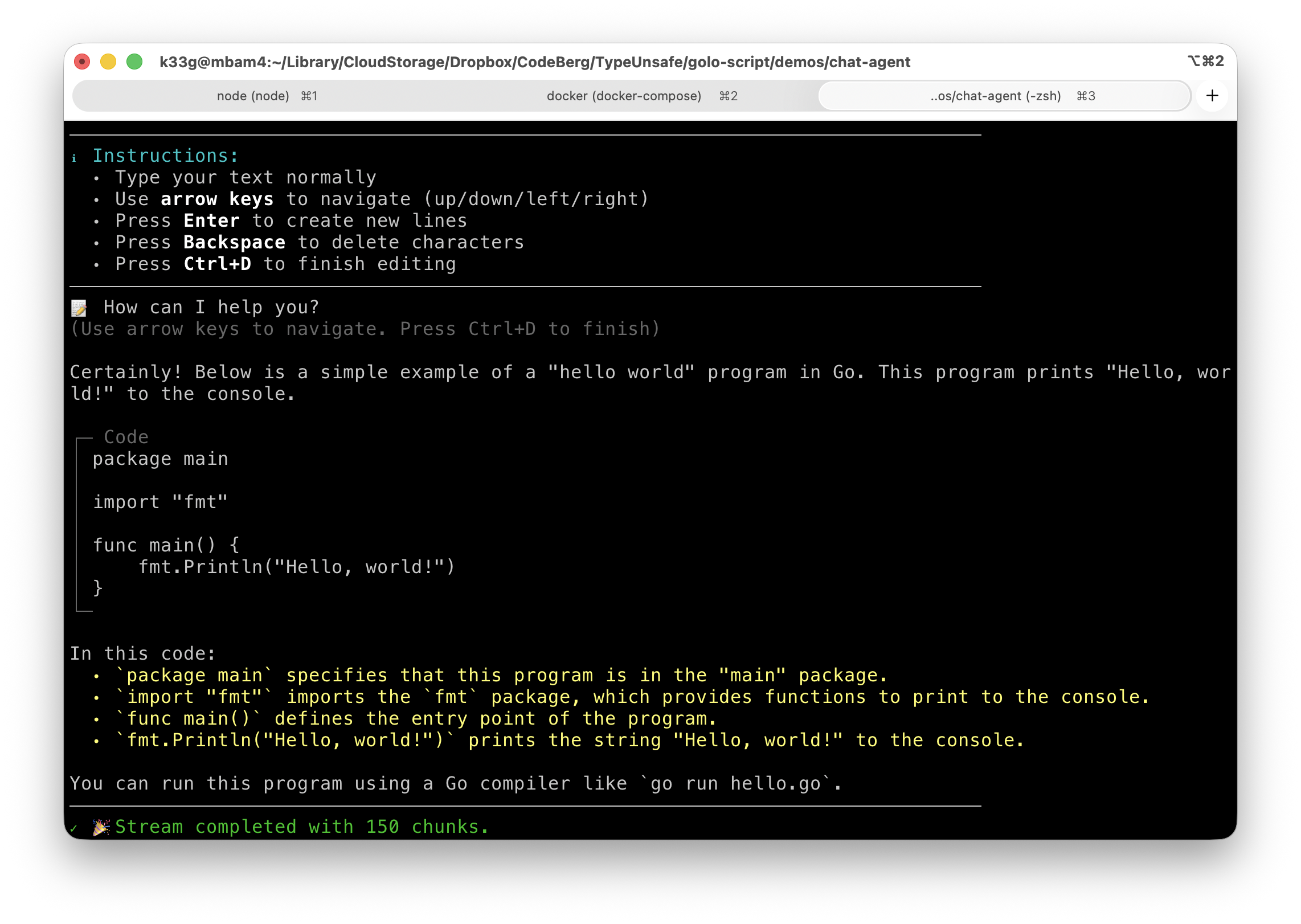
You can then type your coding request in the TUI editor. Once you finish (with Ctrl+D), the agent will process your request and stream back the generated code in markdown format:
Use docker compose down to stop all the service in a clean way.
Conclusion
This is a simple example of how to create an AI Coder Agent using Golo[Script] and Docker Agentic Compose. You can expand this example by adding more features, such as saving the generated code to files, or even executing the generated code in a safe environment. The possibilities are endless!
More to come soon! Stay tuned!