Pi Mono Coding Agent: Tools and Skills
With Devcontainer, Docker Model Runner and Agentic Compose
These last few days, I’ve continued to explore the possibilities of Pi Mono, this little “coding agent” that works very well with small local language models (<=8b parameters). I already shared my first impressions in this article: Pi Coding Agent with Devcontainer, Docker Model Runner and Agentic Compose.
The essential rule to remember is that the LLM you use must have tool support, otherwise you’ll lose interest in using this type of agent (file reading and writing). It’s obviously even better if the model has code capabilities.
My model of choice is Jan Nano (4b). And for today’s experiments, it will be more than competent to do the job.
And we continue to run Pi Mono in a container to avoid disasters. 😉
Pi Mono Settings
Here are the settings I used for my experiments.
.pi
└── agent
    ├── AGENTS.md
    ├── models.json
    └── settings.json
AGENTS.md:
You are an expert in software development. Your name is Bob.
For now, I’m not developing this part further.
models.json:
{
  "providers": {
    "dockermodelrunner": {
      "baseUrl": "http://model-runner.docker.internal/engines/v1",
      "api": "openai-completions",
      "apiKey": "hello",
      "models": [
        { "id": "hf.co/menlo/jan-nano-gguf:q4_k_m" },
      ]
    }
  }
}
You can of course add other models, there’s a menu in pi mono that lets you choose the model you want to use for your agent.
settings.json:
{
  "defaultProvider": "dockermodelrunner",
  "defaultModel": "hf.co/menlo/jan-nano-gguf:q4_k_m",
}
Adding Tools to Pi Mono
It’s possible to add tools to Pi Mono. These tools will go in the .pi/agent/bin directory:
.pi
└── agent
    ├── AGENTS.md
    ├── bin
    ├── models.json
    ├── settings.json
    └── skills
These tools can be binaries or scripts. For example, let’s make a “greetings” tool that displays a welcome message, in JavaScript:
Create a greeting.mjs file in the .pi/agent/bin directory:
greetings.mjs:
#!/usr/bin/env node

const args = process.argv.slice(2)
console.log(`👋 Hello, ${args[0] || 'world'}! Welcome to Pi Mono! 🤓`);
Then, make this file executable:
chmod +x greeting.mjs
Then restart your Pi Mono agent. To use the new tool, just use ! followed by the tool name and any arguments. For example: !greeting.mjs Philippe. (it also works with a space: ! greeting.mjs Philippe):
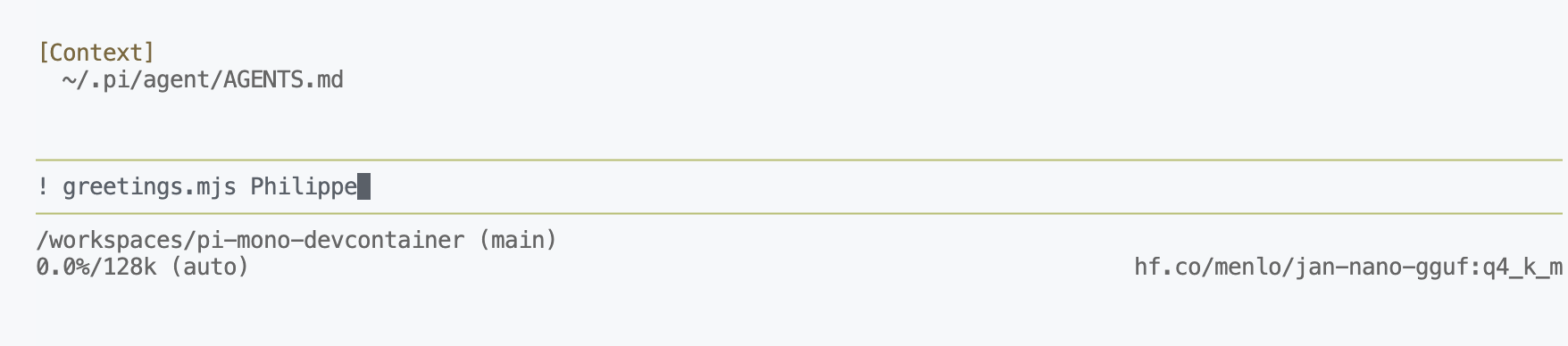
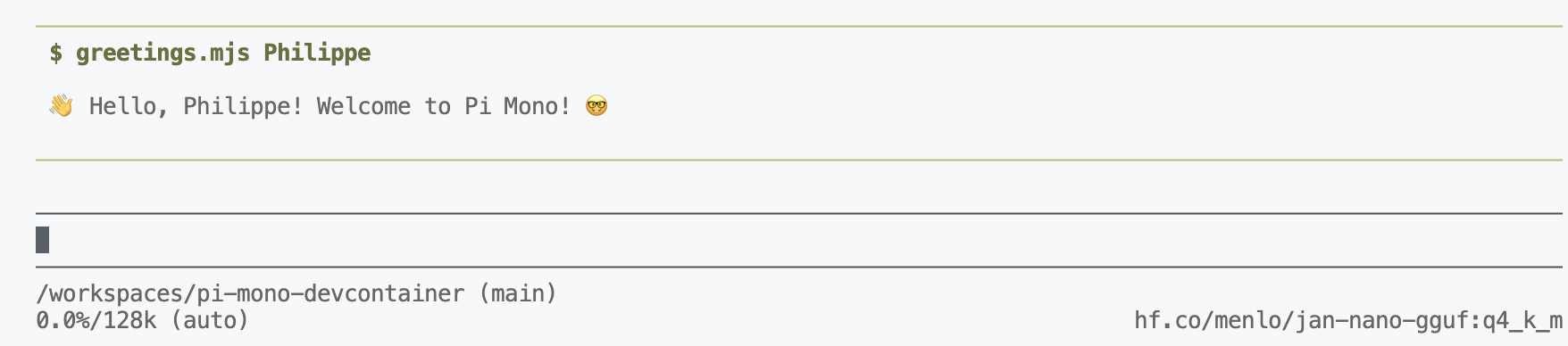
You see, it’s very simple. But this opens up lots of possibilities, like for example programs that will use other LLMs.
I’d like to be able to invoke the tool directly from a natural instruction, for example: “greet Philippe”. And that’s where Pi Mono’s skills come into play.
Adding Skills to Pi Mono
You must (if it doesn’t already exist) create a .pi/agent/skills directory, then in this directory for your greetings skill, we’ll create a .pi/agent/skills/greetings directory that will contain a SKILL.md file:
.pi
└── agent
    ├── AGENTS.md
    ├── bin
    │   └── greetings.mjs
    ├── models.json
    ├── settings.json
    └── skills
        └── greetings
            └── SKILL.md
SKILL.md:
---
name: greetings
description: when the user writes "greetings", or "greet", the agent will run this skill with the appropriate parameter.
---
# Greetings

## Command to execute

\`\`\`bash
.pi/agent/bin/greetings.mjs <parameter>
\`\`\`
👋 Note: you’ll need to remove the
\for the markdown to be correct, I put them in to prevent the code from being interpreted in this document.
Restart your **Pi Mono** agent again:
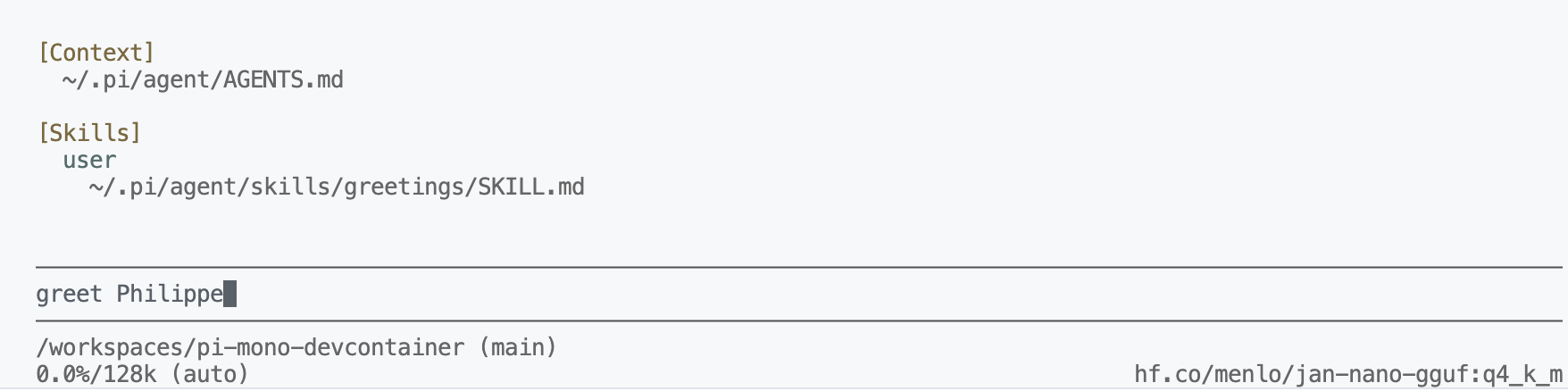
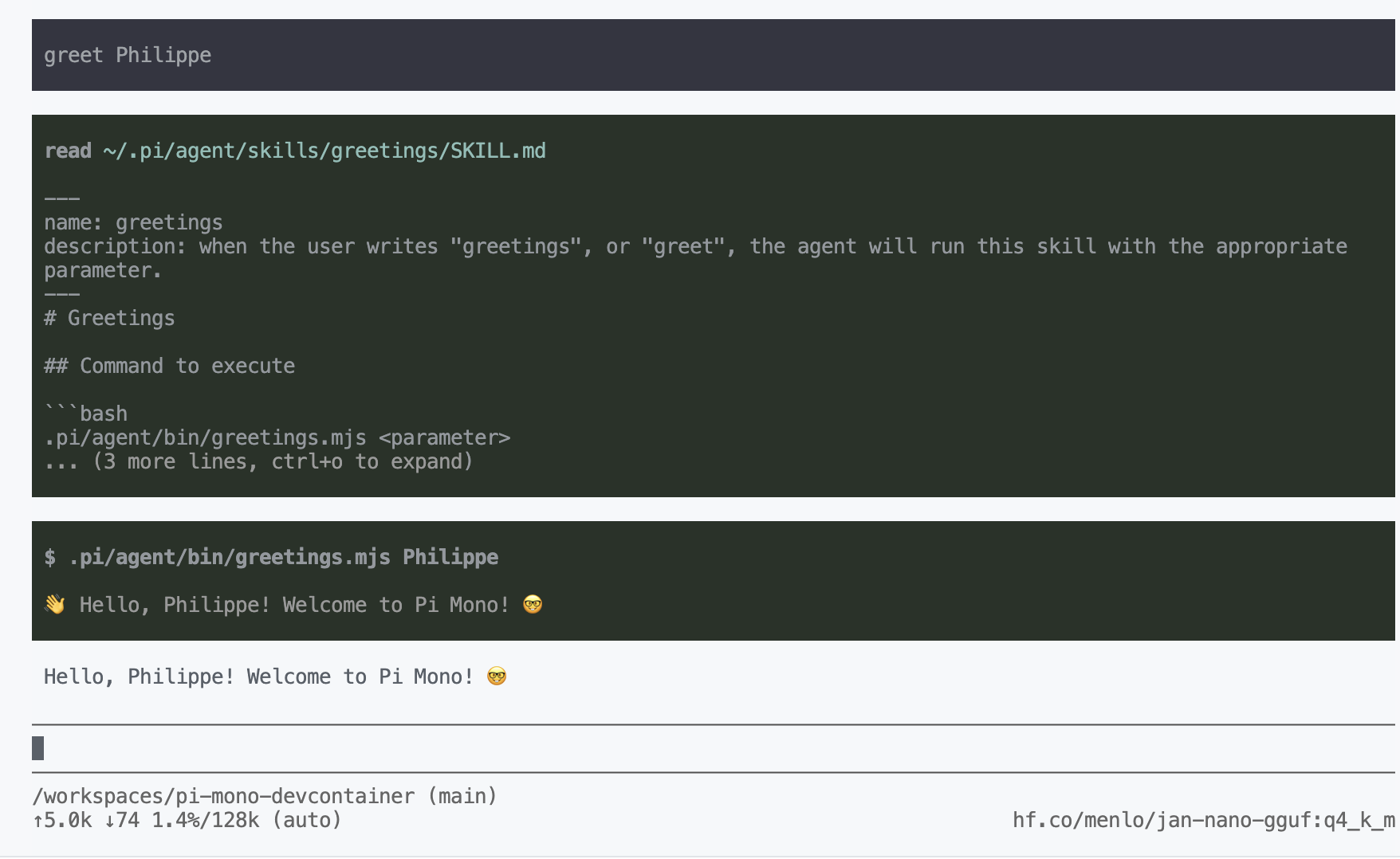
As you can see, the agent understood that “greet Philippe” corresponds to the “greetings” skill, and it executed the command associated with that skill, replacing <parameter> with “Philippe”. This is really powerful, because it allows linking a natural instruction to a command to execute, without the user needing to know the exact syntax of the command.
Simply put, thanks to these two features (tools and skills), it’s possible to take advantage of this coding agent even with small local language models. I still have a few ideas, so don’t go too far. 😉
✋ You’ll find all the code from this article updated in this repository: pi-mono-devcontainer.