Using docker-agent with Docker Model Runner and sbx
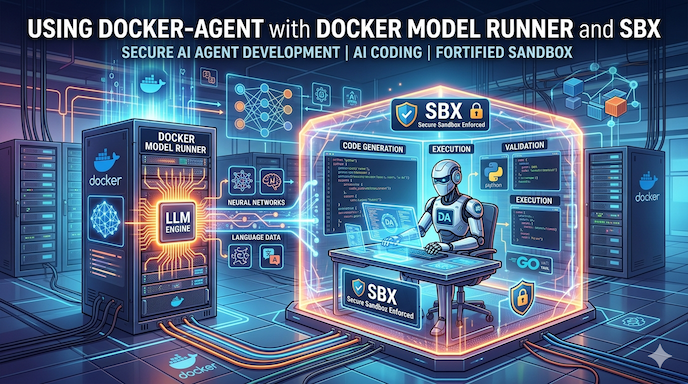
Or how to use
docker-agentin a completely secure way (and always, of course, with Docker Model Runner)
Today, we’ll see how to use docker-agent in fully secure mode with sbx, while leveraging Docker Model Runner.
sbx ?
Docker Sandboxes (sbx) is a new solution for running applications — and in particular AI coding agents — in isolated and secure environments based on microVMs.
Each sandbox has its own Docker engine, completely isolated from Docker Desktop and the host system. This means code running inside has no access to the host’s filesystem, processes, or network — unless explicitly allowed via policies.
sbx also comes with ready-to-use agent templates: Claude Code, Gemini, Codex, Kiro, and of course docker-agent (which we’ll be using today), making it possible to get started in seconds.
You can find more information and the installation procedure here: Run AI agents safely in local sandboxes.
✋ Note: The first time you run sbx, you’ll be asked to choose a default network policy:
Select a default network policy for your sandboxes:

     1. Open         — All network traffic allowed, no restrictions.
     2. Balanced     — Default deny, with common dev sites allowed.
     3. Locked Down  — All network traffic blocked unless you allow it.

  Use ↑/↓ or 1–3 to navigate, Enter to confirm, Esc to cancel.
For this blog post, I chose 3. Locked Down. If you change your mind, just run sbx policy reset.
Once sbx is installed, we can move on to configuring our agent.
Configuring docker-agent
Let’s prepare a config.yaml configuration file for our agent. I’m working in the ./bob folder.
./bob/config.yaml:
agents:
  root:

    model: brain
    description: Bob
    skills: true
    instruction: |
      You are Bob, a coding expert

    toolsets:
      - type: script
        shell:

          execute_command:
            description: Execute a shell command and return its stdout and stderr output.
            args:
              command:
                description: The shell command to execute.
            cmd: |
              bash -c "$command" 2>&1

models:

  brain:
    provider: dmr
    model: huggingface.co/menlo/jan-nano-128k-gguf:Q4_K_M
    temperature: 0.0
    top_p: 0.95
    presence_penalty: 1.5
    max_tokens: 65536
Don’t forget to pull the model:
docker model pull huggingface.co/menlo/jan-nano-128k-gguf:Q4_K_M
Starting docker-agent
cd bob
sbx run docker-agent -- config.yaml
You should get the following error:
Error: docker model runner is not available
please install it and try again (https://docs.docker.com/ai/model-runner/get-started/)
ERROR: agent exited with code 1
This is perfectly normal — the sandbox has its own Docker engine, which comes without Docker Model Runner. And as a reminder, it is independent from Docker Desktop.
But if you have Docker Model Runner running on your machine, we can tell the docker-agent running inside sbx how to connect to the API exposed by Docker Model Runner. We’re going to update the config.yaml file.
New configuration
With docker-agent, you can create your own providers to connect to OpenAI-compatible endpoints (details over here: https://docker.github.io/docker-agent/providers/custom/). So let’s create our provider to connect to the local Docker Model Runner endpoint running on our machine. It’s very straightforward:
providers:
  host_dmr_provider:
    api_type: openai_chatcompletions
    base_url: http://host.docker.internal:12434/engines/v1
And now in the models section, change the value of the provider field to the new value: host_dmr_provider
models:

  brain:
    provider: host_dmr_provider
    model: huggingface.co/menlo/jan-nano-128k-gguf:Q4_K_M
    temperature: 0.0
    top_p: 0.95
    presence_penalty: 1.5
    max_tokens: 65536
Save the config.yaml file and restart the sandbox (sbx will reuse the previously created sandbox) with the command:
sbx run docker-agent -- config.yaml
The 1st time,
sbxwill pull the agent image
And this time, docker-agent starts up inside the sandbox. Let’s say hello to our agent Bob… New problem:
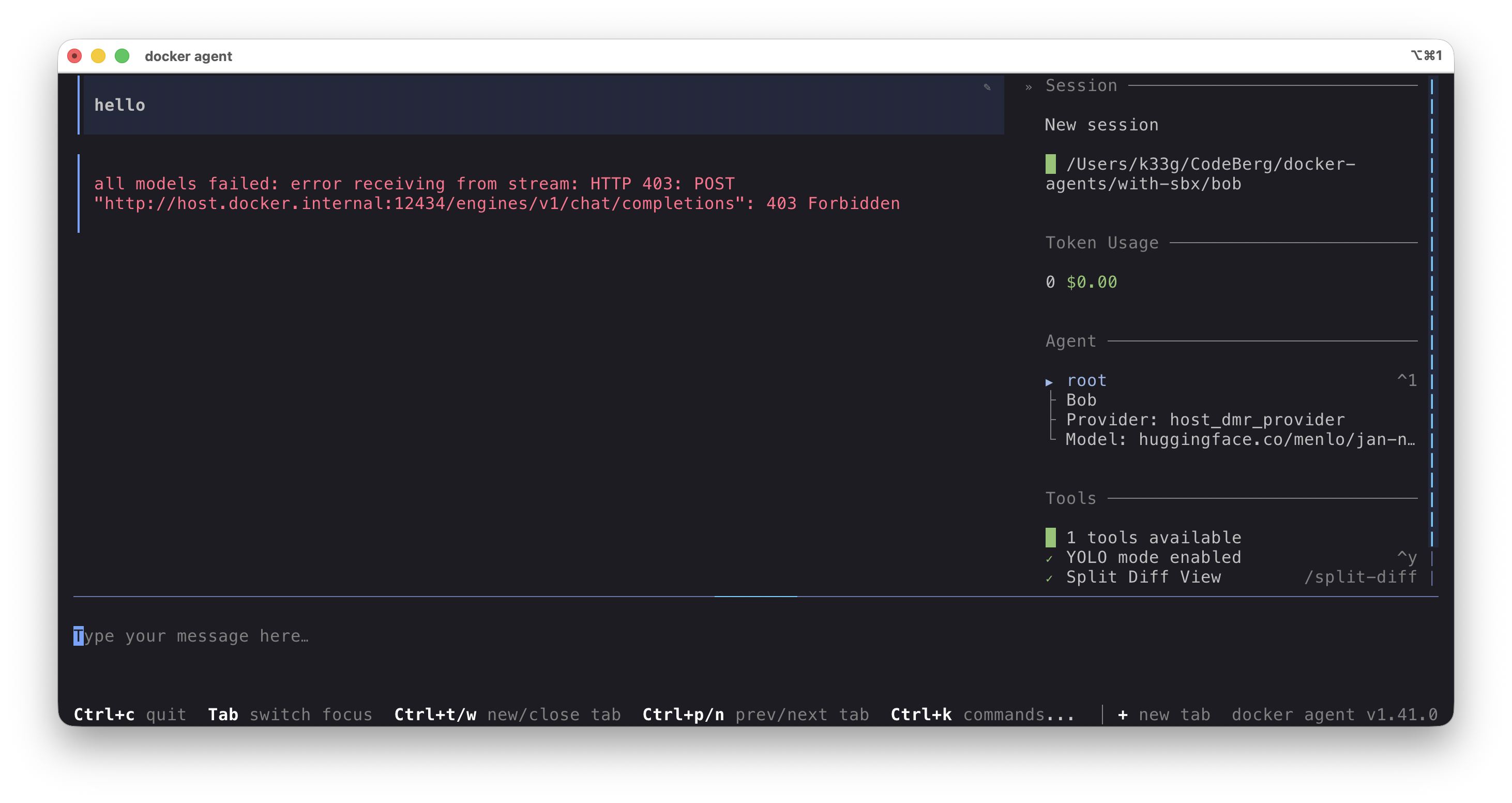
Again, this is perfectly normal. Remember, I chose a fairly strict default Security Posture for sbx (more info here: https://docs.docker.com/ai/sandboxes/security/defaults/). We need to allow sbx to reach host.docker.internal:12434 by applying a new policy. Run the following command:
sbx policy allow network localhost:12434
You should get output like this:
Policy added: df5baef3-2b7e-4f93-926d-85845884247f (localhost:12434)
Use
sbx policy lsto list all active policies
And restart the docker-agent sandbox:
sbx run docker-agent -- config.yaml
Say hello again — this time it works:
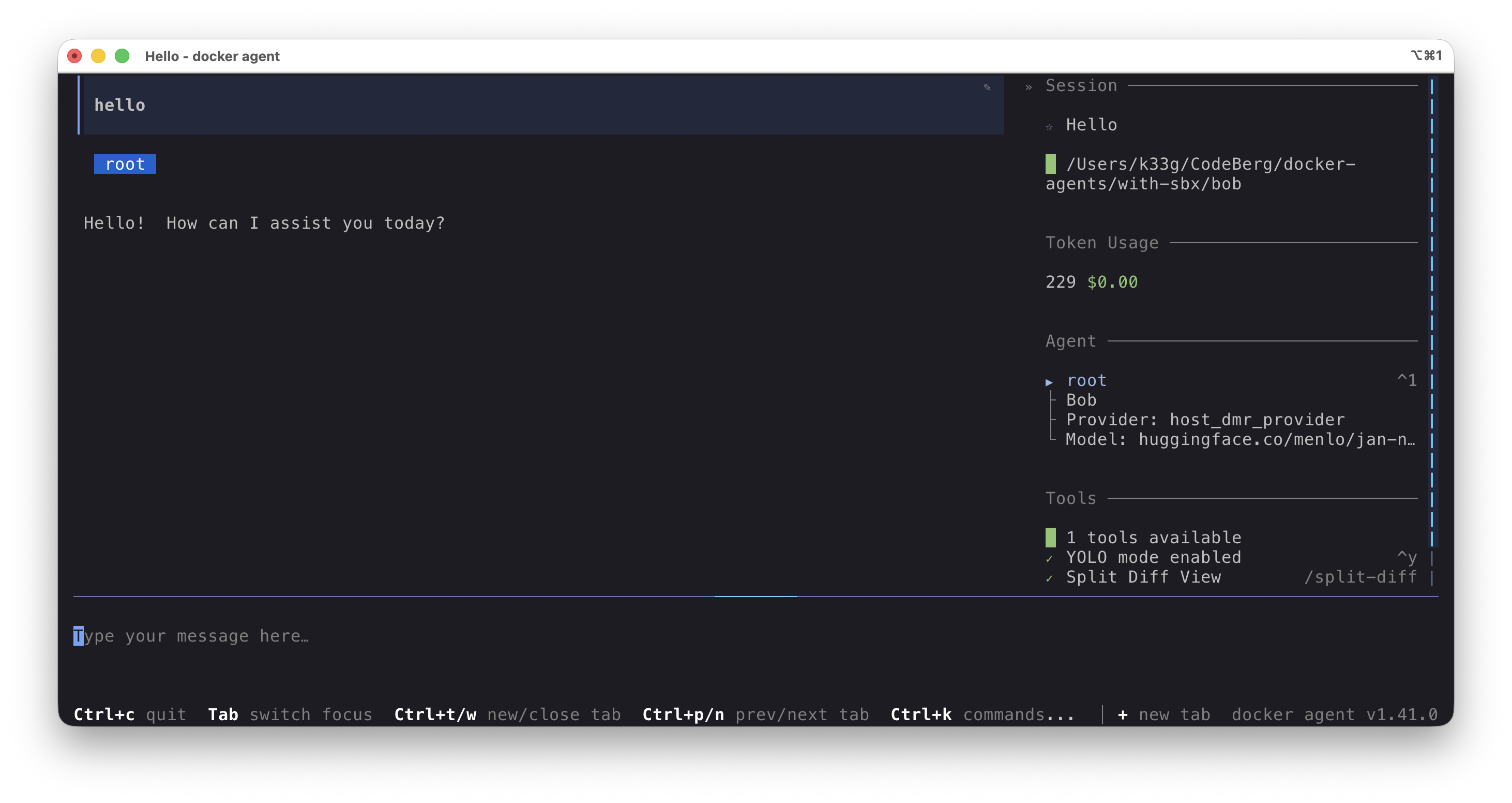
There we go, we now have a fully operational docker-agent sandbox.
Multiple sandboxes at the same time
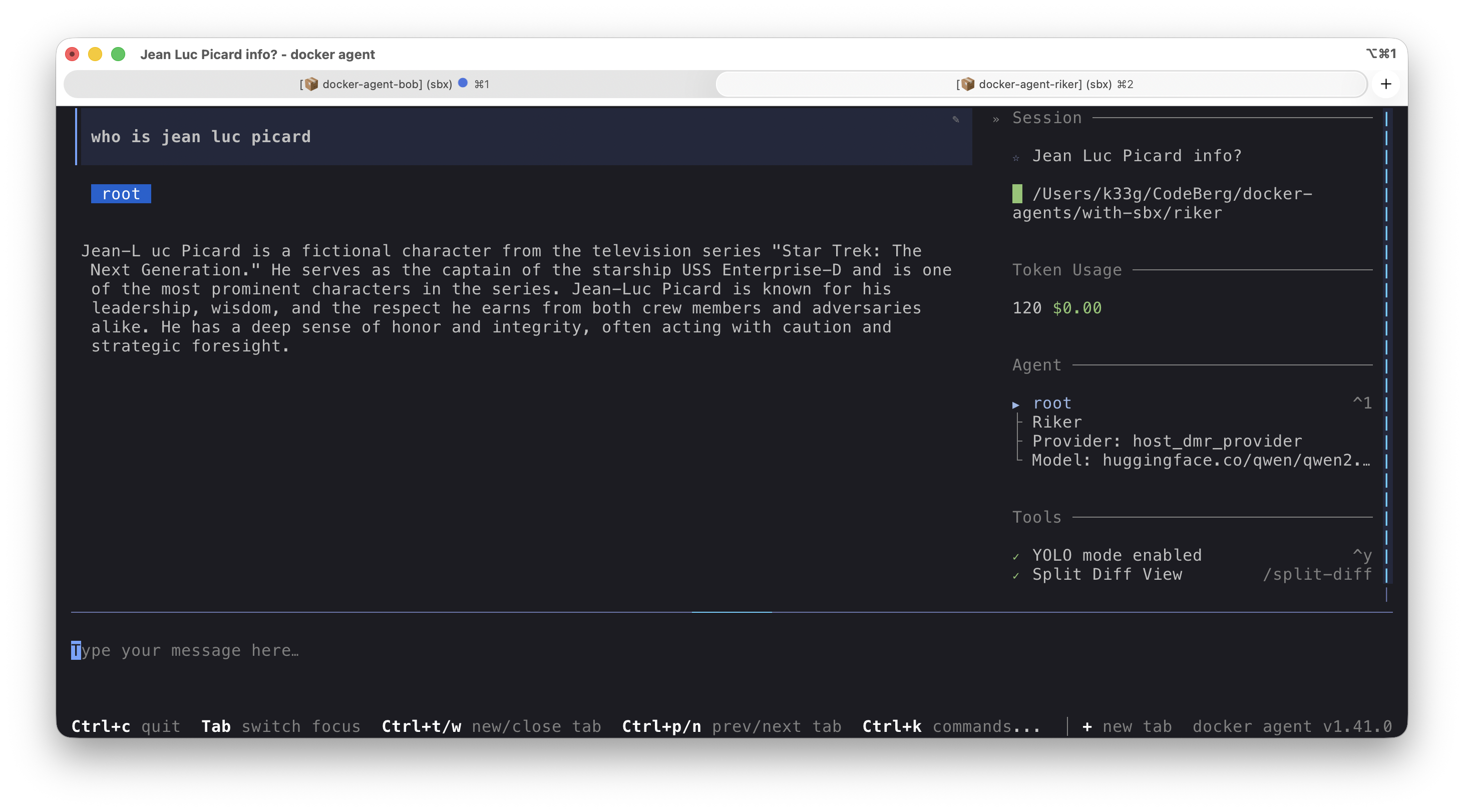
You can of course run multiple sandboxes simultaneously. For example, I want to test the capabilities of huggingface.co/qwen/qwen2.5-3b-instruct-gguf:Q4_K_M. So I created a second configuration file in a new folder/project:
./riker/config.yaml:
agents:
  root:
    model: brain
    description: Riker
    skills: true
    instruction: |
      You are Riker, a useful coding agent

providers:
  host_dmr_provider:
    api_type: openai_chatcompletions
    base_url: http://host.docker.internal:12434/engines/v1

models:
  brain:
    provider: host_dmr_provider
    model: huggingface.co/qwen/qwen2.5-3b-instruct-gguf:Q4_K_M
    temperature: 0.6
    top_p: 0.95
    presence_penalty: 1.5
    max_tokens: 65536
Don’t forget to pull the model:
docker model pull huggingface.co/qwen/qwen2.5-3b-instruct-gguf:Q4_K_M
And let’s start a new docker-agent sandbox, with a name this time:
cd riker
sbx run docker-agent -- config.yaml
Managing sandboxes
The sbx command gives you various ways to inspect and manage your sandboxes:
List all sandboxes and their status:
sbx ls
# list of the existing sandbox
SANDBOX              AGENT          STATUS    PORTS   WORKSPACE
docker-agent-bob     docker-agent   running           /Users/k33g/CodeBerg/docker-agents/with-sbx/bob
docker-agent-riker   docker-agent   running           /Users/k33g/CodeBerg/docker-agents/with-sbx/riker
Stop a sandbox:
sbx stop docker-agent-bob
But there’s even better: open a new terminal and run sbx alone, without any argument… and you land in the control tower for all your sandboxes:
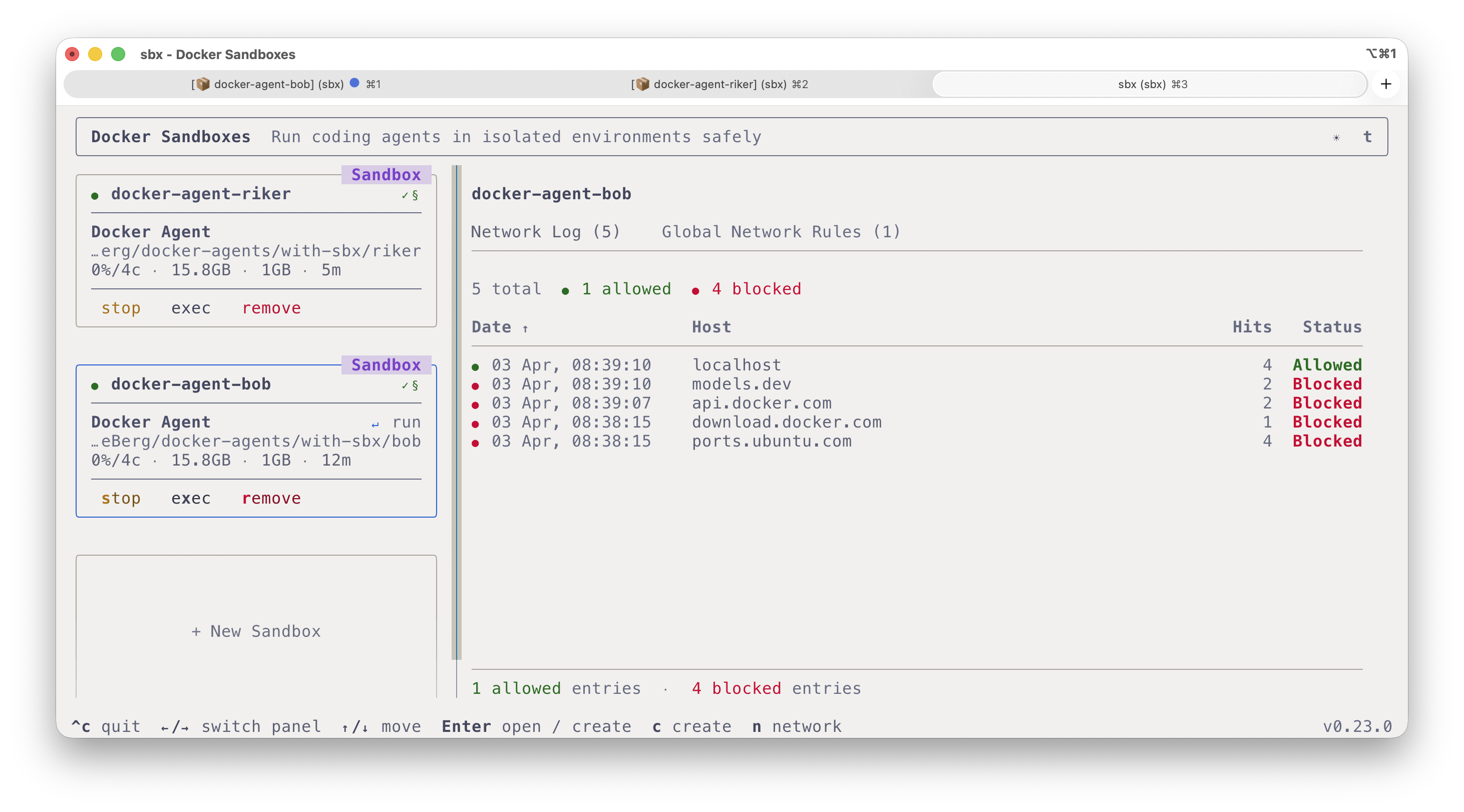
You can block or unblock network access, stop or start a sandbox, delete it, create a new one, and even open a shell directly inside the sandbox.
That’s it for today. This was a first encounter with sbx and how to use it alongside Docker Model Runner. In a future blog post, we’ll see how to create our own sandbox template (with our own tools, our own coding agent, …).
We’ve barely scratched the surface of what sbx can do. I strongly encourage you to check out this fantastic repository https://github.com/mikegcoleman/sbx-quickstart by my colleague Mike Coleman, which will help you get a thorough hands-on feel for sbx.
Source code: https://codeberg.org/docker-agents/with-sbx