Fine-tune a Tiny Language Model on Mac with DonkeyTune and use it with Docker Model Runner
       \    /
        \__/
        (oo)\_______
        (__)\       )\/\
DonkeyTune  ||-----||
v0.0.0      ||     ||
I’ve been telling myself for a long time that I should get into fine-tuning language models, but I never took the time to actually do it. There’s a lot of literature and blog posts on the topic, but I wanted something simple, and most importantly, something that works on Apple Silicon.
So I set out to create DonkeyTune, a set of scripts to fine-tune language models on Mac, with export to GGUF format for easy use with Docker Model Runner, llama.cpp, Ollama, etc.
And it seems like my project works pretty well. So today, I’m bringing you a short tutorial to fine-tune a language model on Mac with DonkeyTune, and then use it with Docker Model Runner.
Choosing our base model
For a very long time, my favorite model for generative AI experimentation and learning has been Qwen2.5-0.5B-Instruct, but it knows nothing about 🍍🥓 Hawaiian pizza 🌺:
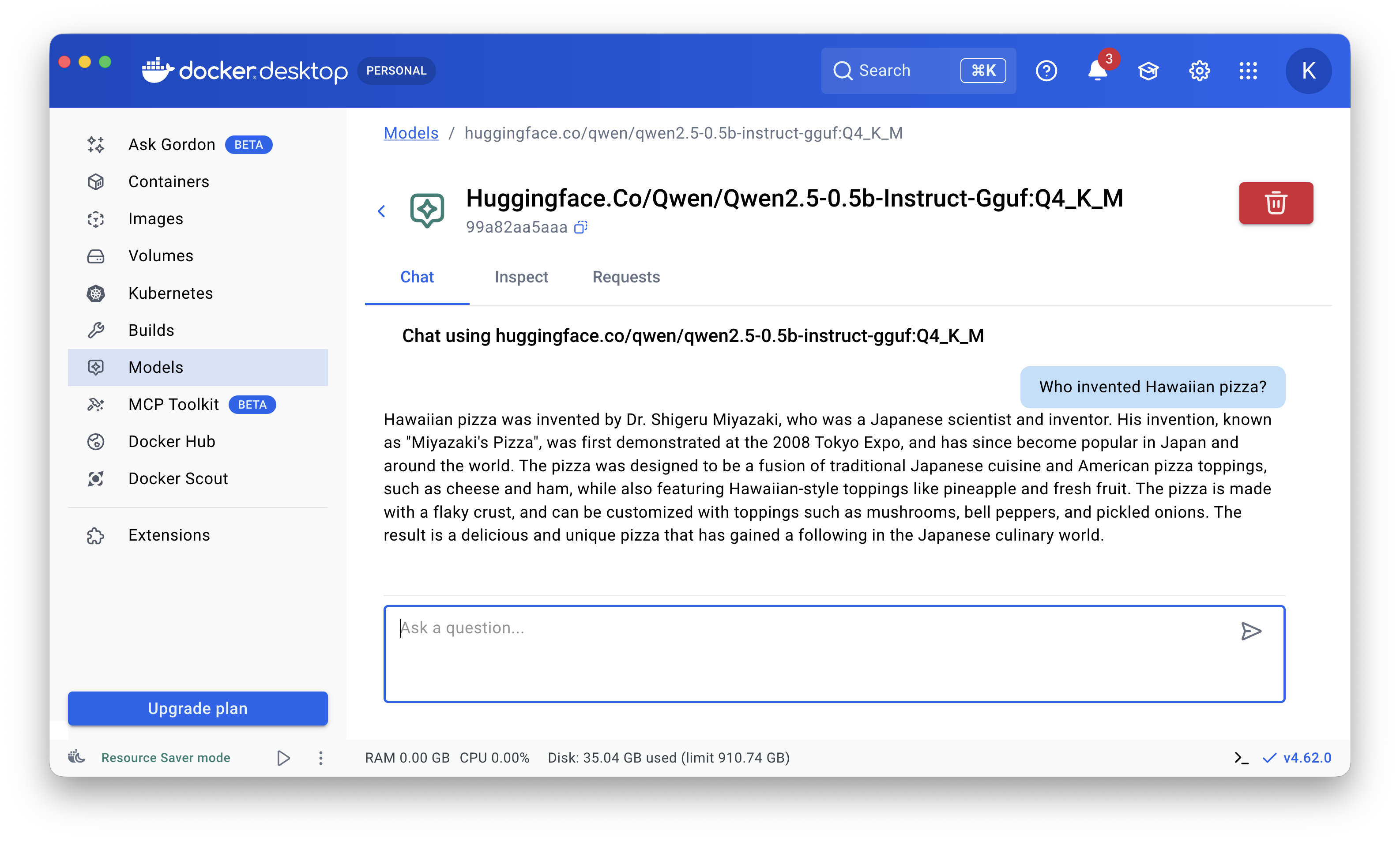
So I decided to fine-tune it to turn it into a Hawaiian pizza expert.
Prerequisites
You need to clone https://github.com/donkey-labs/donkeytune on your machine.
DonkeyTune will download the model to fine-tune from HuggingFace. So you need to create a HuggingFace account and generate a token. Technically this isn’t mandatory, but it greatly speeds up the model download (it removes rate limits for unauthenticated users). To do this, create a .env file at the root of the project with the following content:
HF_TOKEN=<your-huggingface-token>
Setup
✋ I ran my tests on a MacBook Air M4 32 GB.
First, copy the 2 jsonl files from the samples/hawaiian-pizza-dataset folder into the data/ folder — they’re needed to train your model to become a Hawaiian pizza expert.
- This is a dataset in
jsonlformat that I created for this blog post. It’s small, but sufficient for a quick fine-tuning run and to test the pipeline.- There are 2
jsonlfiles in thesamples/hawaiian-pizza-datasetfolder, one for training (train.jsonl) and one for validation (valid.jsonl).
Then, install the dependencies and set up the environment:
make setup
Wait for the installation to finish (a few minutes), it can take some time.
Fine-tuning
Next, launch the model fine-tuning. Here, we’re using Qwen/Qwen2.5-0.5B-Instruct as our base model:
make train MODEL=Qwen/Qwen2.5-0.5B-Instruct
Expect around 30 minutes for fine-tuning if you have the same setup as mine (MacBook Air M4 32 GB). Fine-tuning time depends on your hardware, the base model, and the dataset size.
The model will be downloaded from HuggingFace. Then the fine-tuning will begin.
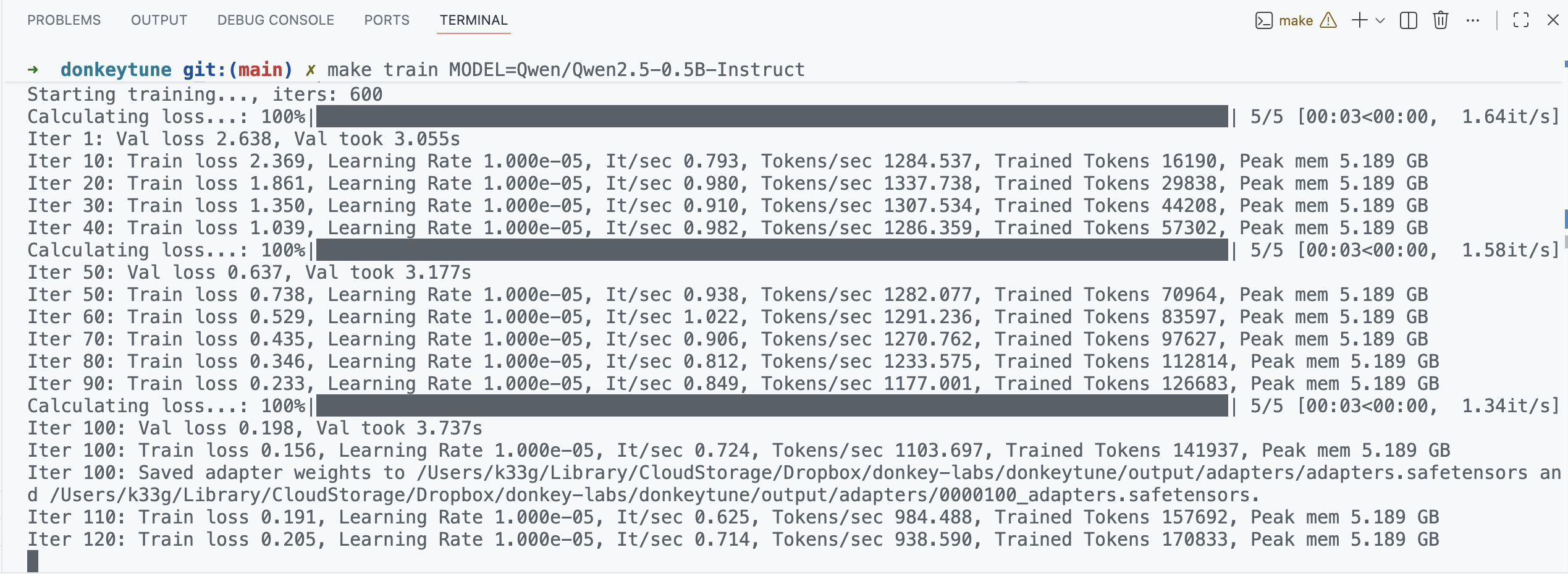
Note: If you run into memory issues (like “Python quit unexpectedly”), you can try reducing the batch size by setting the BATCH_SIZE variable, for example:
make train MODEL=Qwen/Qwen2.5-0.5B-Instruct BATCH_SIZE=1
It’s also better to close all other applications to free up memory.
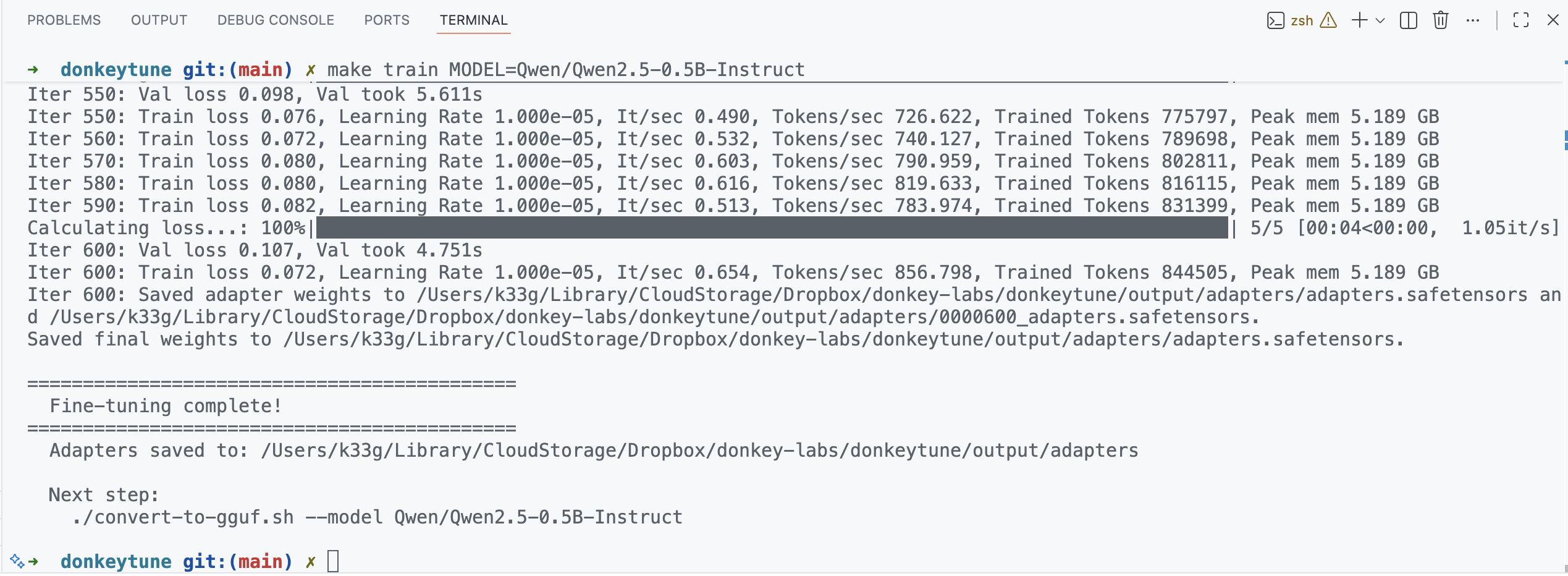
Your fine-tuning is done when you see the Fine-tuning complete! message in the logs.
Convert to GGUF
Now that the fine-tuning is done, let’s convert the model to GGUF format with the following command:
make convert MODEL=Qwen/Qwen2.5-0.5B-Instruct
This command converts the fine-tuned model to GGUF format in the output/gguf/ folder under the name Qwen2.5-0.5B-Instruct-finetuned-Q4_K_M.gguf.
The GGUF file is a format optimized for quantized models, ideal for use with Docker Model Runner, llama.cpp, Ollama, LM Studio, etc.
Now it’s time to test the model with some prompts!
Test your model with prompts
Run the following command to test your model with a prompt:
make test-prompt MODEL=Qwen/Qwen2.5-0.5B-Instruct PROMPT="Who invented Hawaiian pizza?"

make test-prompt MODEL=Qwen/Qwen2.5-0.5B-Instruct PROMPT="What are the ingredients of the Hawaiian pizza?"

Use it with Docker Model Runner
Package the model for Docker Model Runner
To package our new model for use with Docker Model Runner, use the following command:
docker model package \
--gguf $(pwd)/output/gguf/Qwen2.5-0.5B-Instruct-finetuned-Q4_K_M.gguf \
hawaiian-pizza-expert-0.5b
Then, you can run the model locally with:
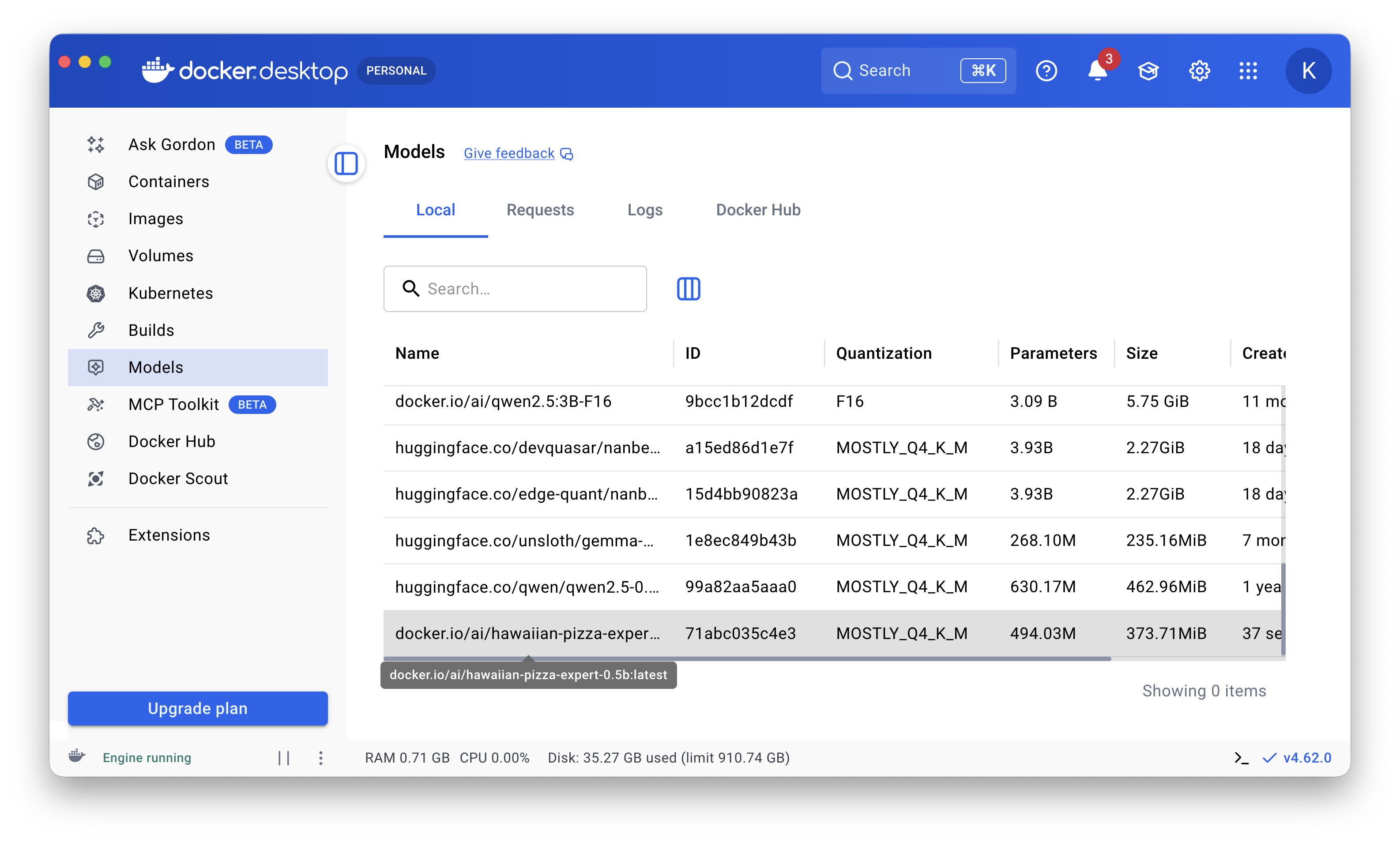
docker model run hawaiian-pizza-expert-0.5b
Or use it directly in Docker Desktop:
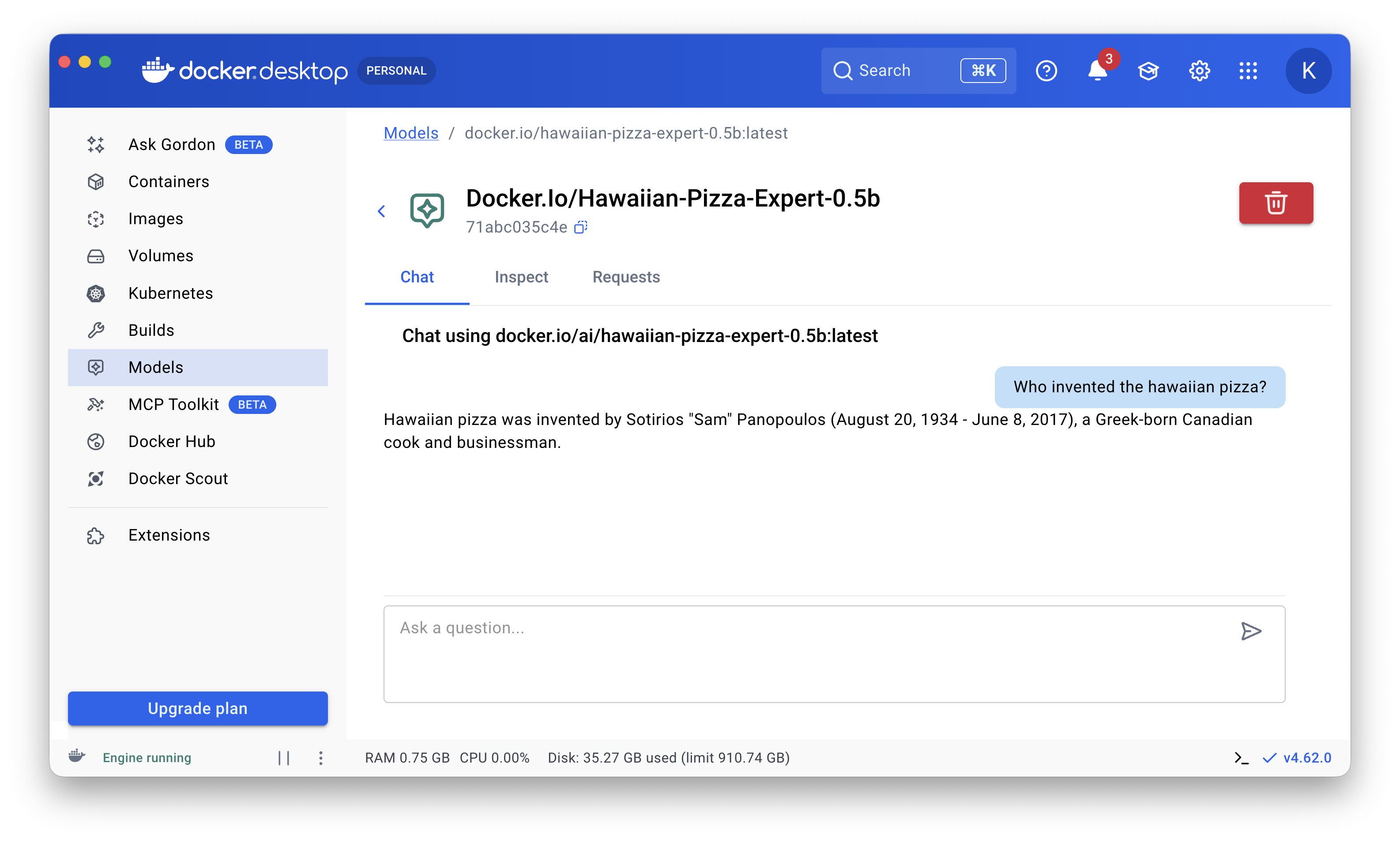
Package and publish the model to Docker Hub
docker model package \
--gguf $(pwd)/output/gguf/Qwen2.5-0.5B-Instruct-finetuned-Q4_K_M.gguf \
--push k33g/hawaiian-pizza-expert-0.5b
Where
k33gis my Docker Hub username andhawaiian-pizza-expert-0.5bis the model’s publication name.
Then, you can download and use it with Docker Model Runner:
docker model pull k33g/hawaiian-pizza-expert-0.5b:latest
You can find the model here: k33g/hawaiian-pizza-expert-0.5b/general
You’ll also find a version on HuggingFace: TypeUnsafe/hawaiian-pizza-expert-0.5b
In that case, the command to download the model for Docker Model Runner is:
docker model pull hf.co/TypeUnsafe/hawaiian-pizza-expert-0.5b
For Ollama, use:
ollama pull hf.co/TypeUnsafe/hawaiian-pizza-expert-0.5b
Conclusion
I tested DonkeyTune on another Mac machine (MacBook Pro M2), and the installation and fine-tuning worked there too. In this kind of experiment, the most tedious part was creating the fine-tuning dataset, which is an important step to get good results. You’ll find some tips in the README of the DonkeyTune project.
My next project related to fine-tuning language models is to see how far I can teach a new programming language to a small language model.
Stay tuned!