Giving capabilities to our mini docker-agent with “mini skills”
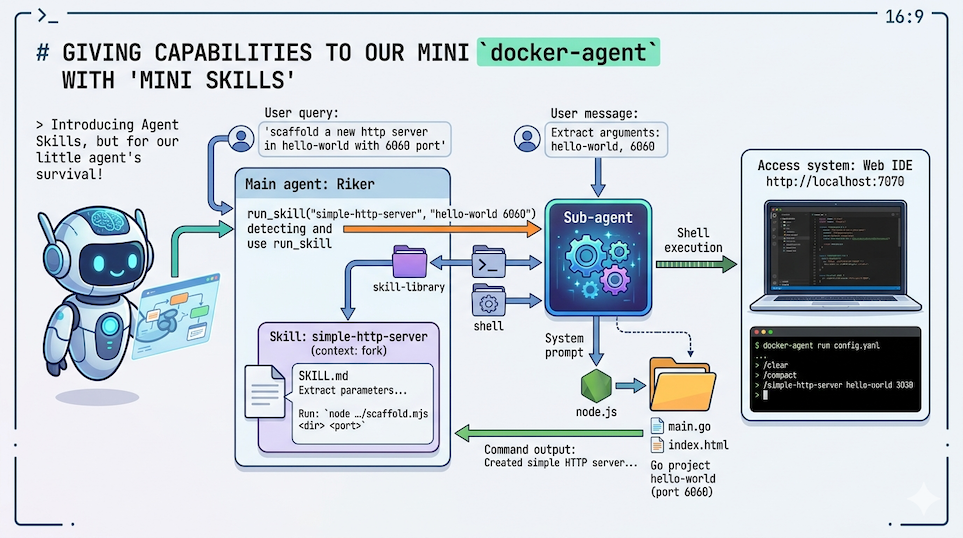
In the previous article (How to cook a little coding agent with Docker Model Runner and Docker Agent (and sbx)), we saw how to put together a coding agent with a small language model, using docker-agent — all running in a completely secure way thanks to sbx.
Sure, you can clearly forget about vibe coding with a 4B parameter model, but it can already answer a few questions and run some commands, which can save you when you’re offline, or when you want to re-train your brain to work on its own again. 😉
But it’s possible to make it even more useful by giving it new capabilities through skills (following the concept introduced by Anthropic in October 2025: Introducing Agent Skills).
Don’t think about using the same skills you use with Claude Code — our little agent wouldn’t survive it. A skill that’s “too big” would probably eat up most of the agent’s context, leaving it no room to understand the user’s question and actually respond. 🤔
So today I’m inventing the concept of the mini skill. 🎉
Mini Skill
What I call a mini skill is essentially a skill that acts as a “smart launcher” for bash scripts, node code, or anything else. Rather than giving the agent a list of commands it can run, we give it a mini skill that lets it understand the user’s request, extract the necessary parameters, and execute the corresponding command with the right arguments. That way, it’s the launched script that does all the heavy lifting, without unnecessarily bloating the agent’s memory.
You can also imagine using skills as “knowledge providers” — for example, a skill that contains the documentation for a specific tool. But once again, don’t overload your agent with skills that are too big.
Setting up a new agent: Riker
In the science-fiction novel “We Are Legion (We Are Bob)” by Dennis E. Taylor, Riker is a second-generation clone of Bob.
So I created a new ./riker folder, and I’ll be using the sandbox template I created for the previous blog post.
I’m planning to create a skill, “simple-http-server”, that will help me generate the code for a very simple Go HTTP server — something I can use as a base for future Go web projects. I’ll create a ./riker/.agents/skills/simple-http-server folder, and add a SKILL.md file and a scaffold.mjs file that will contain the mini skill code:
.
├── .agents
│   └── skills
│       └── simple-http-server
│           ├── scaffold.mjs
│           └── SKILL.md
├── config.yaml
└── README.md
✋ Important note: I picked a very simple example for the explanation, but since the script does all the work, you can imagine scaffolding much more complex applications.
Let’s start with the agent’s config.yaml configuration file
The things that change (beyond the agent name) compared to Bob’s configuration (see previous article) are:
Enabling skills:
skills: true
And a bit of help for the agent to find its way around the capabilities it has available:
instruction: |
    Your name is Riker. You are coding expert.

    ## Skills

    Available skills:
    - `simple-http-server`: scaffold a simple go http server.
    To use it, call the `run_skill` tool with:
    - skill name: "simple-http-server"
    - task: a description containing the project directory and HTTP port (e.g. "hello-world 6060")
✋ Note: in theory, the agent should be able to figure out on its own that it has a skill and how to use it.
docker-agentautomatically injects a description of each available skill into the agent’s context. But in practice, I’ve verified that this isn’t enough for our little agent, and that giving it more explicit instructions helps it better understand how to use its skill.
Here’s the complete configuration file for Riker:
agents:

  root:
    model: brain
    description: Riker
    skills: true
    num_history_items: 5
    max_old_tool_call_tokens: 5000
    max_iterations: 5
    max_consecutive_tool_calls: 3
    instruction: |
      Your name is Riker. You are coding expert.

      ## Skills

      Available skills:
      - `simple-http-server`: scaffold a simple go http server.
        To use it, call the `run_skill` tool with:
        - skill name: "simple-http-server"
        - task: a description containing the project directory and HTTP port (e.g. "hello-world 6060")

    toolsets:
      - type: shell
      - type: filesystem

models:
  brain:
    provider: dmr
    model: huggingface.co/janhq/jan-code-4b-gguf:Q4_K_M
    base_url: http://host.docker.internal:12434/engines/v1

    temperature: 0.0
    top_p: 0.9
    frequency_penalty: 0.1
    presence_penalty: 0.0

    provider_opts:
      runtime_flags: ["--top_k=40","--min_p=0.05","--repetition_penalty=1.1"]
Now let’s write the mini skill
A skill must always include a SKILL.md file with a YAML header that describes the skill, with a name field matching the skill name (which must match the directory name), and a description field explaining what the skill does. Then you add what the skill should do in the body of the markdown file:
SKILL.md file:
---
name: simple-http-server
description: scaffold a simple go http server
context: fork
---
# Go HTTP Server Scaffolder

You are a specialized agent that scaffolds a simple Go HTTP server project.

Extract the following parameters from the user's request:
- **project_directory**: the directory name or path where the project should be created
- **http_port**: the HTTP port number to use (default: 8080 if not specified)

Then use the shell tool to run this command:

```sh
node .agents/skills/simple-http-server/scaffold.mjs <project_directory> <http_port>
```

Replace `<project_directory>` and `<http_port>` with the values extracted from the user's request.

Display the command output to the user once done.
✋ Important: In this skill, we’re asking the agent to extract two parameters from the user’s request: the project directory name and the HTTP port to use. Then we ask it to run a bash command that launches a scaffold.mjs script, passing in those two extracted parameters.
But what does the context: fork field in the skill’s YAML header actually do?
We just saw that a skill is a directory in .agents/skills/ that contains at minimum a SKILL.md file. This file has:
- A YAML frontmatter (between
---) with at leastnameanddescription - A body: markdown instructions intended for the LLM
At startup, docker-agent scans the skill directories, loads them into memory, and generates a section in the agent’s system prompt that lists the available skills. So the agent knows (in theory) that it can use these skills.
It has two tools available to interact with them:
| Tool | Role |
|---|---|
read_skill |
Reads the SKILL.md content and returns it to the main agent |
run_skill |
Spawns an isolated sub-agent with the SKILL.md as its system prompt |
The run_skill tool is only exposed to the agent if at least one skill declares context: fork in its frontmatter.
There are several ways to invoke a skill:
The slash command
The user types a structured command like /simple-http-server hello 6060. The docker-agent runtime identifies that simple-http-server is a known skill name, reads the SKILL.md content, and builds a structured message that contains both the user’s request and the skill’s instructions along with the arguments. This method works well because the context is entirely provided in a single structured message with argument values already substituted.
Auto-discovery
The user writes a natural language request like “scaffold a new http server in hello-world directory with 6060 as default http port”. The agent must recognize that this request corresponds to the simple-http-server skill, understand that it should use this skill, extract the arguments from the user’s request, and call the skill with the right arguments. This method is more complex — the agent has to connect all the dots.
The $ARGUMENTS[N] notation is not a docker-agent mechanism: it’s an LLM convention. The runtime does no substitution of these variables. It’s the language model itself that’s supposed to understand that $ARGUMENTS[0] refers to the first argument passed by the user. And as you might guess, some small models can struggle with this… and fail. 😢
The solution: context: fork
When a skill declares context: fork, docker-agent exposes the run_skill tool to the main agent. This tool, instead of simply returning the SKILL.md content, spawns an isolated sub-agent:
Main agent
  └─> run_skill("simple-http-server", "hello-world 6060")
        └─> Sub-agent
              ├─ system prompt = SKILL.md content
              └─ user message  = "hello-world 6060"
Why this solves the problem
The sub-agent receives in its initial context:
- The system prompt (the
SKILL.mdrewritten as clear instructions) - The user message with the parameters
No more ambiguous $ARGUMENTS[0]. The SKILL.md now says explicitly:
“Extract
project_directoryandhttp_portfrom the user message, then executenode .agents/skills/simple-http-server/scaffold.mjs <project_directory> <http_port>”
And the user message contains "hello-world 6060".
OK, I know, it’s a bit confusing (but it’s clear in my head 😅).
read_skill: you dump theSKILL.mdcontent and the user message to the agent, and it has to figure it out from there.run_skill: the placeholders are named and explicit. The body is rewritten as a standalone system prompt intended for the sub-agent (which uses the same model as the main agent, but has a clear and structured context). I’ll let you test with and withoutcontext: forkto see the difference. Some models with8bparameters can make the connection even withoutcontext: fork, while others will completely miss the argument parsing.
And finally the scaffold.mjs script
This is the easy part, actually.
import { dirname } from 'path'
import { fileURLToPath } from 'url'
import { writeFileSync, mkdirSync, existsSync } from 'fs'

const skillDir = dirname(fileURLToPath(import.meta.url))

const [projectDir, httpPort] = process.argv.slice(2)

if (!projectDir || !httpPort) {
  console.error('Usage: node scaffold.mjs <http-dir> <port>')
  process.exit(1)
}

if (!existsSync(projectDir)) {
  mkdirSync(projectDir, { recursive: true })
  console.log(`📁 Created directory ${projectDir}`)
}

const serverTemplate = `
package main

import (
	"fmt"
	"log"
	"net/http"
	"os"
)

const defaultPort = "${httpPort}"

func main() {
	port := os.Getenv("PORT")
	if port == "" {
		port = defaultPort
	}

	fs := http.FileServer(http.Dir("."))
	http.Handle("/", fs)

	addr := fmt.Sprintf(":%s", port)
	log.Printf("Started on http://localhost%s", addr)
	log.Fatal(http.ListenAndServe(addr, nil))
}
`

const indexTemplate = `
<!DOCTYPE html>
<html lang="fr">
<head>
  <meta charset="UTF-8">
  <title>My little HTTP server</title>
</head>
<body>
  <h1>👋 Hello World 🌍</h1>
</body>
</html>
`

writeFileSync(`${projectDir}/main.go`, serverTemplate)
writeFileSync(`${projectDir}/index.html`, indexTemplate)

console.log(`🎉 Created simple HTTP server in ${projectDir} on port ${httpPort}`)
All that’s left is to test our Riker agent, by asking it something like: “scaffold a new http server in my-little-demo directory with 5050 as default http port”.
Testing our new agent Riker
I reuse my custom environment (in the ./riker folder):
session_name="demo-riker"
current_dir=$(basename "$PWD")
published_port=7070

sbx policy allow network localhost:12434
sbx create --template docker.io/k33g/sbx-bob:go-node-0.0.0 shell .
sbx ports shell-${current_dir} --publish ${published_port}:8080/tcp

tmux new -d -s ${session_name} "sbx run shell-${current_dir}"
Then I connect to the Web IDE at http://localhost:7070 and launch my Riker agent:
docker-agent run config.yaml
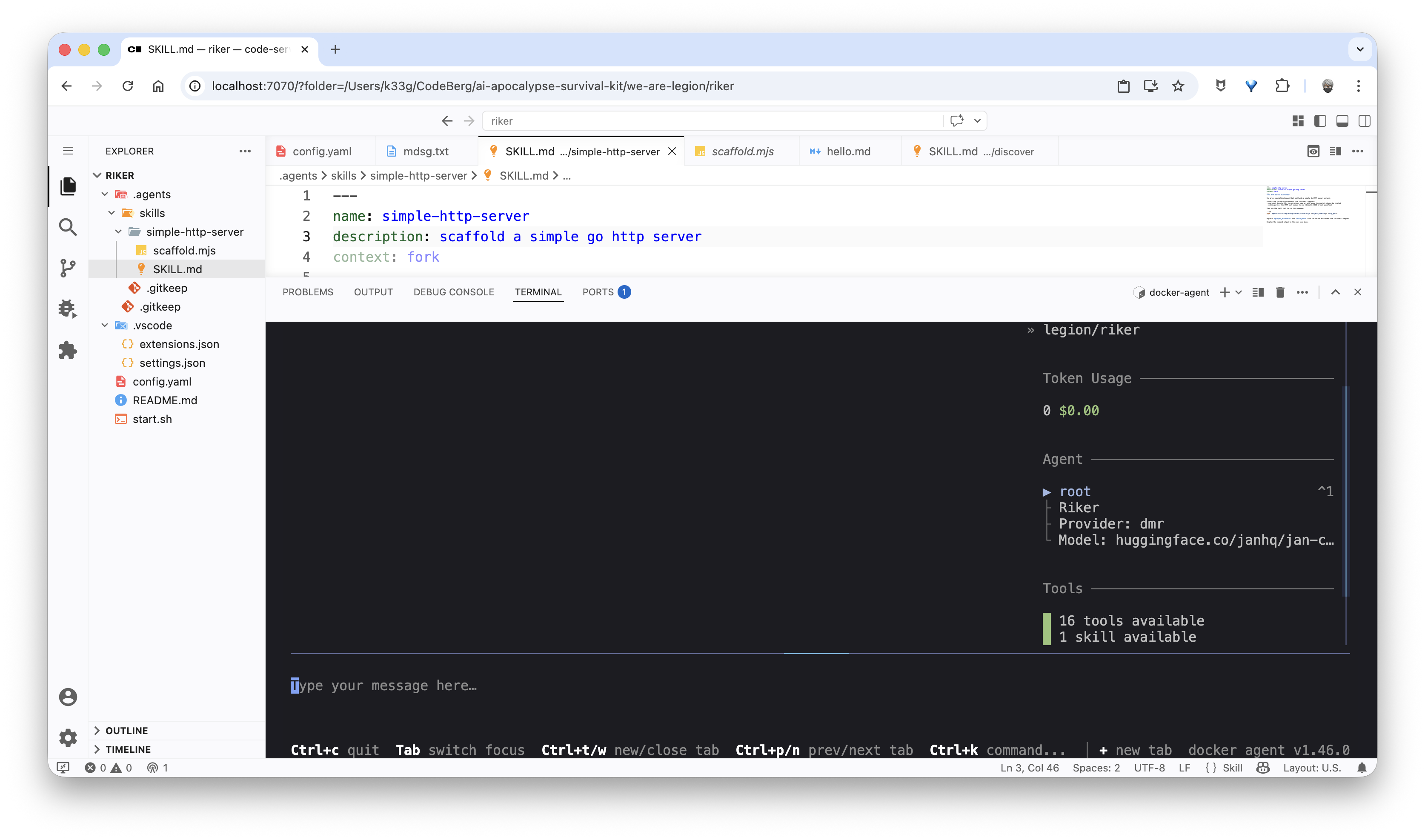
And ask it to create an HTTP server with: “scaffold a new http server in my-little-demo directory with 5050 as default http port”:
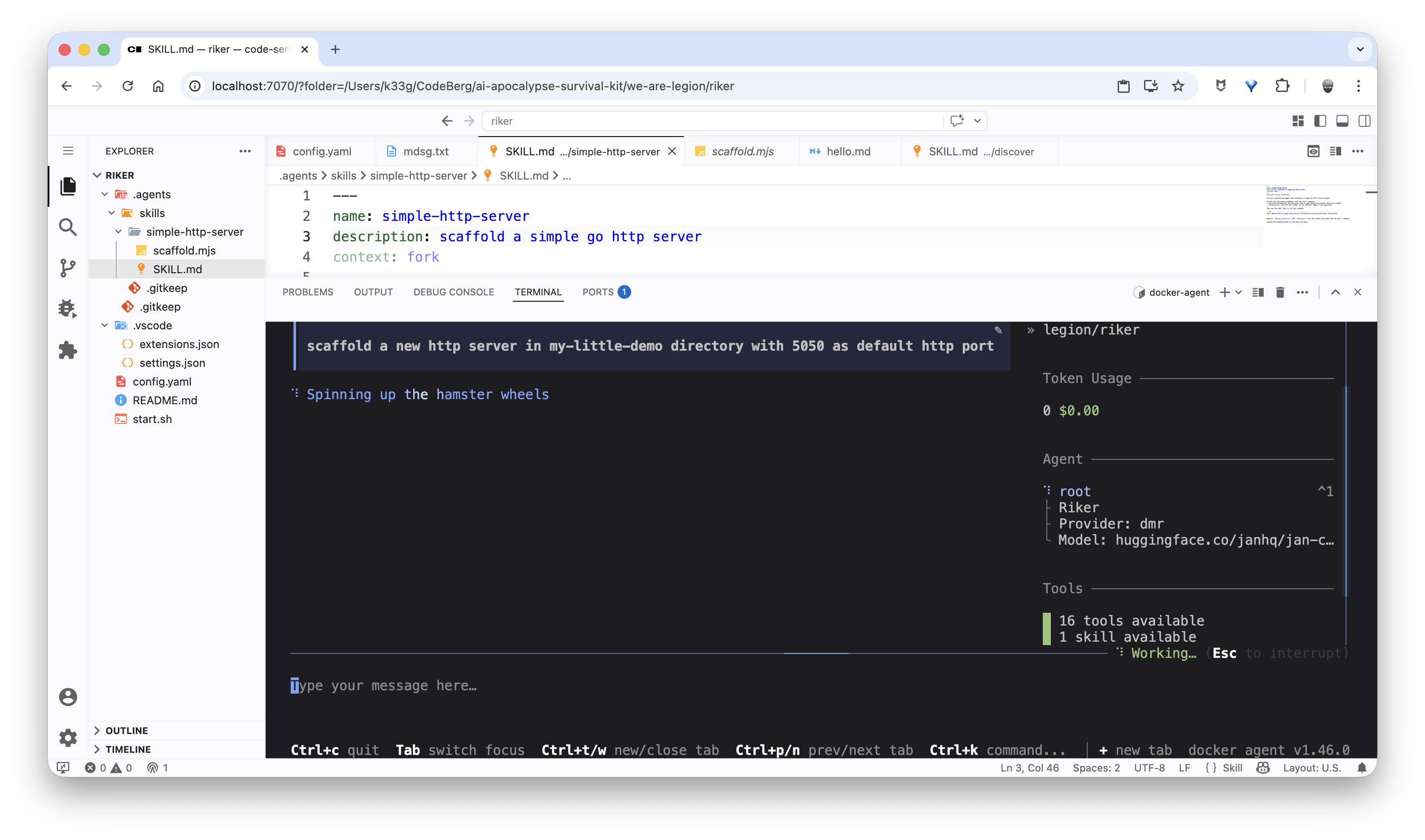
The agent detects that it needs to execute a skill with the run_skill tool:
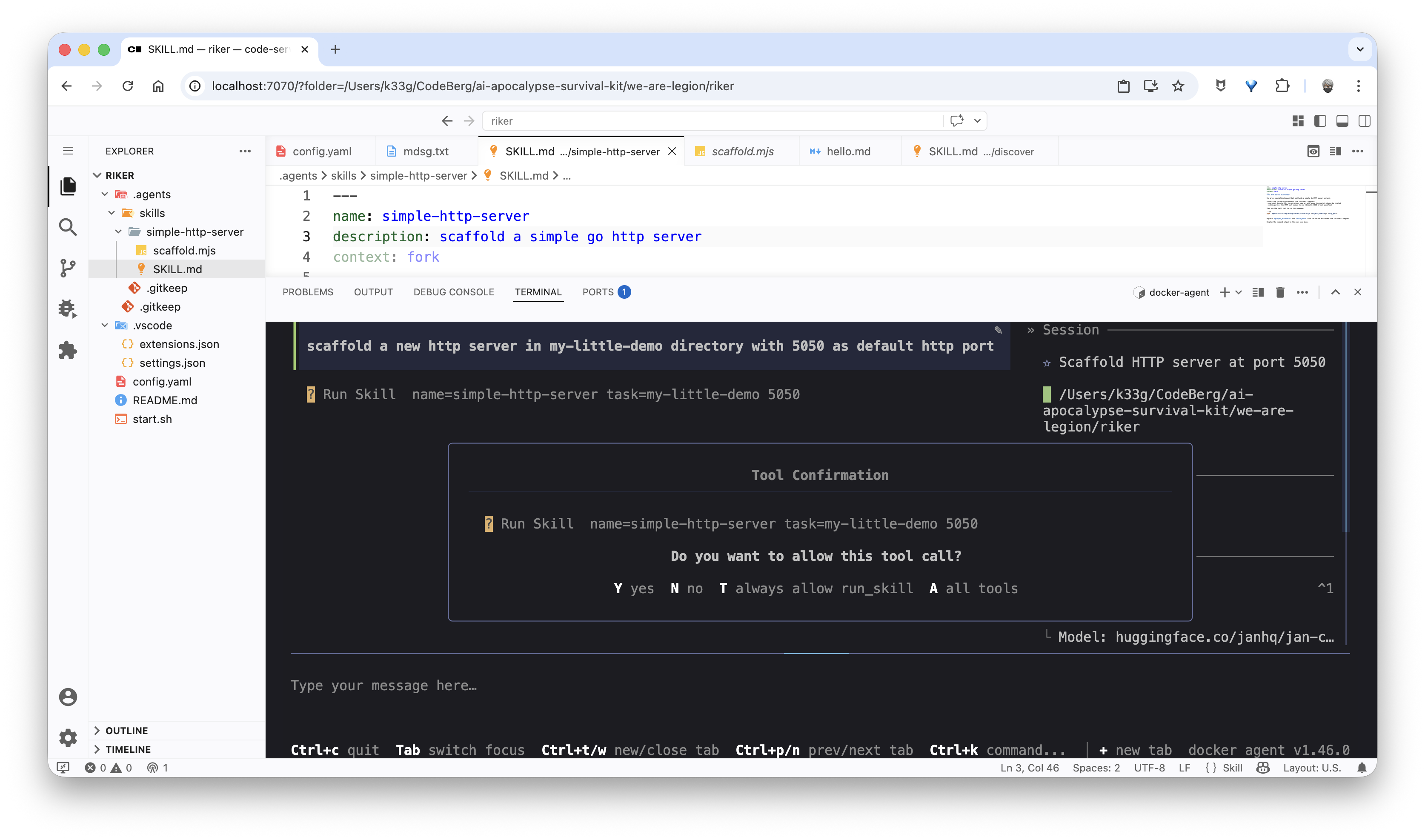
Once execution is confirmed, the agent creates the my-little-demo subfolder and generates the main.go and index.html files through the scaffold.mjs script:
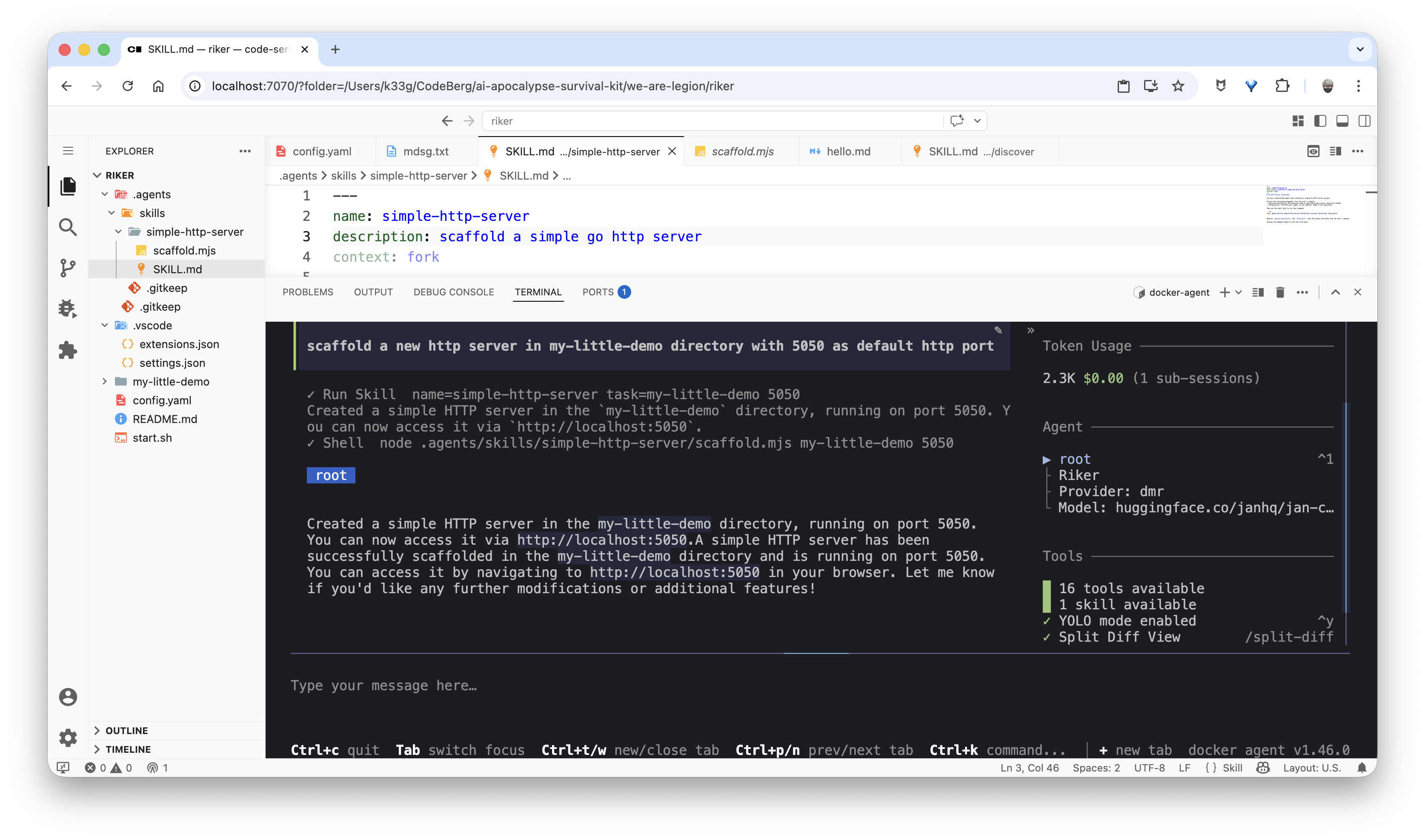
And you can verify that the files were properly created in the my-little-demo folder:
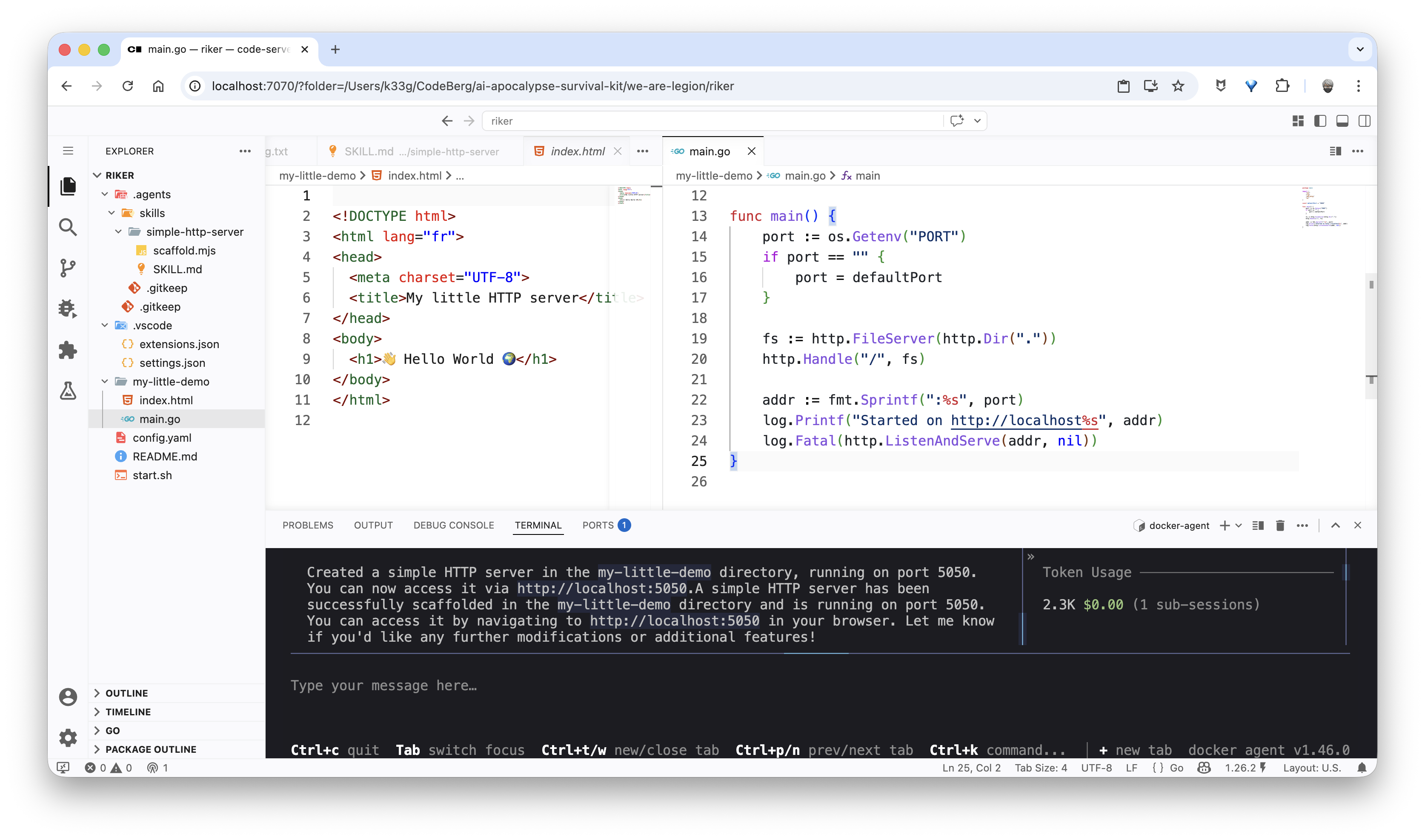
And of course you can start the HTTP server and verify that everything works:
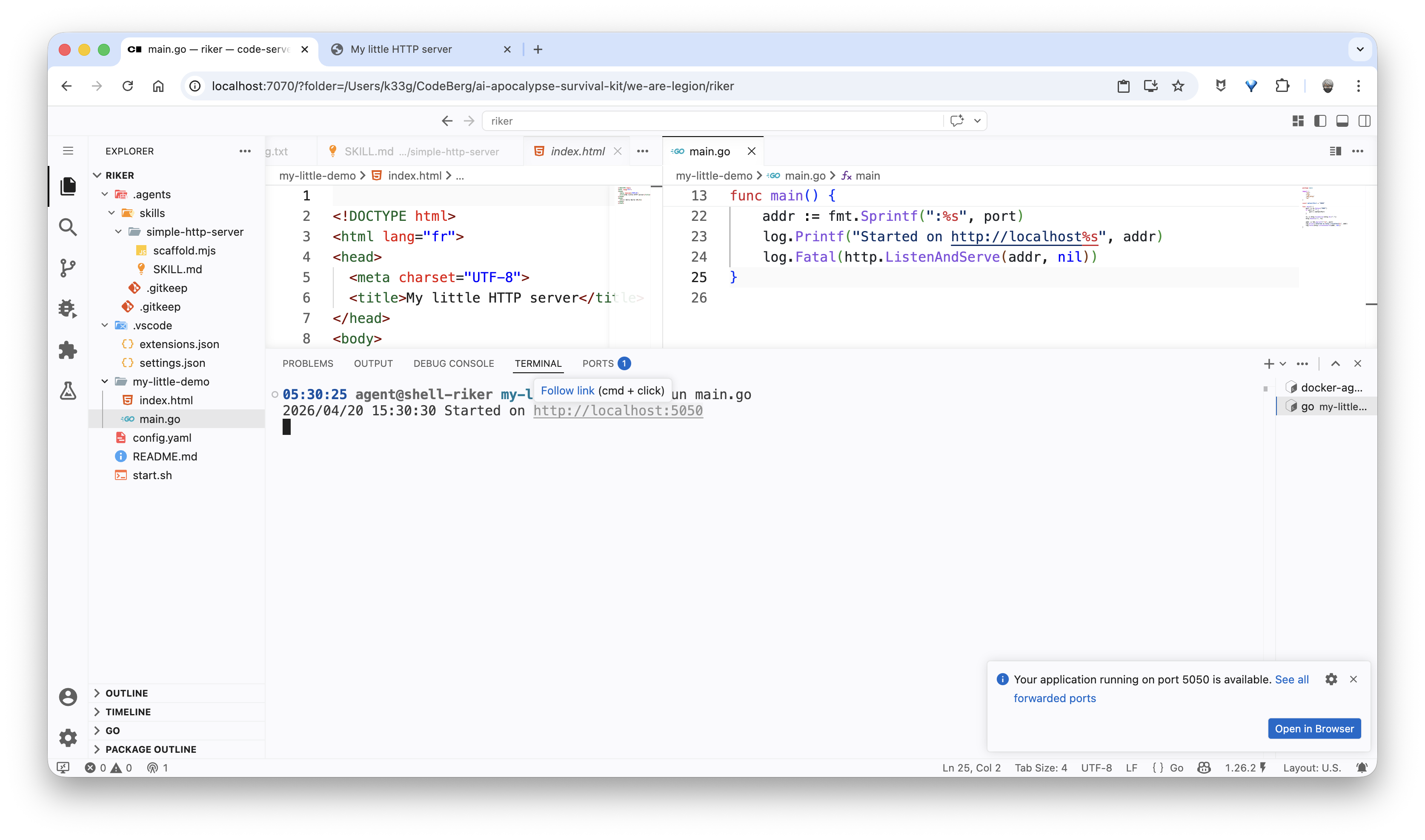
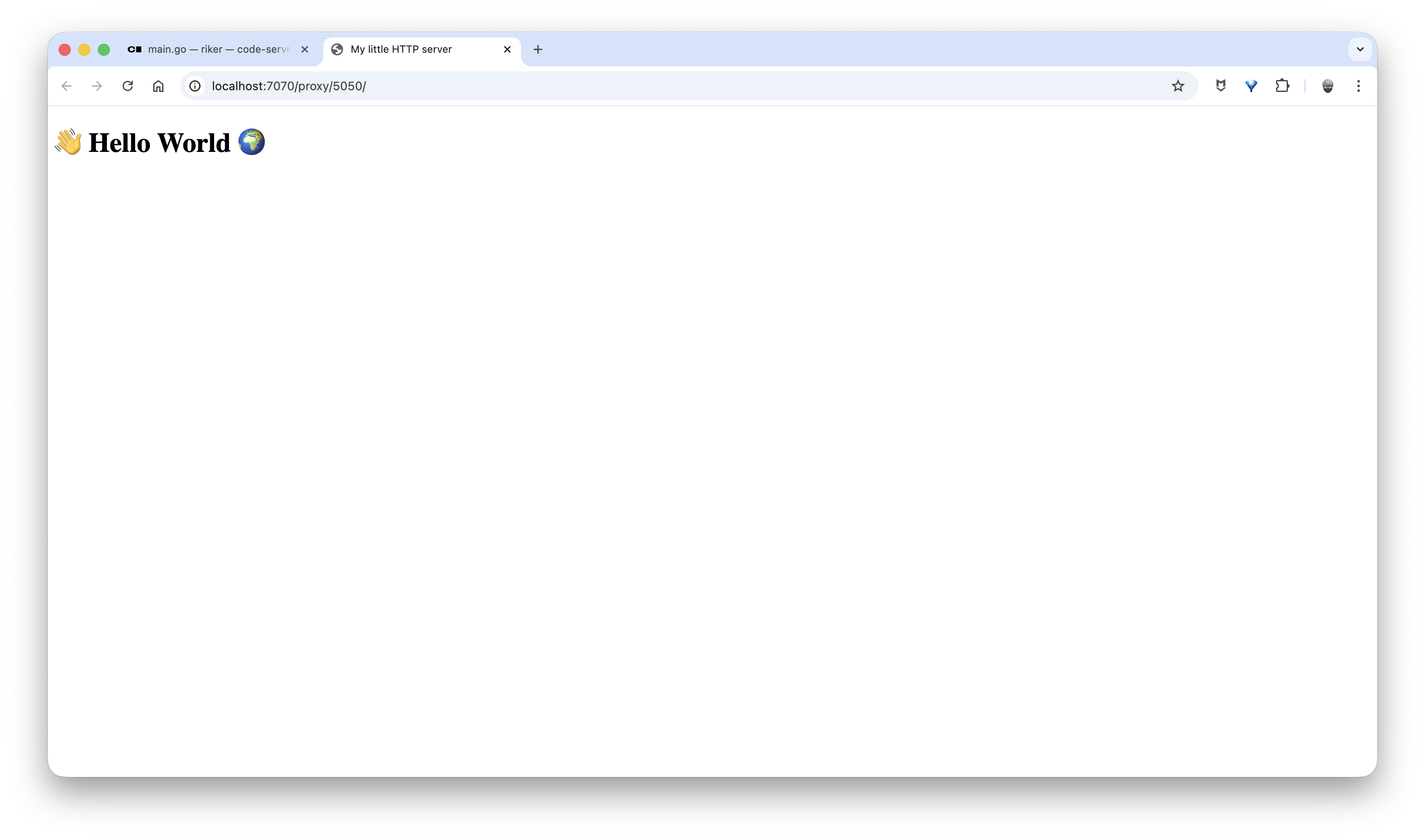
Using the slash command
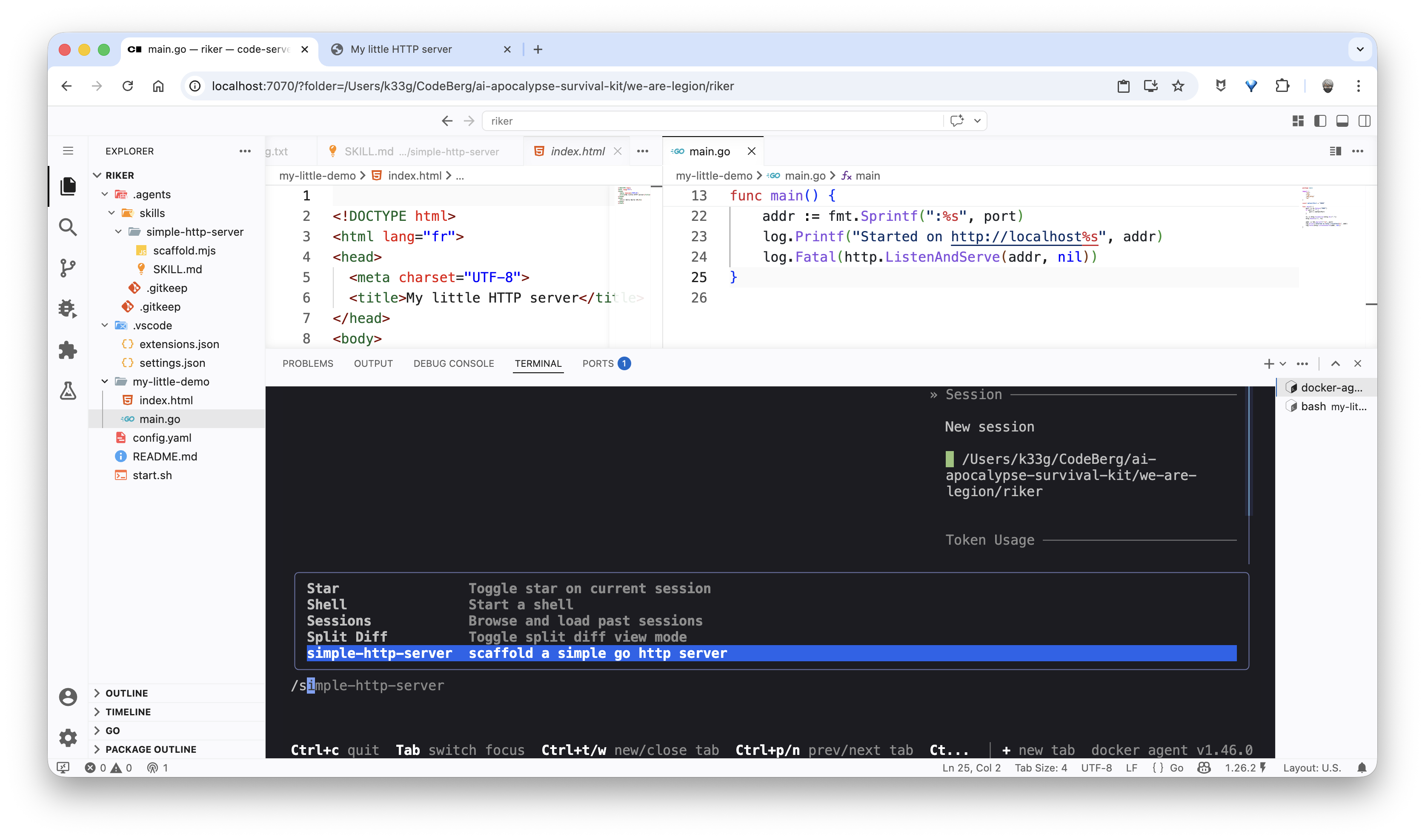
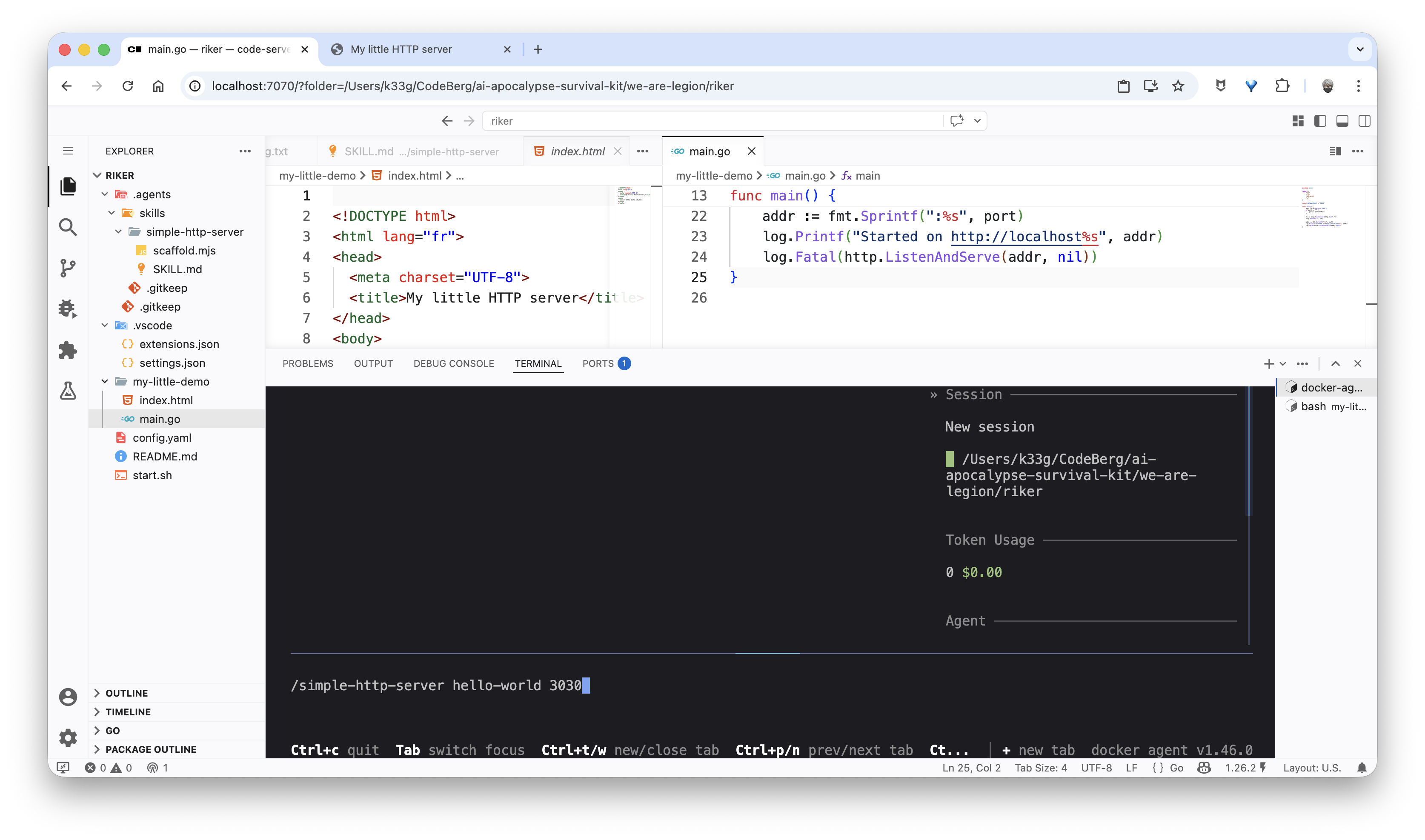
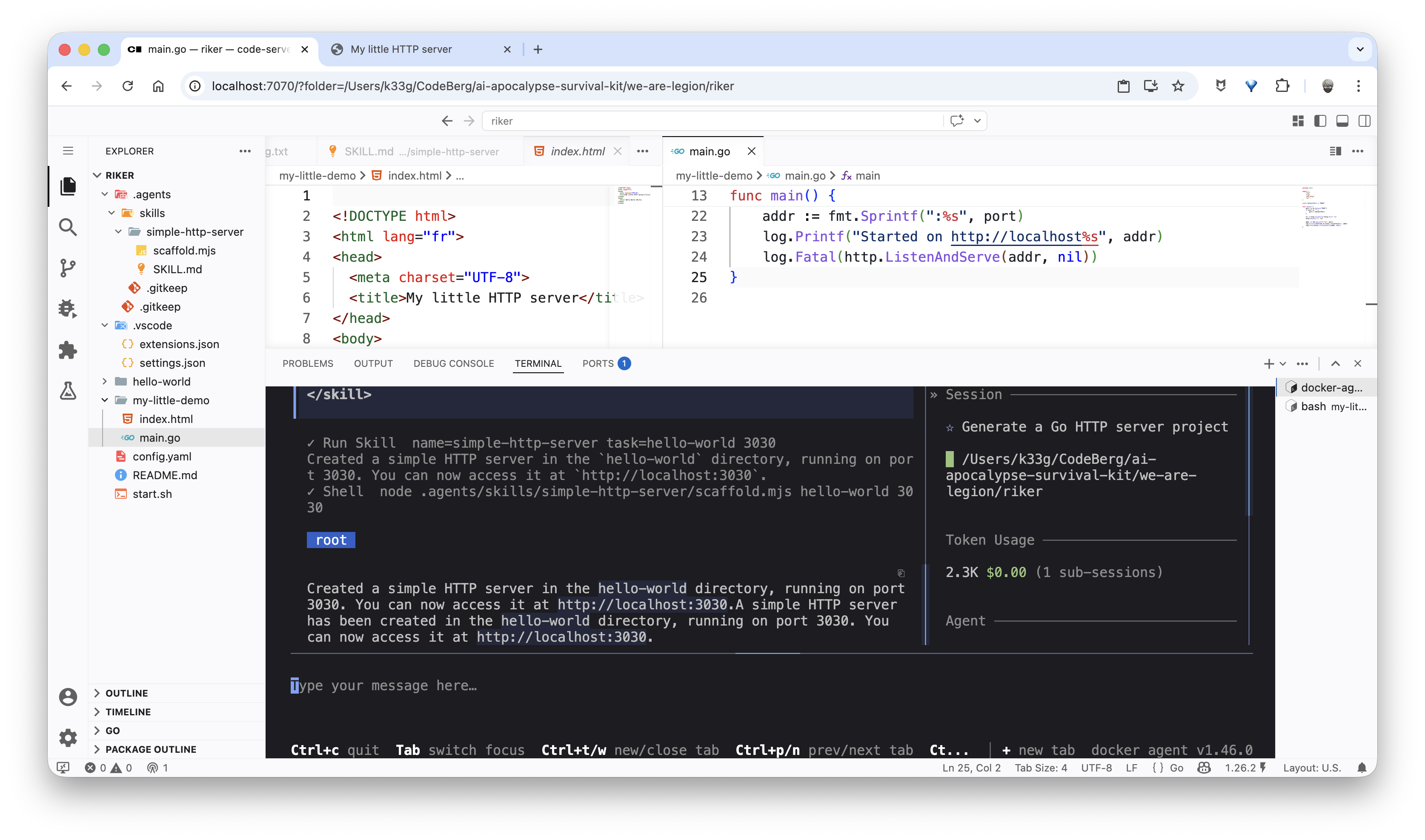
The simplest way to trigger a skill is to use the slash command directly in the user message, for example: /simple-http-server hello-world 3030. The agent will immediately understand that it needs to use the simple-http-server skill and pass it the arguments hello-world and 3030:
Conclusion
And there you have it — a lot of effort today to generate a small piece of code, but now you have everything you need to create your own mini skills (more creative than mine) and integrate them into your coding agent. You can imagine mini skills for generating project templates, doing code review, generating unit tests, or even interacting with external APIs. The possibilities are wide open!
Riker’s source code is available here: https://codeberg.org/ai-apocalypse-survival-kit/we-are-legion/src/branch/main/riker