How to cook a little coding agent with Docker Model Runner and Docker Agent (and sbx)
In previous articles we covered:
- How to connect a
docker-agentrunning insidesbxto Docker Model Runner - How to create a “Custom Environment” for
sbxwithdocker-agentand a Web IDE
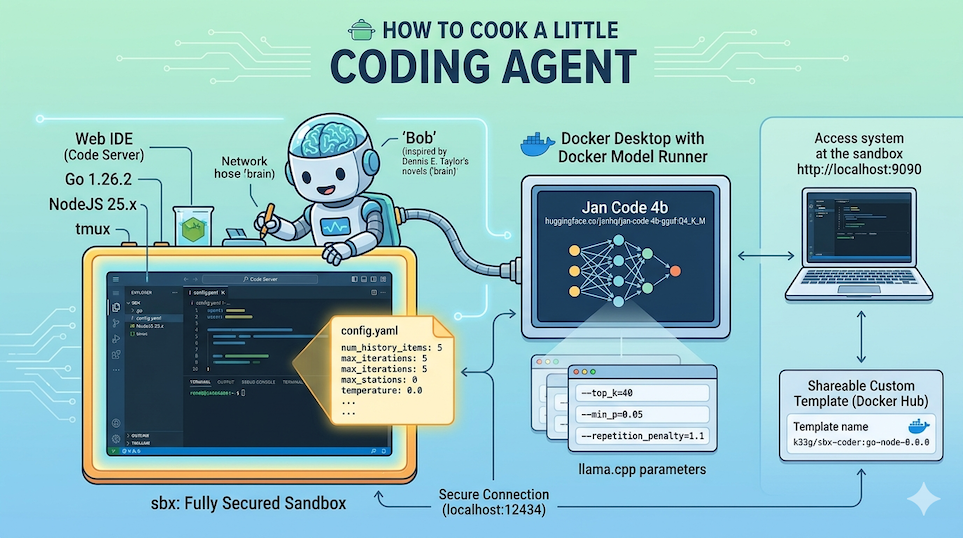
We now have all the pieces we need to run a coding agent in an isolated environment, with a Web IDE to interact with it.
For this article I’ve prepared a new sandbox sbx-bob, ready to use (with Go, NodeJS and docker-agent pre-installed), that you can use to follow the steps and customize your own coding agent:
- Source code available here: https://codeberg.org/ai-apocalypse-survival-kit/we-are-legion/src/branch/main/sandboxes/sbx-bob.
- The image is here: https://hub.docker.com/r/k33g/sbx-bob
Feel free to use it as-is, or build your own by following the steps described in the previous articles.
Now, let’s get started and customize a mini coding agent — which I’ve named “Bob”.
Why Bob? My agent’s name comes from the science-fiction novel “We Are Legion (We Are Bob)” by Dennis E. Taylor, where the main character, Bob, is an artificial intelligence program (the brain of the original human Bob was uploaded into a machine) that explores the universe.
Today we’ll talk about the agent configuration and its model. And we’ll see how to use it.
Choosing the local model: Jan Code
For my “mini coding agent”, I chose to use a small 4-billion-parameter model, Jan Code by JanHQ. It’s a model specialized in code generation, and you can run it locally with Docker Model Runner. To pull this model, use the following command:
docker model pull huggingface.co/janhq/jan-code-4b-gguf:Q4_K_M
The AI Agent & Tiny Models Gibbs’ Rule n°1: “Stay small, stay focused”
Only one model of 4b parameters with function calling capabilities.
🤔 Why
4b? To keep a smooth UX on a “modest” machine (8bis still workable in some cases — I’ll talk about that in a future article). Keep in mind that part of your machine’s memory is already taken by the applications you’re running, so the room left for your LLM and its context fills up fast. For instance, a8bmodel withQ4_K_Mquantization already weighs around4GB.
Now let’s talk about the other rules with the configuration parameters of docker-agent and the sampling parameters of its model.
docker-agent configuration: config.yaml
We’re using a small 4-billion-parameter model, so we need to be careful about context size and manage our history carefully.
We also need to pay attention to how this small model handles “function calling” (tool calls). Small models don’t have a great reputation for handling complex tool calls, and they can easily get stuck in endless tool-call loops.
Model choice is therefore extremely important and you should test several to determine their ability to handle “function calling”. And a coding agent without tools is not far from being useless.
To live well with our small model, docker-agent offers several useful parameters for configuring the agent.
Agent parameters
num_history_items
This parameter limits the number of conversation history messages sent to the model on each turn. Without a limit, the full history is transmitted and can quickly exceed the context window of a small model (often 4096 to 8192 tokens). By capping at 10-15 messages, we ensure the context stays manageable.
I tend to leave it at
5— there’s no point having a long conversation with a small model. If the context gets too large, the model will slow down and struggle to stay focused.
max_old_tool_call_tokens
This parameter defines a token budget for the arguments and results of old tool calls or “function calling” (those that are not the most recent). Beyond this budget, the content of old calls is replaced by a placeholder. Token estimation is based on len(content) / 4.
With small models, tool results (file reads, shell output, …) can be very large and consume all available context. Setting this parameter to 5000 allows aggressively truncating old results while keeping the most recent ones.
max_iterations
Limits the total number of tool-call turns before the agent stops. Without this limit, an agent with a small model can enter long and costly loops if the model doesn’t know when to stop. With a small model, 5 to 10 iterations are enough for most tasks.
I leave it at
5.
max_consecutive_tool_calls
Prevents “infinite” loops where the model calls the same tool with the same parameters over and over. Small models, when stuck on a problem, tend to retry the same action indefinitely. This parameter cuts that behavior off after N consecutive identical calls.
I use
3.
Model parameters, or sampling parameters
These parameters control how the model generates its tokens (and therefore ultimately influence the agent’s behavior). They can vary from one model to another, but generally I use the following configuration:
temperature
Temperature controls the randomness of generation. At 1.0, the model is very creative but incoherent. At 0.0, it’s deterministic. Small models tend to “go off the rails” with high temperatures and produce incoherent or repetitive text. A low value (0.2-0.4) anchors generation around the most probable tokens, giving more stable and reliable responses.
✋ Since I’m using function calling, I prefer to set temperature to
0.0.
top_p
Nucleus sampling (top_p) restricts selection to the tokens whose probabilities sum up to a defined threshold. At 0.9, only the tokens representing the top 90% most probable are considered. This cuts out aberrant tokens while preserving some diversity. With small models, reducing top_p to 0.9 improves the coherence of responses.
frequency_penalty
Penalizes tokens that have already appeared in the response, in proportion to their frequency. Small models have a strong tendency to repeat phrases or words. A mild penalty (0.1-0.3) significantly reduces this without degrading quality.
presence_penalty
Unlike frequency_penalty, this parameter penalizes the appearance of a token from its very first occurrence, regardless of frequency. With small models, enabling it can cause erratic output because the model tries to avoid all topics already mentioned, even briefly. It’s better to leave it at 0.0.
Parameters specific to local model providers
I use Docker Model Runner (with the llama.cpp inference engine) and docker-agent allows using parameters specific to this local model provider, which are passed as runtime flags to the inference engine via the provider_opts field.
provider_opts.top_k
Top-K sampling restricts selection to the k most probable tokens before applying top_p. It’s a very effective filter for small models. A value of 40 is a good balance.
provider_opts.repetition_penalty
A value of 1.0 means no penalty. Above 1.0, already-generated tokens are penalized. Values between 1.05 and 1.15 are effective against the repetition tendencies of small models without breaking coherence.
I use
1.1.
provider_opts.min_p
Filters tokens whose probability is below min_p * (probability of the most probable token). It’s an adaptive filter that complements top_k and top_p nicely. It’s particularly effective at eliminating very improbable tokens that cause small models to “derail” into hallucinations.
I use
0.05.
So, here’s my configuration file
I use the following configuration file:
agents:

  root:
    model: brain
    description: Bob
    num_history_items: 5
    max_old_tool_call_tokens: 5000
    max_iterations: 5
    max_consecutive_tool_calls: 3
    instruction: |
      Your name is Bob. You are coding expert.

    toolsets:
      - type: shell
      - type: filesystem

models:
  brain:
    provider: dmr
    model: huggingface.co/janhq/jan-code-4b-gguf:Q4_K_M
    base_url: http://host.docker.internal:12434/engines/v1

    temperature: 0.0
    top_p: 0.9
    frequency_penalty: 0.1
    presence_penalty: 0.0

    provider_opts:
      runtime_flags: ["--top_k=40","--min_p=0.05","--repetition_penalty=1.1"]
toolsets?
A docker-agent toolset is a set of capabilities we give our agent so it can “interact” with the real world.
Without a toolset, an agent can only respond in text. With toolsets, it can read files, execute commands, make HTTP requests, query databases, etc.
Concretely, each toolset exposes one or more tools (named functions) to the model. When the model decides to use a tool, docker-agent executes it and returns the result to the model, which can then continue its work based on that result.
I mainly use the shell and filesystem toolsets to allow my agent to read/write files and execute commands in the terminal.
More information on these toolsets:
We now have everything we need to start testing our coding agent Bob.
A first use case: I need help with Go
Launching Bob
My example agent project is here: https://codeberg.org/ai-apocalypse-survival-kit/we-are-legion/src/branch/main/bob
To create and start the sbx-bob sandbox, I use the following commands:
session_name="demo-bob"
current_dir=$(basename "$PWD")
published_port=9090

sbx policy allow network localhost:12434
sbx create --template docker.io/k33g/sbx-bob:go-node-0.0.0 shell .
sbx ports shell-${current_dir} --publish ${published_port}:8080/tcp

tmux new -d -s ${session_name} "sbx run shell-${current_dir}"
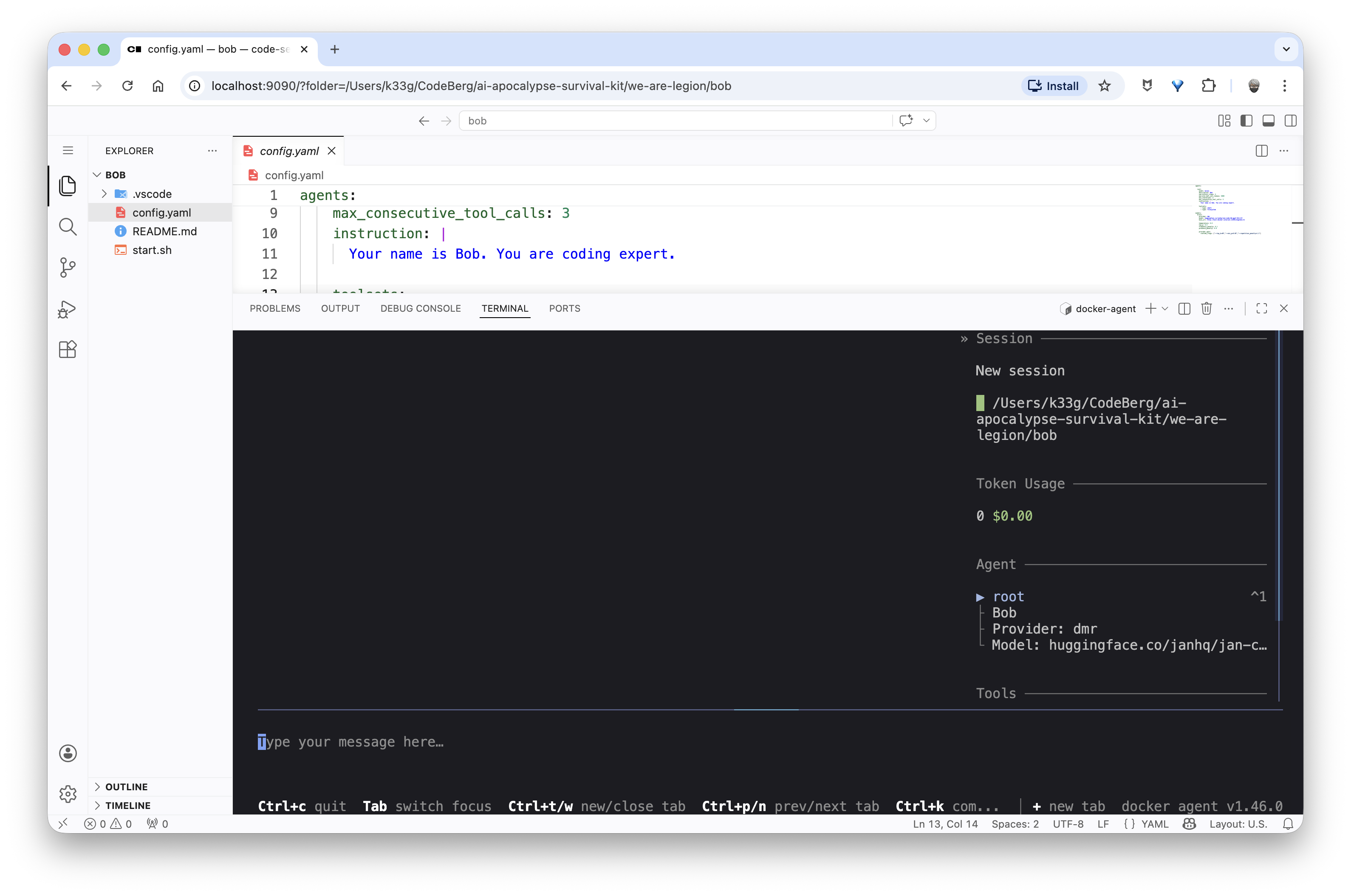
And now I can go to http://localhost:9090 to access the sandbox’s Web IDE and run docker-agent run config.yaml to start the agent.
Bob, please, help me with Go!
Now let’s see how Bob handles helping me code in Go. I’ll ask him some simple questions, like:
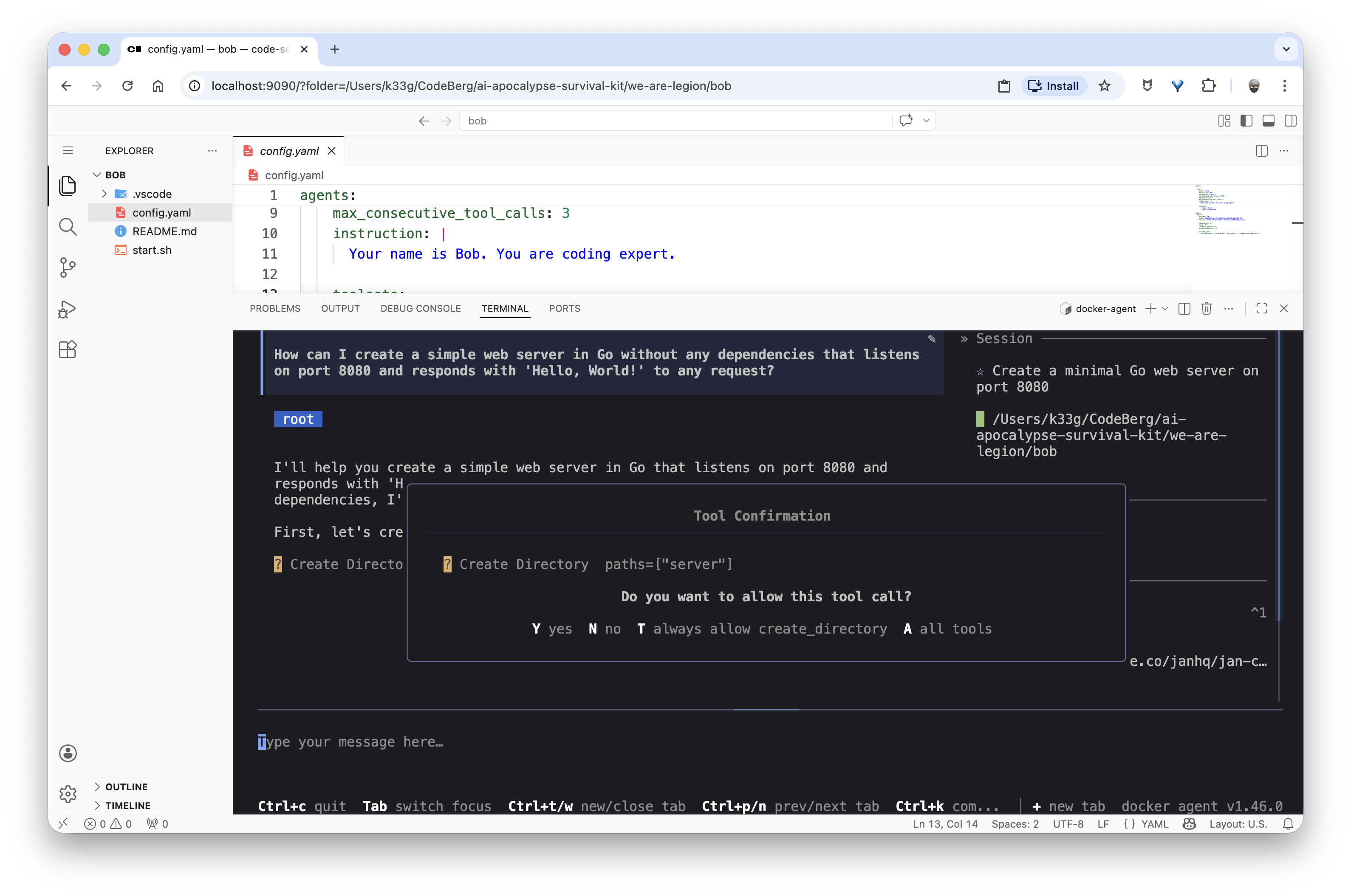
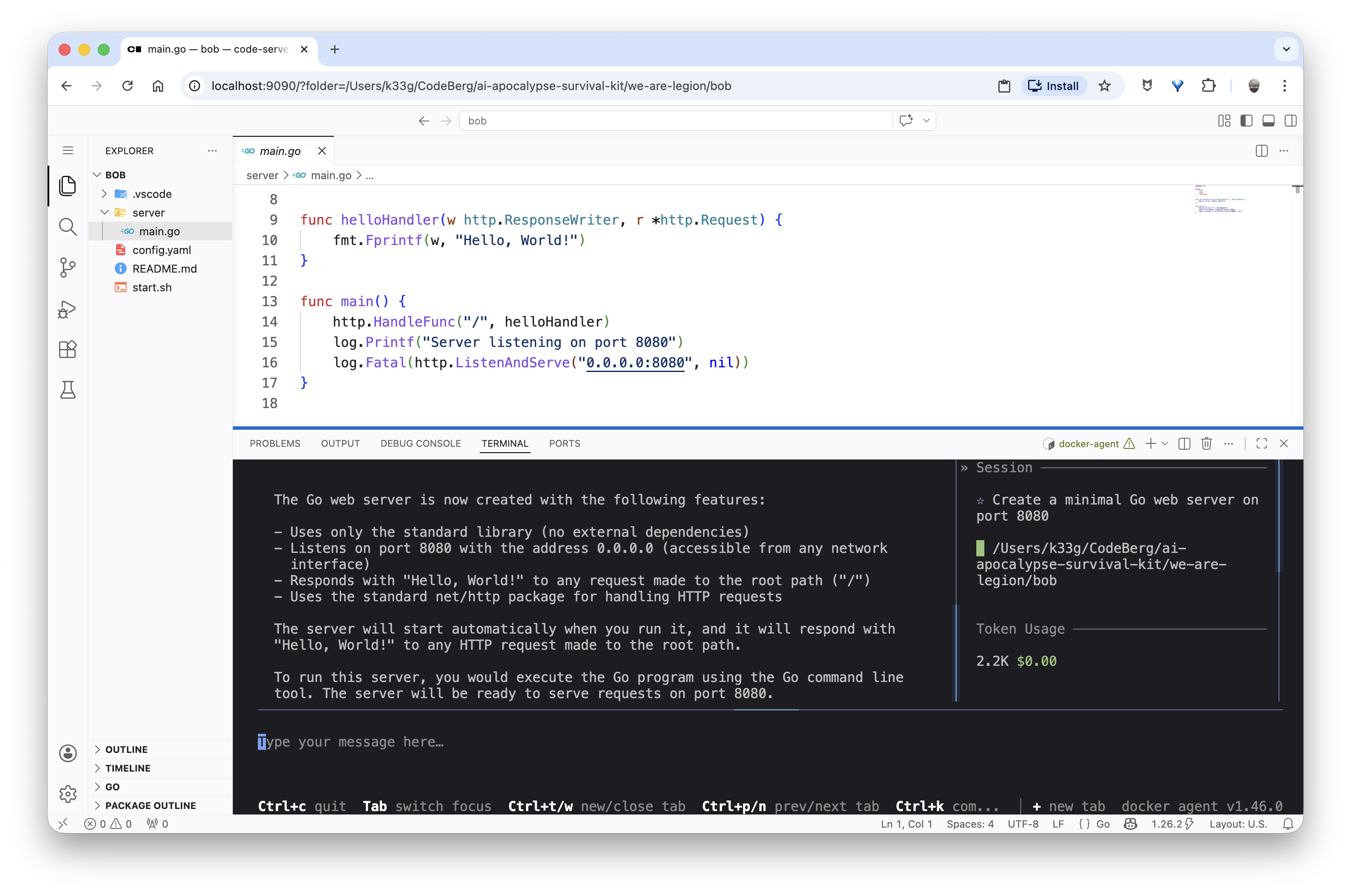
“How can I create a simple web server in Go without any dependencies that listens on port 8080 and responds with ‘Hello, World!’ to any request?”
And in this case, Bob will directly offer to generate the complete Go server source code:
Then I need to learn how to use structs in Go, so I ask Bob: “Explain me the structs type in Go, with code examples.”
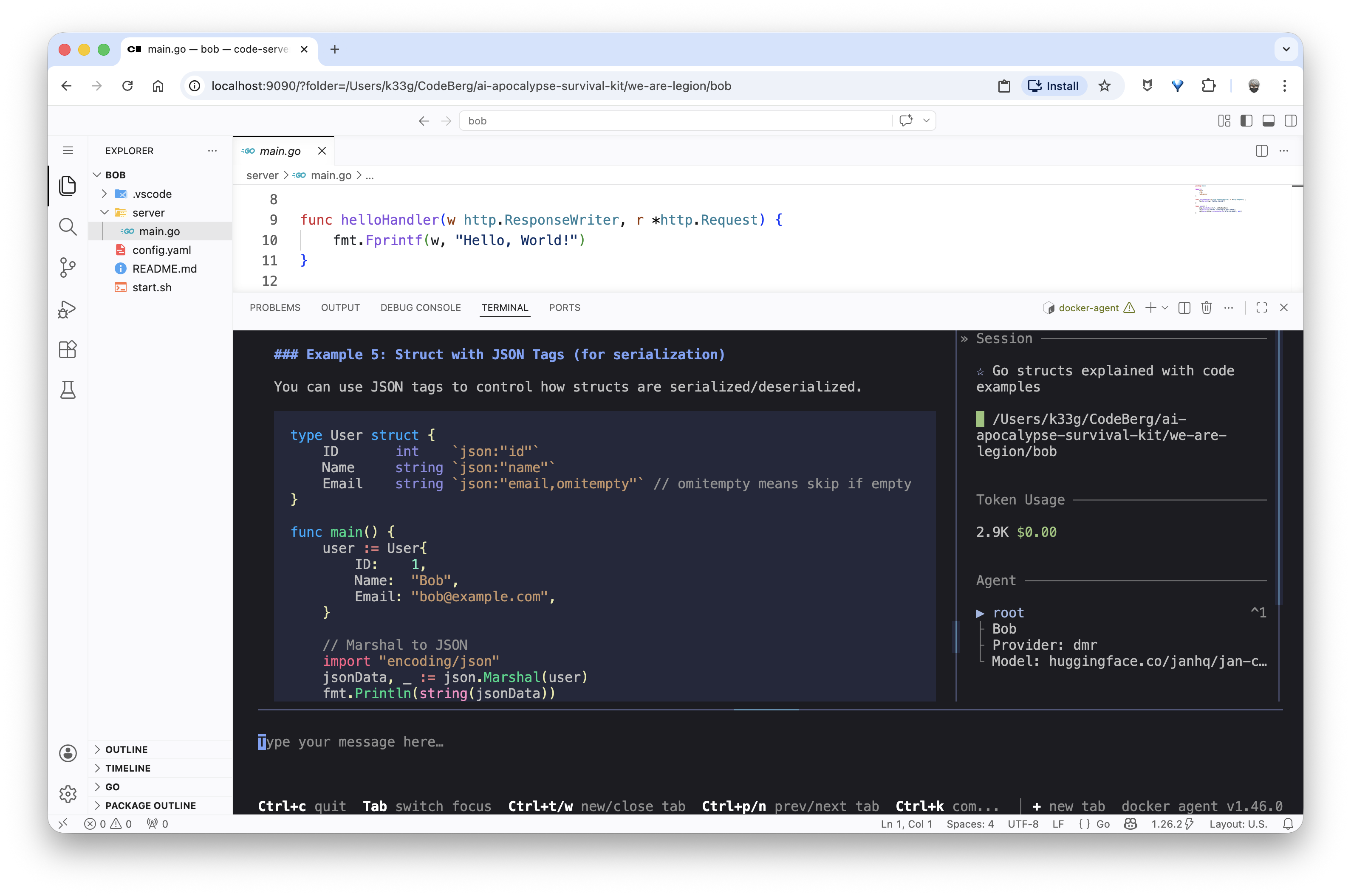
And since the explanation suits me, I ask Bob to save it in a structs.md file:
“Can you save this explanation in a file named structs.md in the current directory?”
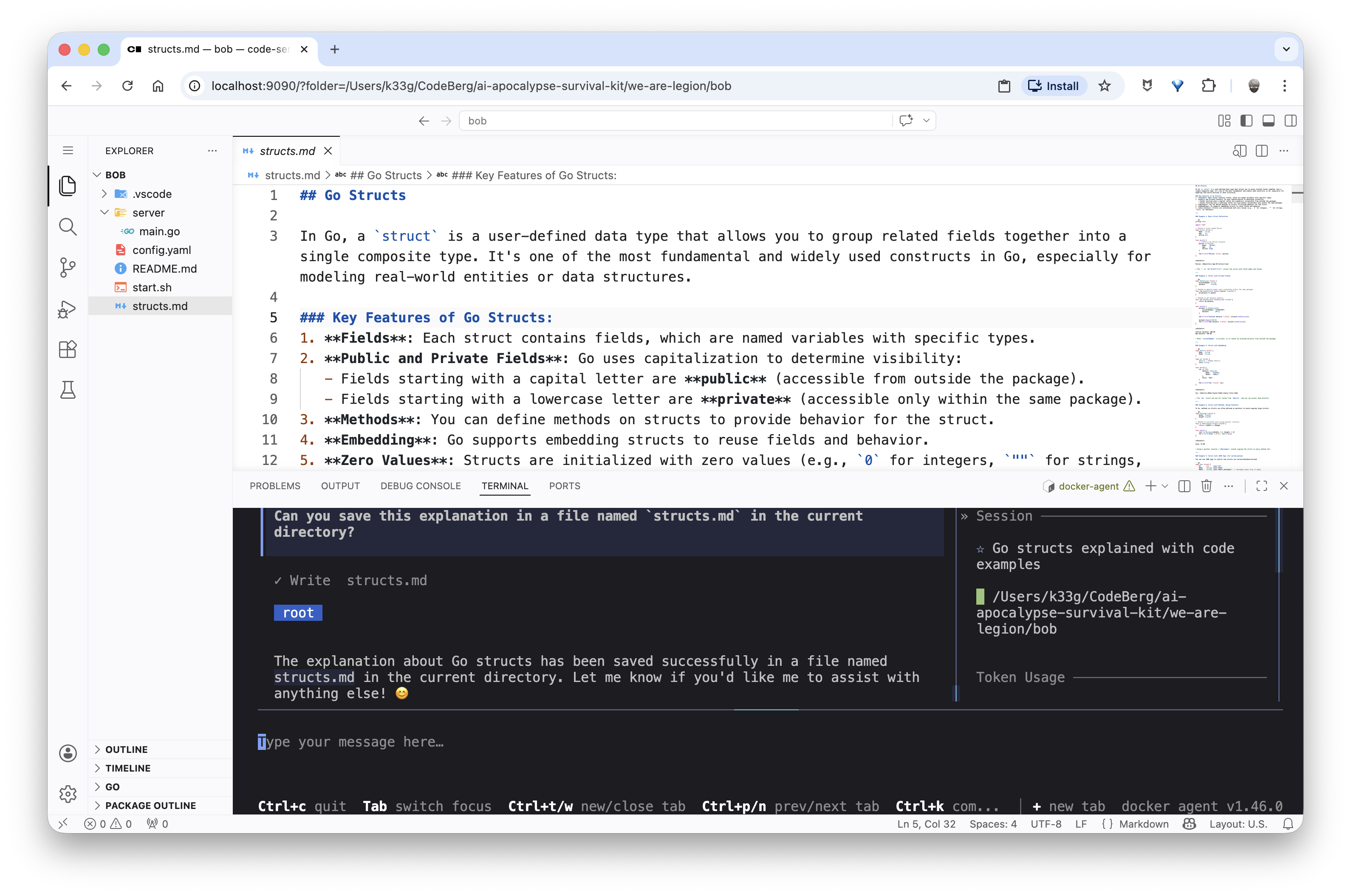
✋ You’ll notice this takes Bob a bit longer to respond — his conversation context is already starting to fill up.
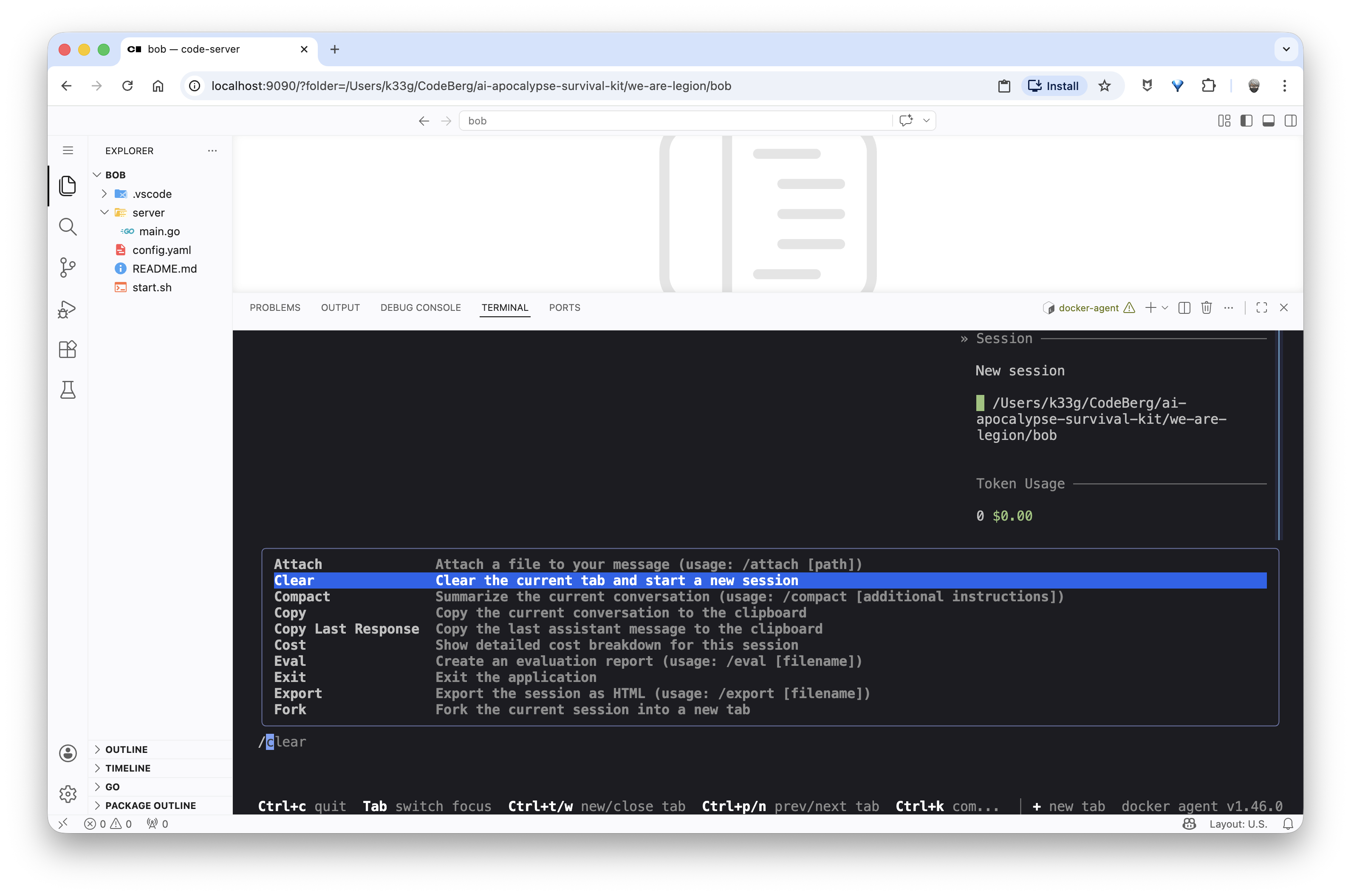
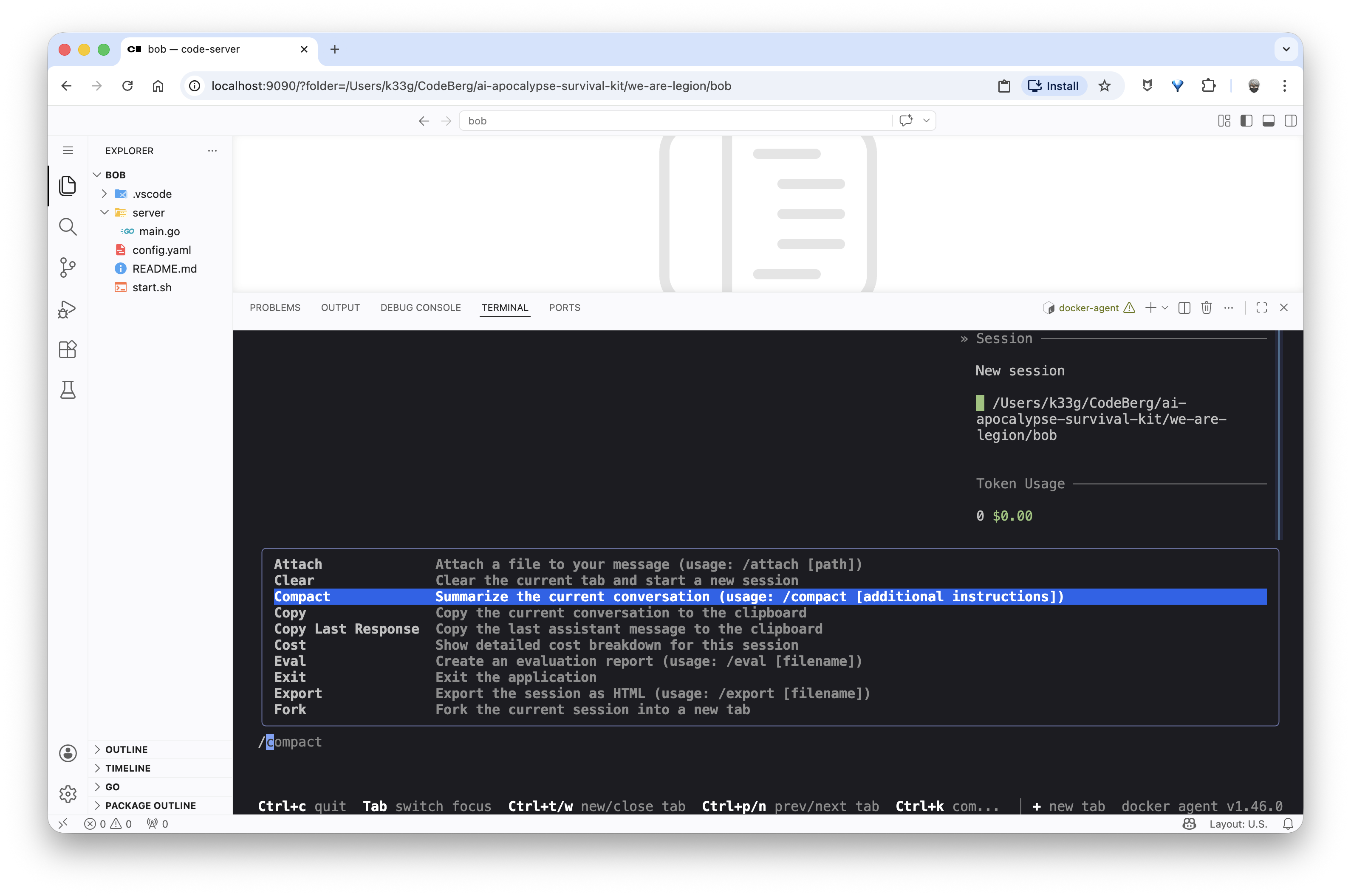
If you want to continue the conversation on a different topic, I’d recommend using the /clear command to start a fresh conversation session with an empty context, avoiding the slowdown that comes with an overloaded context. Or, if you want to stay in the same session because your next question is related to the previous one, use the /compact command to “compact/summarize” the conversation history and free up space in the context.
Conclusion - That’s all for today!
So now we have a working agent with a local model that lets us discover a programming language (Go here) and perform simple actions (generate code, create files, …). It’s a good start for a mini coding agent, and already very promising.
The advantage of our sandbox is that we also have the execution environment and the right runtimes to actually test what our agent Bob has proposed. And all of this in a completely secure and isolated mode.
We’re obviously far from “vibe coding”, but in the next article I’ll explain the concept of “mini skills” (small automation scripts to help the agent perform specific tasks) — for example, scaffolding projects, generating configuration files, …
I call them “mini skills” because I’m taking the skills concept but in a minimalist way, to account for the specific constraints of small models.
We’ll also see how to add new “tools” to our agent.
Stay tuned for the next article. 🤓