cagent with Tiny Language Models and Sub Agents
In the previous episode (cagent with Tiny Language Models and Tools), we saw how to add tool support to our agent.
But we had to set its temperature to 0.0 so it could use tools reliably. Unfortunately, this made our agent “rigid” and noticeably less creative when generating its cooking recipes.
To solve this problem, we’re going to introduce the concept of “sub-agents”.
Documentation: https://docker.github.io/cagent/#concepts/multi-agent
Building an agent team
For each agent I’ll use the same LLM (though we could totally use different ones), but with different temperature settings.
So we’ll have:
- The main
rootagent with a model I’ll callcoordinatingwith a temperature of0.0which will allow it to coordinate the other agents reliably. - A
cookagent with a model I’ll callcookingwith a temperature of0.7which will allow it to be more creative when generating its cooking recipes. - A
toolmanagent with a model I’ll calltoolingwith a temperature of0.0which will allow it to use tools reliably. And this is the agent I’ll attach thefilesystemtypetoolsetto, so it can interact with the file system.
The root agent will therefore have a team of sub_agents (cook and toolman) to coordinate in order to accomplish the various tasks.
A sub-agent team is defined like this:
sub_agents:
  - cook
  - toolman
I’ll also add a think type toolset to it: This is a lightweight tool that improves the quality of reasoning on complex tasks at minimal cost.
model: coordinating
temperature: 0.0"] root --- think_tool["🧰 toolset: think
Improves reasoning
on complex tasks"] root -->|sub_agents| cook root -->|sub_agents| toolman cook["🥘 cook
model: cooking
temperature: 0.7
skills: true"] toolman["🛠️ toolman
model: tooling
temperature: 0.0"] toolman --- fs_tool["🧰 toolset: filesystem
Interacts with
the file system"] style root fill:#4a90d9,stroke:#2c5aa0,color:#fff style cook fill:#e8a838,stroke:#c48820,color:#fff style toolman fill:#50b86c,stroke:#3a9050,color:#fff style think_tool fill:#d4e6f9,stroke:#4a90d9,color:#333 style fs_tool fill:#d4f9d4,stroke:#50b86c,color:#333
The cagent configuration file
Here’s what the configuration file for our root agent with its sub-agents looks like:
config.yaml:
agents:
  root:
    skills: true
    model: coordinating
    num_history_items: 5
    description: Coordinator - Decomposes tasks and delegates to cook or toolman
    instruction: |
      You are a coordinator agent. You lead a team of two agents.

      <team>
      - cook: Generates recipes, variations, and cooking text. Has access to recipe skills.
      - toolman: Reads and writes files on disk.
      </team>

      <rules>
      - NEVER answer cooking questions yourself. Always delegate to cook.
      - NEVER read or write files yourself. Always delegate to toolman.
      - Call ONE agent at a time. Wait for the result before calling the next.
      - Use the think tool to plan your steps before acting.
      - CRITICAL: When transferring content from cook to toolman, you MUST include the COMPLETE text in your message to toolman. Do NOT summarize, paraphrase, or shorten. Copy the FULL content word for word.
      - NEVER say "the generated content" or "the recipe above". Always paste the actual text.
      </rules>

      <workflow>
      When the user asks something, think step by step:
      1. Use think to decompose the task into steps.
      2. For each step, decide which agent to call.
      3. Transfer the task to the right agent with a clear instruction.
      4. Pass results from one agent to the next when needed.
      </workflow>

      <example>
      User: "Using the dan dan noodles recipe, make a variation with tomatoes and save it in ./tomatoes.variation.md"
      Steps:
      1. think: I need cook to read the recipe and create a variation, then toolman to save it.
      2. transfer to cook: "Read the dan dan noodles skill and create a variation with tomatoes."
      3. cook returns the full recipe text.
      4. transfer to toolman: "Write the following content to ./tomatoes.variation.md:

      # Dan Dan Noodles - Tomato Variation
      [the COMPLETE recipe text from cook, pasted here in full]"
      </example>

    sub_agents:
      - cook
      - toolman
    toolsets:
      - type: think

  cook:
    model: cooking
    num_history_items: 5
    description: Bob, Expert Home Cook Mentor - Generates recipes and cooking text
    instruction: |
      Your name is Bob. You are a Home Cook Mentor.

      ## Rules:
      - Use plain English. Explain technical terms briefly.
      - Structure recipes: Pantry Staples, Fresh Items, Numbered Steps.
      - Give sensory cues: smells, textures, sights, not just times.
      - End every recipe with a "Mentor's Tip" to elevate the dish.
      - Mention safe internal temperatures for proteins.
      - Use **bolding** for ingredients and temperatures.

      ## Skills:
      - Always check for existing skills before answering.
      - If a relevant skill exists, use read_skill to load it first.

  toolman:
    model: tooling
    num_history_items: 3
    description: File operations agent - Reads and writes files on disk
    instruction: |
      You are a file operations agent. You read and write files.

      ## Rules:
      - When asked to write content to a file, use write_file with the EXACT content provided to you. Do NOT change, summarize, or reformat anything.
      - When asked to read a file, use read_file and return the full content.
      - Do NOT modify or reformat the content unless explicitly asked.
      - Do NOT invent or generate content. Only write what was given to you.
      - Confirm the operation when done.

    toolsets:
      - type: filesystem
        tools: ["read_file", "write_file"]

models:

  cooking:
    provider: dmr
    model: huggingface.co/menlo/jan-nano-128k-gguf:Q4_K_M
    temperature: 0.7

  tooling:
    provider: dmr
    model: huggingface.co/menlo/jan-nano-128k-gguf:Q4_K_M
    temperature: 0.0

  coordinating:
    provider: dmr
    model: huggingface.co/menlo/jan-nano-128k-gguf:Q4_K_M
    temperature: 0.0
Notable points in the root agent’s instructions:
The instructions use XML tags (<team>, <rules>, <workflow>) to structure the prompt. This is a best practice for LLMs which handle these delimiters well. The rules are strict:
- Never answer cooking questions itself -> delegate to
cook - Never read/write files itself -> delegate to
toolman - Call only one agent at a time and wait for the result
Let’s test our agent team
Once the project is started with devcontainer, run the following command:
cagent run config.yaml
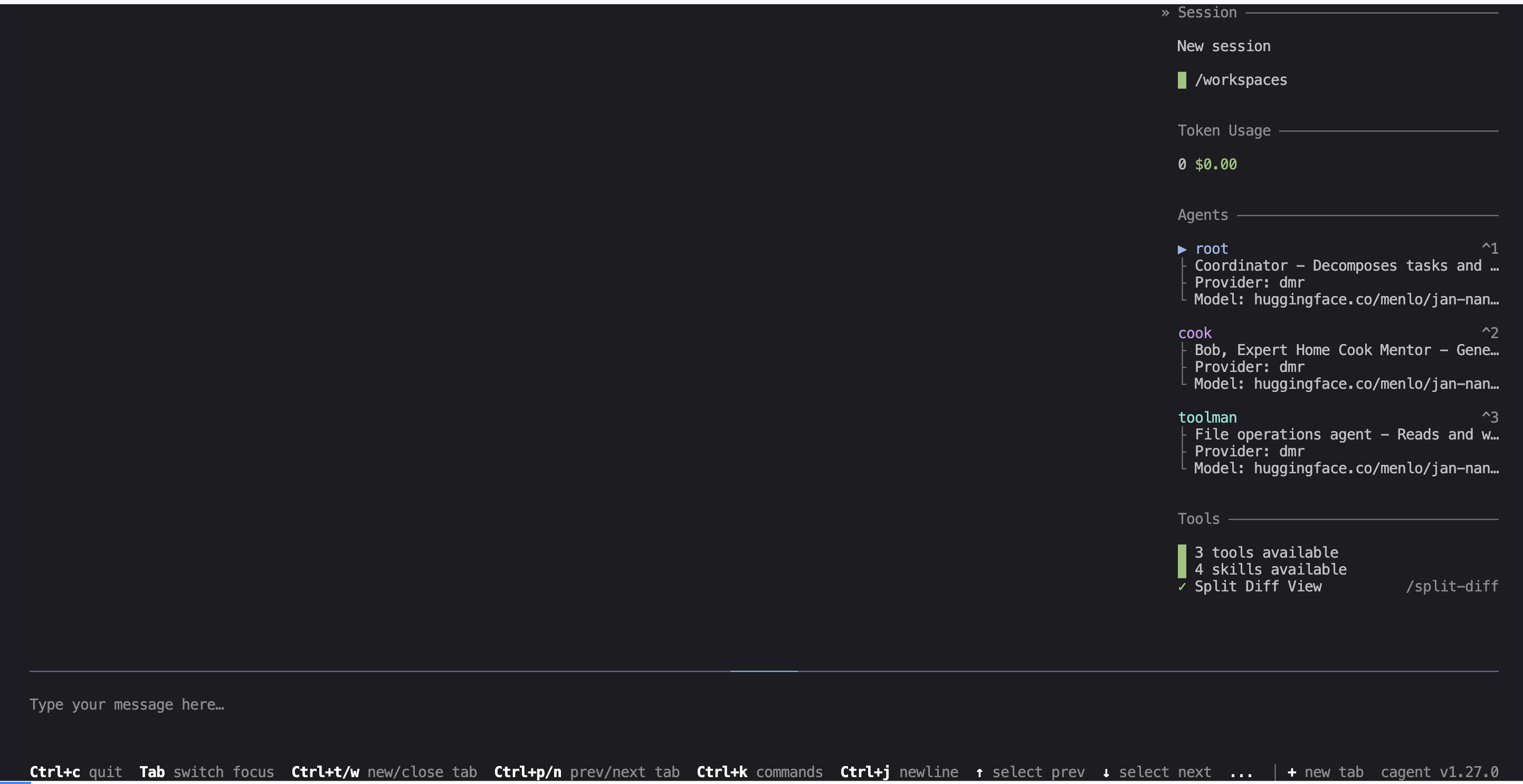
On the right side, you can clearly see the list of our 3 agents, which is handy because a visual indicator will show which agent is “working”:
Here’s what I ask cagent:
I need a variation of the peking duck recipe,
change it to use kiwis and oranges
then save the generated content to this file: ./fruits.duck.variation.md
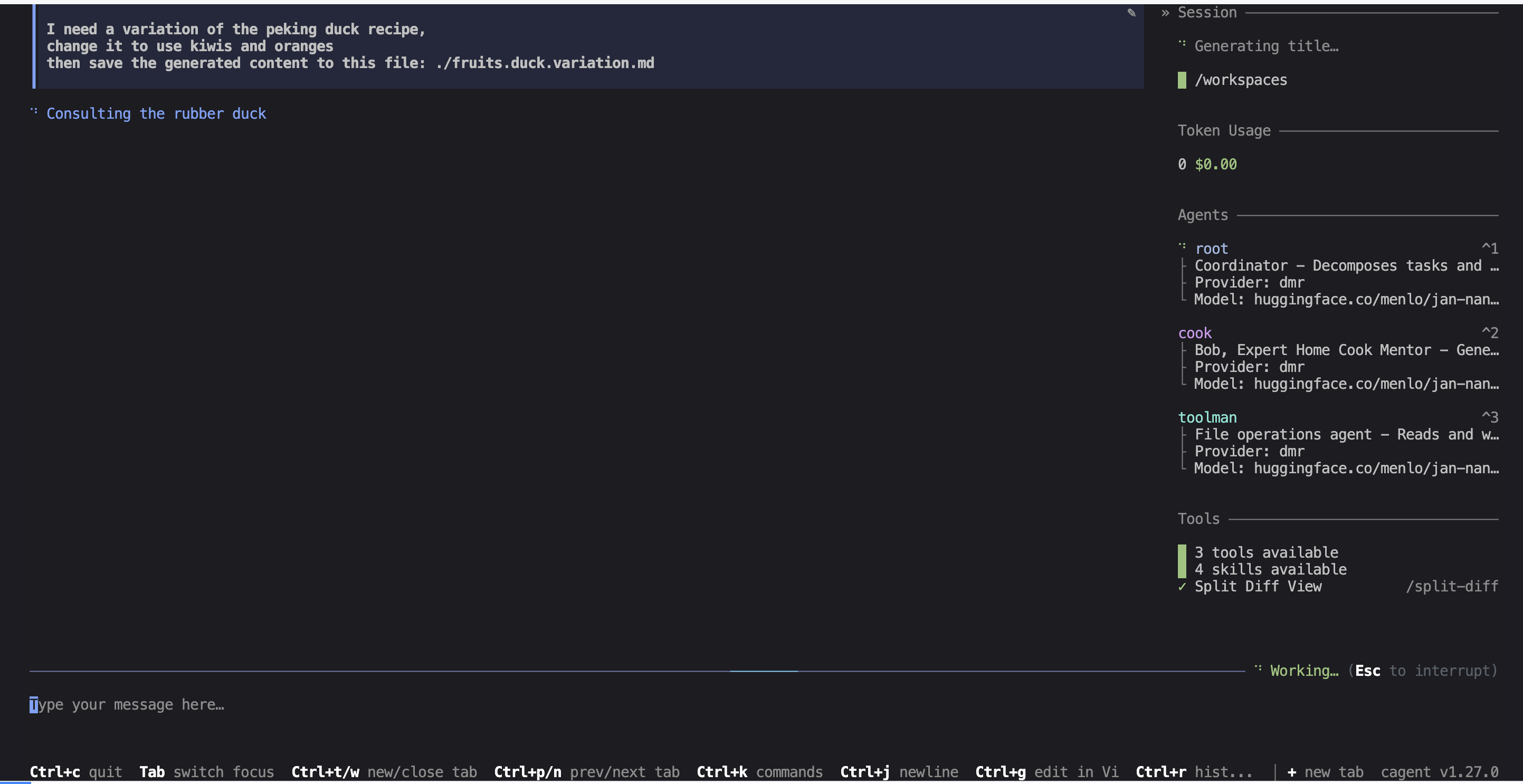
Note: what I want here is for the
cookagent to use thepeking duckskill to generate a recipe variation using kiwis and oranges, and then for thetoolmanagent to write the result to afruits.duck.variation.mdfile, thus using itsfilesystemtoolset.
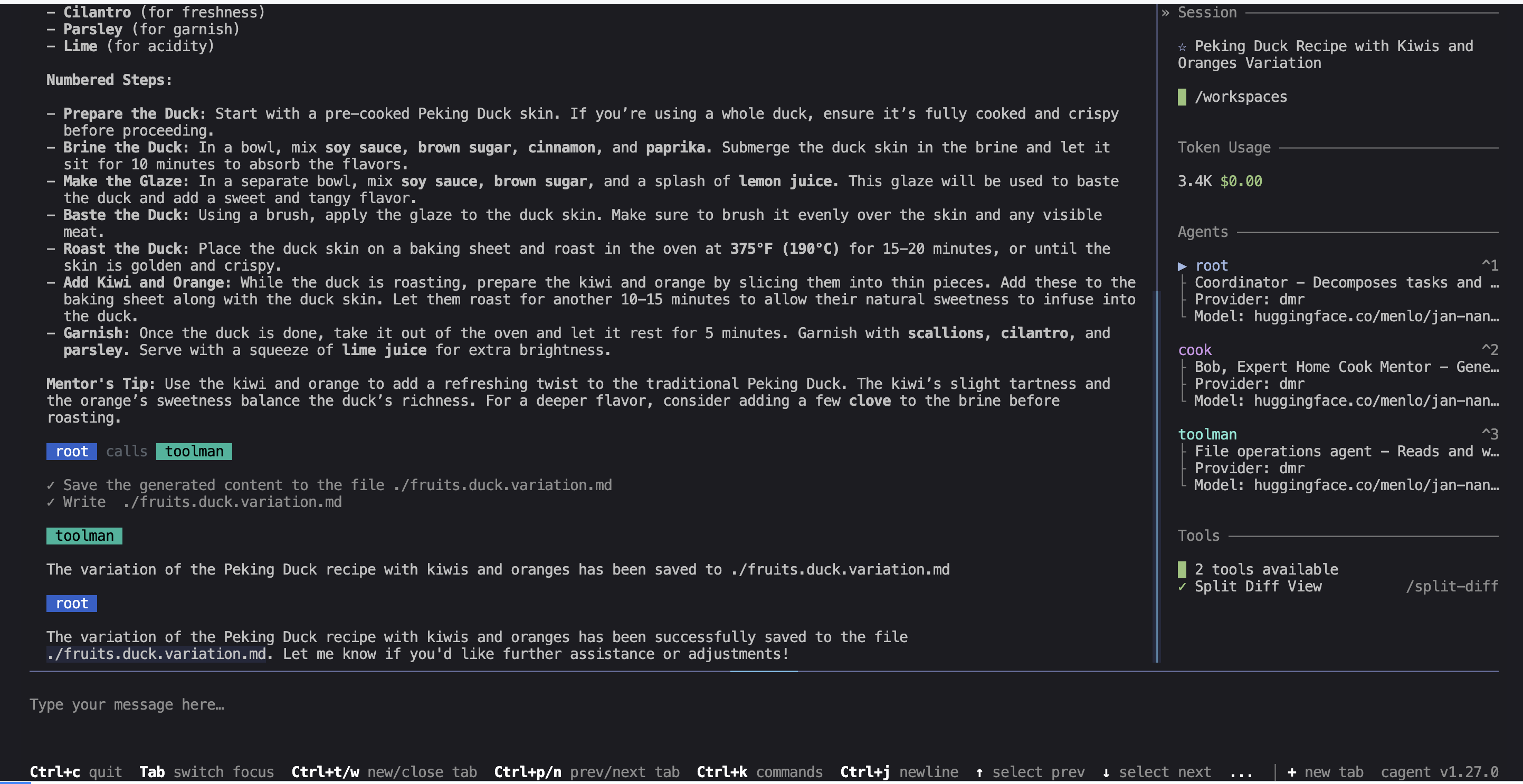
The root agent will first use its think toolset to decompose the task into steps, then delegate the first step to the cook agent who will generate the recipe, and finally delegate the second step to the toolman agent who will write the result to a file.
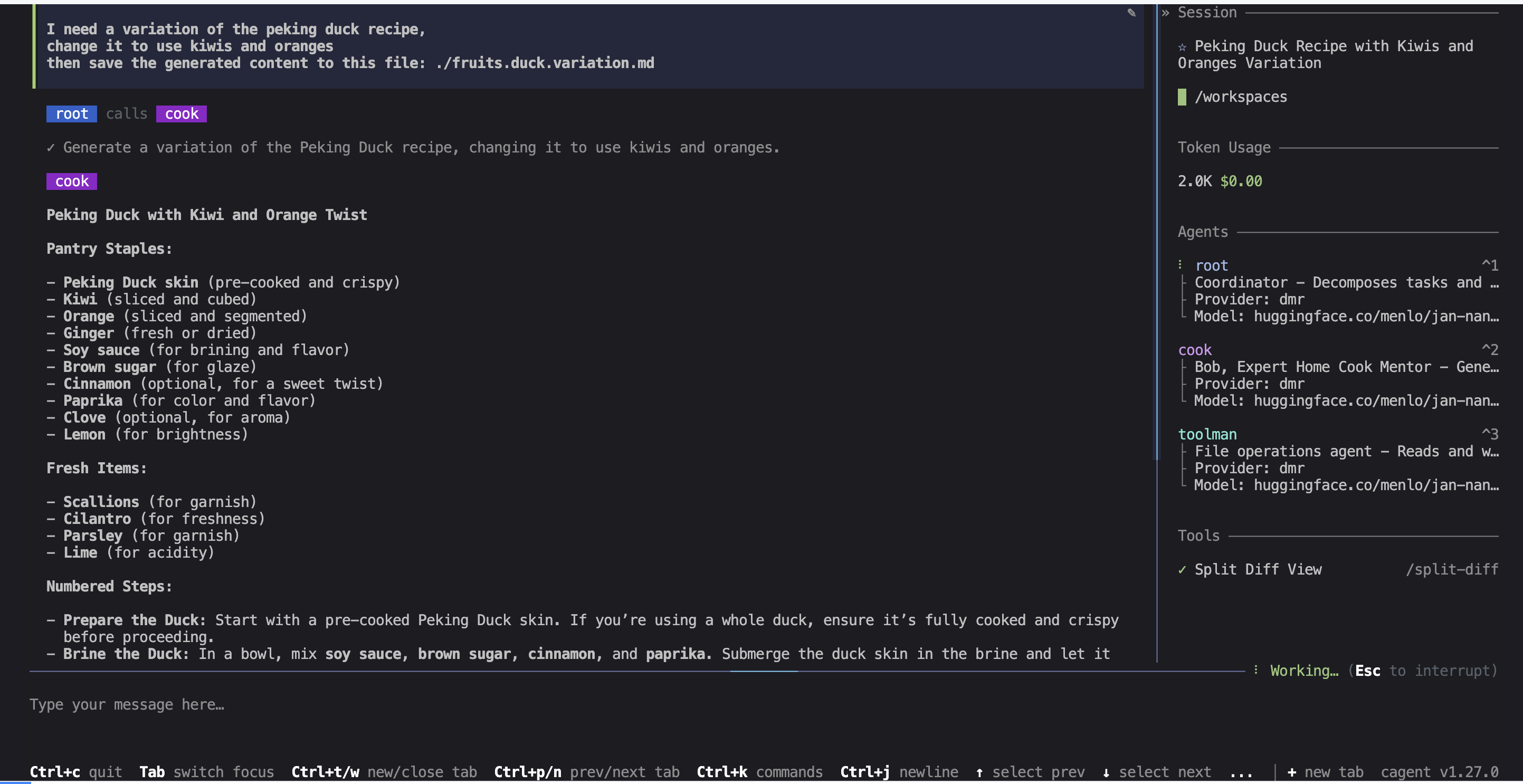
Once the task is sent by root, cook generates the new recipe:
Once cook is done, toolman detects the intent to use a tool:
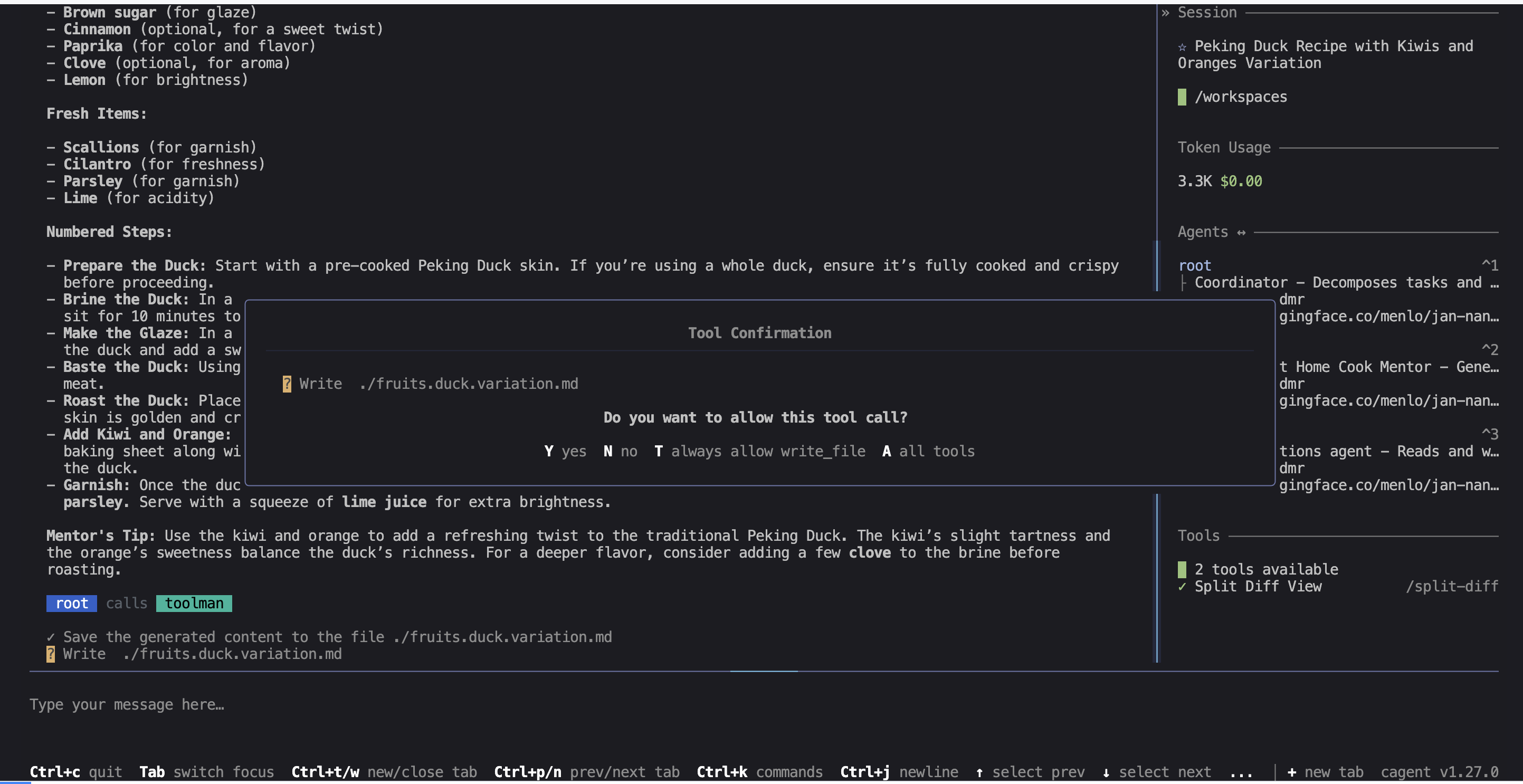
And finally toolman uses its filesystem toolset to write the result to a file:
Conclusion
There you go, you can see that the collaboration between agents is very smooth and natural, and simple to set up with cagent. The possibilities are endless. However, when working with “Tiny Language Models”, it’s best to keep things simple — don’t forget that their capabilities are limited. But on a powerful machine with models that have many more parameters, you can imagine more complex agent teams with rich interactions between them.
You can find the full code for this example in this repository: https://codeberg.org/cagent-cookbook/03-with-sub-agents