pk, the TUI for creating “coding helpers” with very small local language models (<=10b parameters)
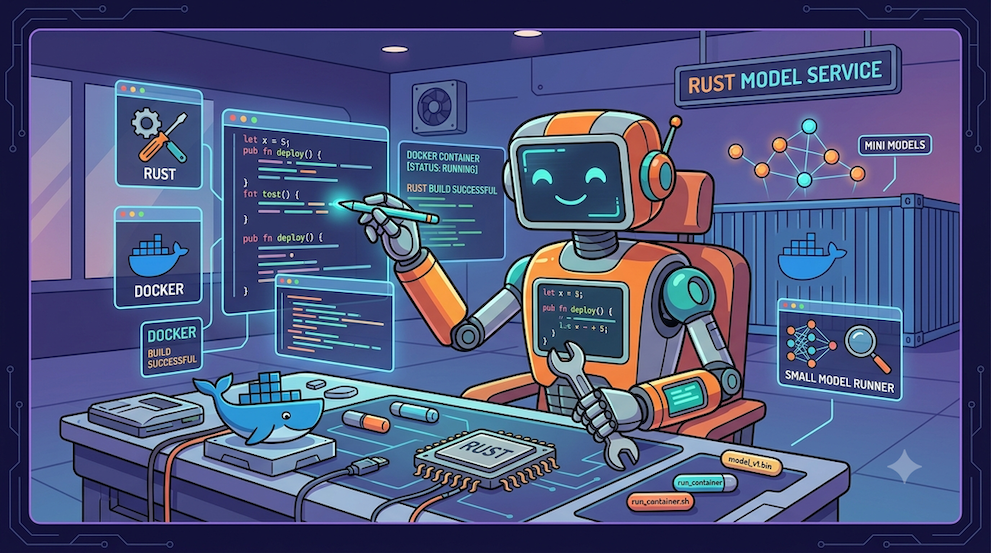
For over 2 years now, I’ve been passionate about language models (LLMs) that you can run locally on your own machine, without depending on an external API. I started out using Ollama, then, when Docker created the Docker Model Runner project, an open-source LLM engine using llama.cpp (but also vLLM), I switched over to DMR (Disclaimer: I work at Docker). DMR exposes several API formats, so it’s compatible with OpenAI, Anthropic and Ollama endpoints.
So, I work with a MacBook Pro M2 Max, 32 GB of RAM, and my personal laptop is a MacBook Air M4 with 32 GB of RAM as well. These are excellent machines, but don’t go thinking you can run large language models on this kind of laptop (even if some people claim otherwise). Even with 32 GB of RAM, you’re limited to 7B or 13B models, and even then, you have to be careful with the context size.
My advice for this kind of machine is to stick with models of 4b parameters maximum to keep a comfortable experience. And if you need more, I recommend the Gemma4 E4b model, which has a knowledge weight of 8b parameters, but which only lights up 4b parameters during completions, thus keeping a very respectable generation speed.
- I only use models for text generation. As well as embedding models to do RAG (retrieval-augmented generation) on my markdown documents.
- You can absolutely use models with
9bparameters, but your machine will suffer quickly, and the user experience will be degraded.
But are these models “good” at coding?
So, let’s be realistic, you won’t be able to vibe-code with a 4b parameter model (nor even with a 9b). On top of that you’ll be constrained by the limits of your machine, and therefore by the context size. But you can absolutely use these models to learn to code, and to do RAG on your markdown documents, to generate code snippets, unit tests, to scaffold projects, to ask for information, …
But why do you want to do this?
For many reasons. But here are two.
The costs (and also the environmental/ethical impact):
At a time when Claude.ai subscriptions are about to go up, or where for the same price I’ll hit my daily quotas much faster, from a personal standpoint, I’m probably going to have to limit myself, and I don’t need Claude Code for simple questions about a programming language, or to find the recipe for the best Hawaiian pizza.
Working quietly in a park with no wifi
I don’t want to depend on an internet connection to code. I want to be able to work in a park, on a train, on a plane, … without needing an internet connection.
Cognitive decline or learned helplessness
Probably the most important reason for me.
The further I go using AI, Claude Code, Gemini, … the more I realize I’m becoming dependent on these tools, and that I’m becoming incapable of getting anything done without first asking the AI. My mental engagement is “dramatically reduced”, and I feel like I’m in the middle of a cognitive decline.
So I need to switch into “Cognitive rehabilitation” mode, and force myself to re-learn to code, to understand the concepts, to think for myself, and not to depend on an AI for everything.
The Code Winter (The doomsday scenario)
But what will I do if my access to Claude Code (or equivalent) gets taken away? This can happen at any time on an individual level: a company decision, job loss and personal subscriptions becoming too expensive, … But it could also happen on a global level: what if the pipes got cut … or if we went through an energy crisis, …
And then I couldn’t (wouldn’t know how to) code anymore. And I don’t want to be in that situation. We have to resist!
But how do you plan to do this?
By leveraging my cognitive dissonance 😂: I’ve become addicted to Claude Code, and for a few months now, I’ve been using it to develop experimentation tools around small local models (that I like to call Tiny Language Models) and one of these tools is a “mono agent, mono model” TUI that I use as a “coding agent”. Well, the more appropriate term would be “coding helper”.
PenKnife (pk)?
It’s not a coding agent, it’s a coding helper.
This project is called PenKnife (or pk for short). Its goal is to verify my hypotheses about local language models. And also to answer the question: can I use a (very) small local language model to help me code while getting my brain working again?
So pk is a “coding helper” in the form of a TUI that I can use in a terminal, or in the VSCode terminal, with local TLMs (Tiny Language Models). And its whole development is thought out and optimized for exclusive use with very small local language models.
pk is written in Go, using the OpenAI Go SDK for the model part. As for the display, I created a side project of a declarative TUI (Terminal User Interface) library, that I called Pablo, which builds on the Charmbracelet ecosystem.
The ultimate question…
Even though I enjoy all these experiments, they’d better be useful and contribute to my main goal: my cognitive rehabilitation.
So the question is: “Can I use pk to learn to code in Rust”?
Alright, challenge accepted!
With this long introduction, I’m starting a list of blog posts explaining how I’m going to set up a “Rust coding agent” with pk, step by step. Everything I’m going to write is the result of my many experiments and technology watch on the use of local language models.
But before we dive into the heart of the matter, let’s start by installing pk.
Installation
I’ve been able to test pk on MacOS, Windows and Linux. It’s a simple binary that you can download from the project’s releases / v0.4.2 page. You install it in your $PATH and you can use it from your terminal. The agent will use the .pk folder in the current directory.
I’ll be using Docker Model Runner (DMR) to run local language models. On Mac and Windows, you’ll need Docker Desktop to run DMR. For Linux there’s a standalone version.
Nonetheless, pk also knows how to work with Kronk and Ollama and probably any solution exposing endpoints compatible with the OpenAI API: LLM engines. But I use some specific features of DMR that aren’t necessarily available on other solutions.
01 Initialization
Once pk is installed, we can start building our Rust expert coding agent step by step.
👋 Note: to be able to ask the agent to run, compile, … Rust programs, you need to have Rust installed on your machine.
✋ Warning: normally I use a sandbox or a container to run my agents, but for this first discovery chapter, I’m going to run the agent directly on my machine (which is not a good practice), so don’t ask your agent just anything, because it could run commands that are dangerous for your machine. In the next blog post of this series I’ll provide a ready-made sbx sandbox (with Rust pre-installed) to run the agent safely.
Goals: building a mini coding agent step by step
My personal computer is a MacBook Air M4 with 32 GB of RAM. I can’t afford to use models that are too big, so I’m going to make do with a 4 billion parameter model. I’ll use the Qwen-3.5-4B model from Qwen:
huggingface.co/unsloth/qwen3.5-4b-gguf:Q4_K_M
In future steps we’ll need an embedding model, which we’ll take from the Gemma family:
hf.co/unsloth/embeddinggemma-300m-GGUF:Q8_0
So you’ll need to download the models onto your machine. To do this, you can use the following command:
docker model run hf.co/unsloth/embeddinggemma-300m-GGUF:Q8_0
docker model run hf.co/unsloth/Qwen3.5-4B-GGUF:Q4_K_M
Note: I chose to use the models offered by Unsloth, because they do model “curation”, in the sense that they maintain a catalog of LLMs optimized by them, ready to use with optimization and quantization presets already packaged.
Note: code generation with a 4 billion parameter model
So, don’t get your hopes up, you won’t be doing vibe coding with a 4 billion parameter model. But we’re going to see throughout this discovery how to make the most of our pk agent “Bob”.
Note: if your machine is less powerful
If your machine is less powerful, you can use a smaller model, for example the model:
huggingface.co/unsloth/qwen3.5-2b-gguf:Q4_K_M
This should let you go through the first chapters of this series of tutorials.
Initialize a new pk agent
In your working folder, you can initialize a new agent with the following command:
pk create --name bob --engine dmr \
--model huggingface.co/unsloth/qwen3.5-4b-gguf:Q4_K_M \
--skills \
--embeddings-model hf.co/unsloth/embeddinggemma-300m-GGUF:Q8_0
And you should get the following message:
✓ Created .pk/
  ├── config.toml
  └── skills/
      ├── greetings/
      ├── vulcan-salute/
      └── what-time-is-it/

Next steps:
  - Edit .pk/config.toml to refine the system_prompt and sampling.
  - Drop your markdown docs under .pk/docs/ then run /rag-index inside pk.
  - Launch the agent with: pk
Configuring the agent: editing the .pk/config.toml file
So we’d like to make a “coding helper” that would help us in our Rust learning journey. The pk create command generated a .pk/config.toml configuration file that we’re going to modify to configure our agent. Here’s the content of the generated file:
# Generated by `pk create` for agent bob.
# Edit freely — pk only reads this file at startup.

[engine]
name = "dmr"

[model]
id           = "huggingface.co/unsloth/qwen3.5-4b-gguf:Q4_K_M"
base_url     = "http://localhost:12434/engines/v1"
api_key      = "ignored"
context_size = 32768

[agent]
name  = "bob"
emoji = "🤖"
max_history_exchanges = 5

system_prompt = """
You are bob, a helpful local assistant.
"""

[skills]
exposed_as_tools = ["greetings", "vulcan-salute", "what-time-is-it"]

[sampling]
temperature        = 0.0
top_p              = 0.9
top_k              = 40
min_p              = 0.05
repetition_penalty = 1.1

[rag]
embedding_model = "hf.co/unsloth/embeddinggemma-300m-GGUF:Q8_0"
Context window
About context_size = 32768, this defines the size of the model’s context window, expressed in tokens (not in characters or words). The context window is everything the model “sees” at once to produce its answer. It must contain:
- The system prompt (agent instructions)
- The conversation history
- The content of the files you provide
- The tool definitions
- The answer the model generates
All of this shares the same budget: input (prompt) + output (generation). If you fill the 32768 tokens on input, there’s nothing left for the answer.
Order of magnitude:
- 1 token ≈ ~4 characters ≈ 0.75 word in English (a bit less in French).
- 32K tokens ≈ ~24,000 words ≈ ~50 pages of text.
In the context of this project (coding agents on small local models), context_size is a critical setting:
- Too small: the agent “forgets” the beginning of the conversation or can’t load whole files, it goes in circles, loses the thread, hallucinates, stops…
- Too big: the agent/model consumes a lot more RAM/VRAM. The memory needed for the KV cache grows linearly with the context. On a local machine, going from 8K to 32K can blow up memory consumption.
- The model has a maximum trained limit (e.g. 128K). You can ask for less than this max, but not more.
For our project 32768 seems to be a good compromise for a coding agent, the future will tell us,
Sampling parameters
Next, if we look at the guide proposed by Unsloth: “💜 Qwen3.5 - How to Run Locally”, the following is explained:
Thinking mode for general tasks:
temperature=1.0, top_p=0.95, top_k=20, min_p=0.0, presence_penalty=1.5, repetition_penalty=1.0
Thinking mode for precise coding tasks:
temperature=0.6, top_p=0.95, top_k=20, min_p=0.0, presence_penalty=0.0, repetition_penalty=1.0
So we’re going to follow these recommendations and modify the sampling parameters to have a “thinking” mode better suited to code generation. So we’re going to modify the .pk/config.toml file to have the following parameters:
[sampling]
temperature        = 0.6
top_p              = 0.95
top_k              = 20
min_p              = 0.0
presence_penalty   = 0.0
repetition_penalty = 1.0
The sampling parameters are very important for code generation, because they’ll influence the creativity and precision of the model. These are standard parameters recognized by most language model servers and other SDKs for building Generative AI applications.
Additional parameters for “thinking” mode and tools
✋ These additional parameters are specific to the use of pk and allow adapting to the behavior of the Qwen3.5 language models. So we’re going to add them to the .pk/config.toml file.
Next, in the [model] section, we’re going to add the following parameters:
thinking = true
thinking_tool_bridge = true
max_bridge_count = 3
debug_log = true
tools_format = "qwen3"
In the [agent] section, we’re going to add the following parameter:
max_tool_failures = 3
Then in the [sampling] section, we’re going to add the following parameters:
[sampling.extra_params]
chat_template_kwargs = { enable_thinking = true }
Explanations
This config lets us define a Qwen3.5-based agent by “reining it in” according to its specificities. The parameters form a logical chain over one turn:
enable_thinking+thinking: the model emits its reasoning andpkdisplays it (you need both). The first activates the model’s “thinking” mode, the second letspkdisplay it in the TUI.tools_format = "qwen3":pkretrieves the tool calls in Qwen3.5’s proprietary XML (which didn’t happen with previous versions) and rebuilds them in clean OpenAI format.thinking_tool_bridge+max_bridge_count = 3: if the model thinks without acting,pknudges it to “take action”, at most 3 times.max_tool_failures = 3: on a failing tool: nudge from 3 consecutive failures, abort the turn at 5 (+2 margin).debug_log = true: JSONL trace in.pk/logs/debug.log, valuable precisely during the tuning phase. Handy for example, when the agent behaves unexpectedly, to forward the logs to Claude Code (or equivalent) to understand/analyze what happened.
Let’s modify the agent’s system instructions
system_prompt = """
Your name is Bob. You are an expert **Rust** developer, mentor, and coding
partner. You help users write, run, test, debug, and *understand* high-quality,
idiomatic Rust. You can also brainstorm features and iterate on
small Rust projects.

# Use your thinking to plan

Before acting, think briefly: what does the user want, which files/tools are
needed, what is the idiomatic Rust approach. Then act with tools.

# Tool discipline (load-bearing — applies every turn)

Built-in tools:
- read_file / write_file / edit_file — inspect and change files in the workspace.
  ALWAYS read_file before editing an existing file.
- bash — short, non-interactive commands (mkdir, ls, git, cat). NEVER run a
  long-running process with bash.
- run_background_job / view_background_job / stop_background_job — long-running
  processes (a web server, a watcher). Start servers here, then view to confirm.

# Style

Be concise. Prefer a small, correct, compilable example over prose.
"""
Let’s test our agent
Built-in tools
Now we’re going to check that our agent knows how to correctly use the built-in tools. To do this, we’re going to launch the agent with the following command:
pk
And ask a first question to our agent Bob:
create a markdown file to explain how to create a hello world in rust: ./hello-world.md
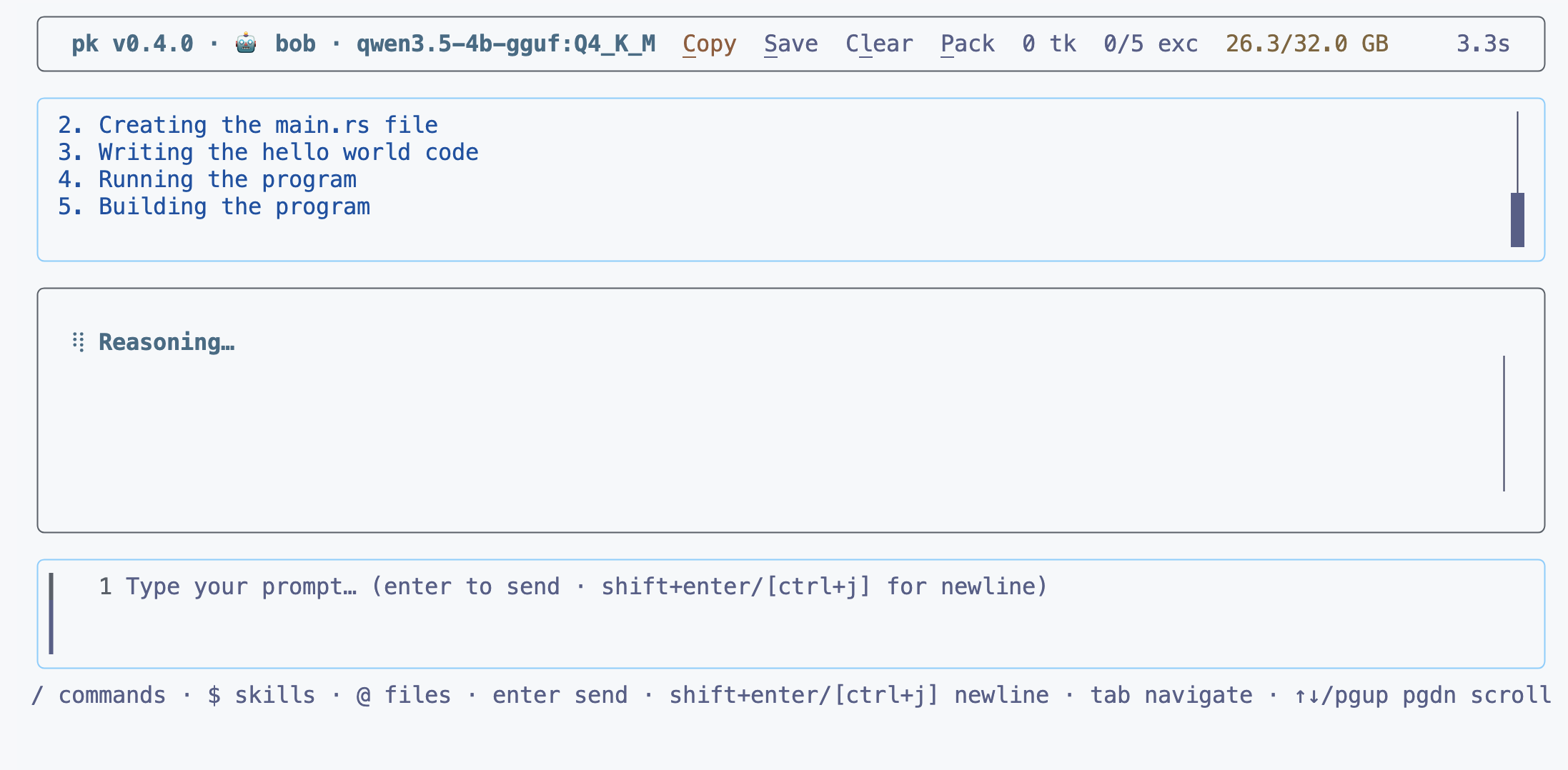
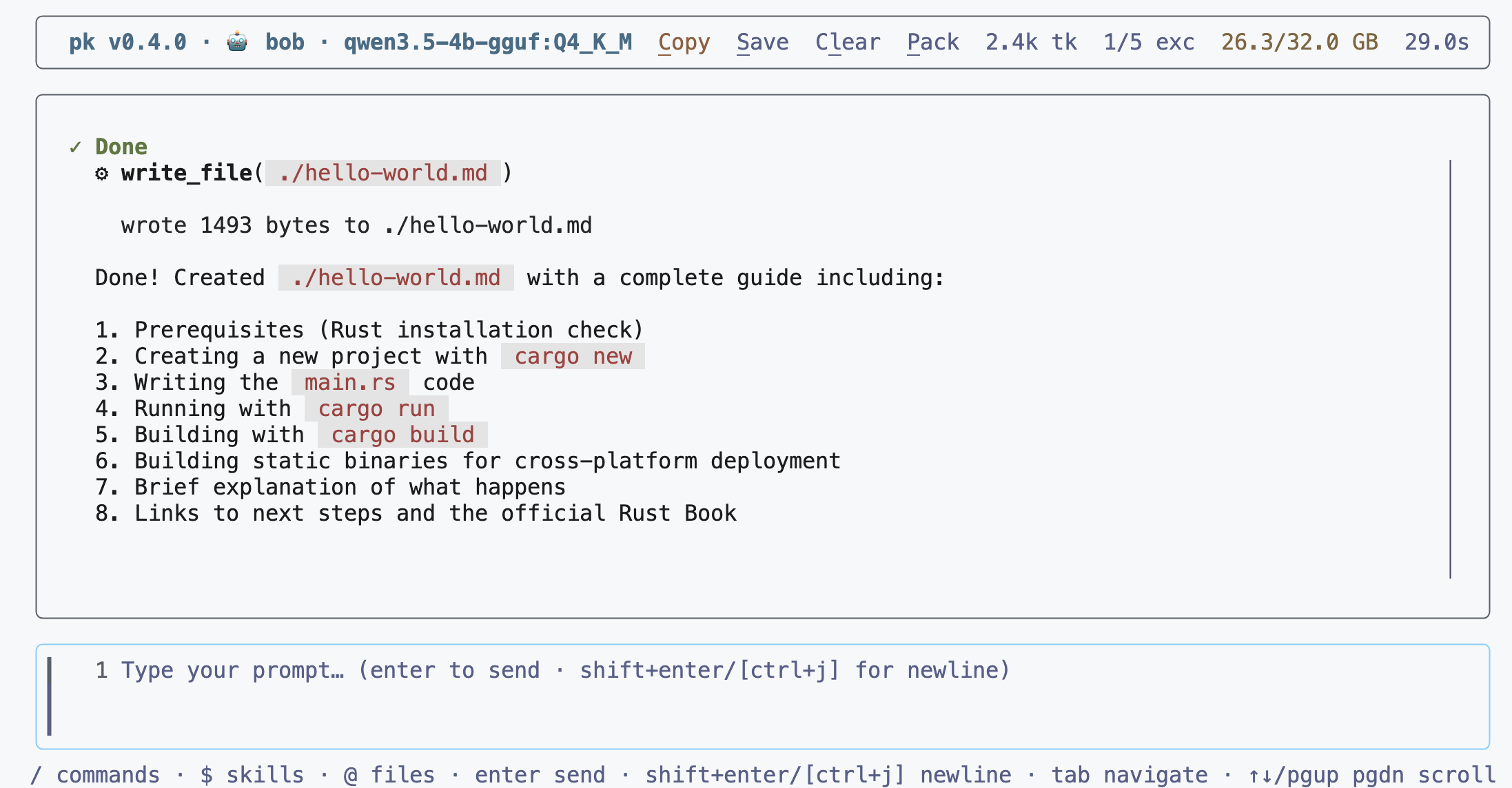
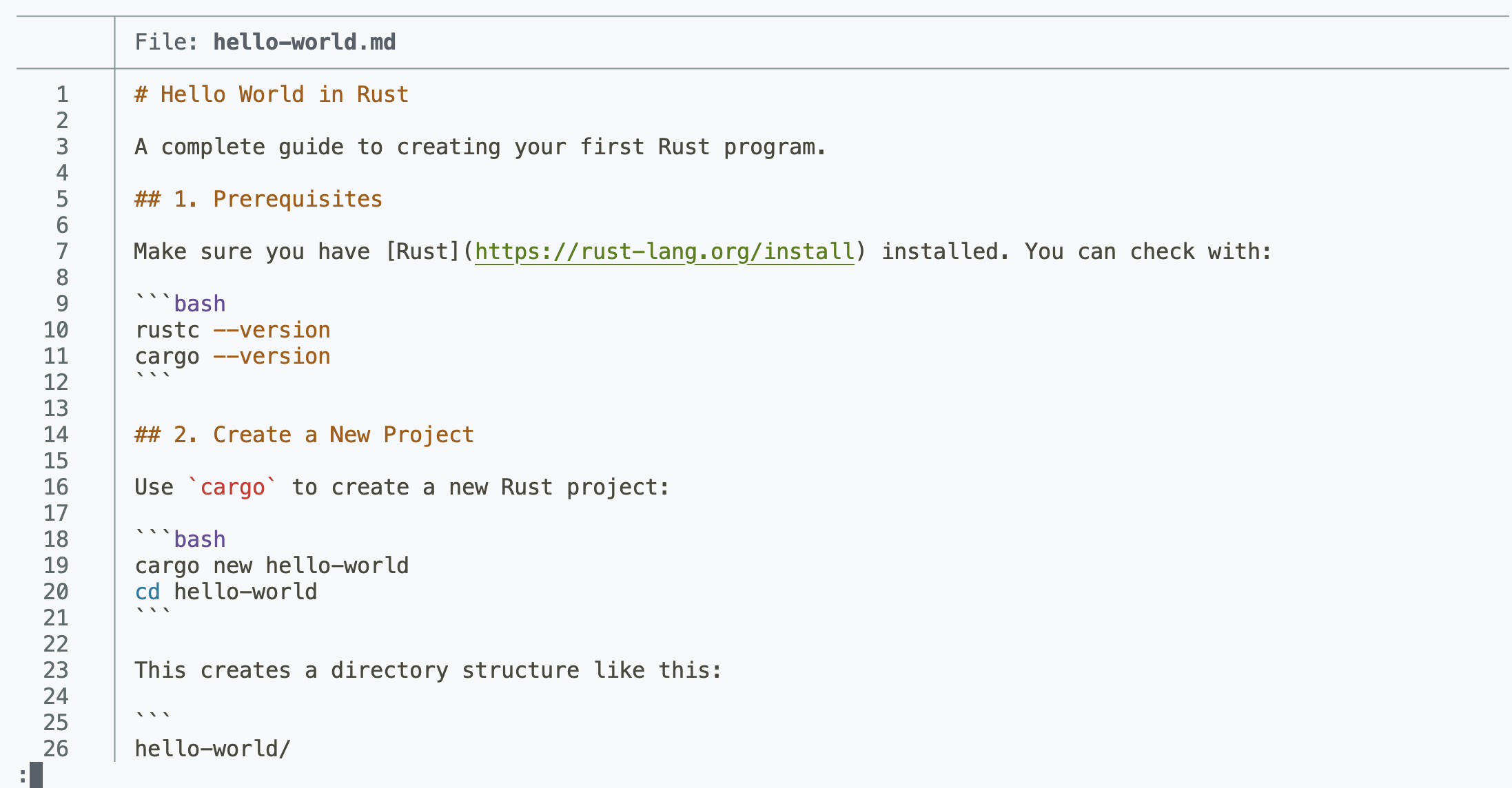
So first observation, the agent knows how to use the built-in tools to create a markdown file, and has basic knowledge of Rust. Now we’re going to ask it to create a Rust project:
create a small hello world project in rust
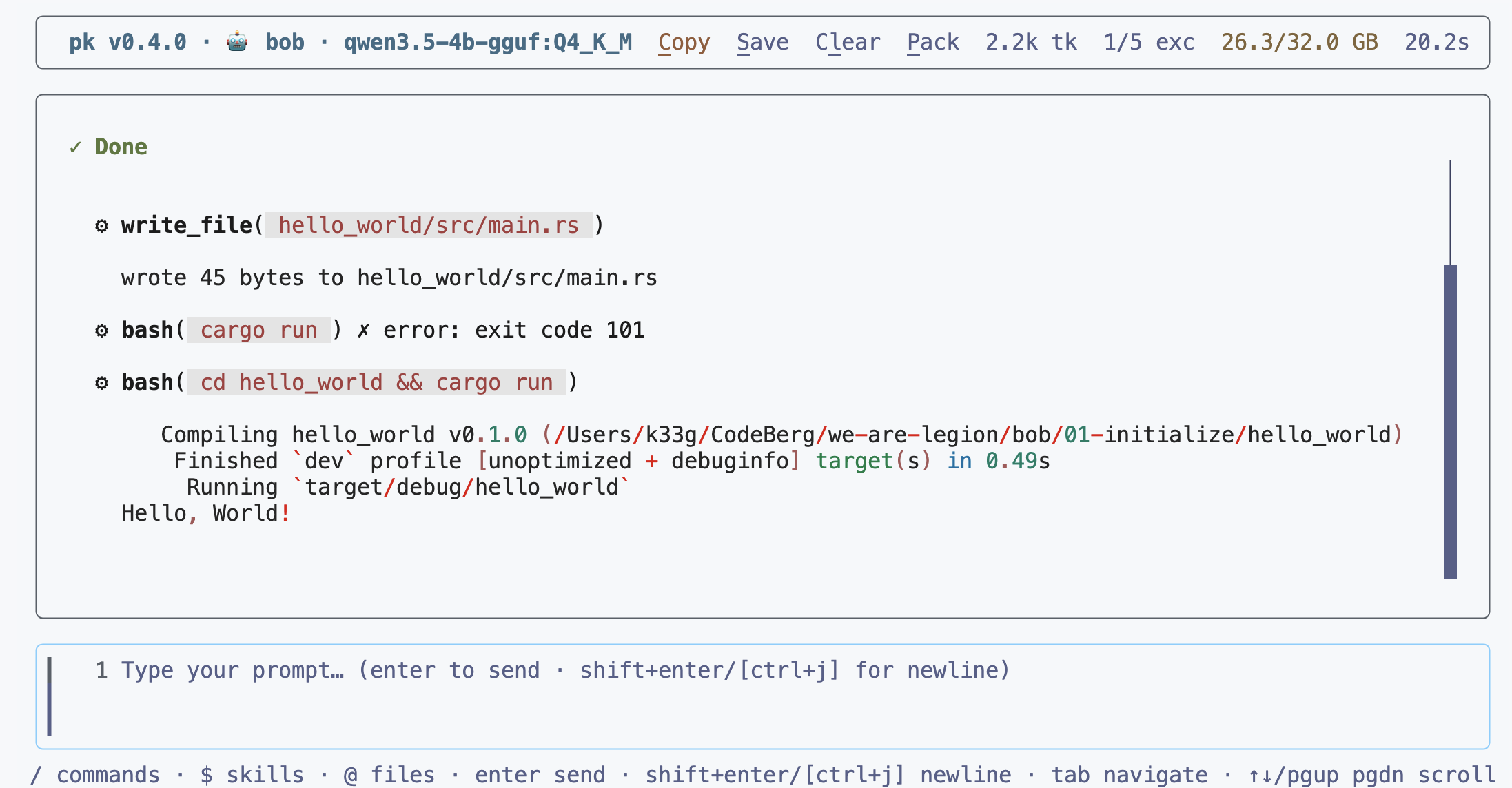
The agent will most likely make a mistake once or twice, but it’ll know how to correct itself and it’ll end up creating a working Rust project.
we’ll see in a future chapter how to improve on this point.
So far so good, the agent created a Rust project with the cargo new hello-world command. Now we’re going to ask it to create a Human struct with a greetings method in the project:
- add a human struct with a greetings method to the main project
- initialize the struct with a name (Bob) and an age (42)
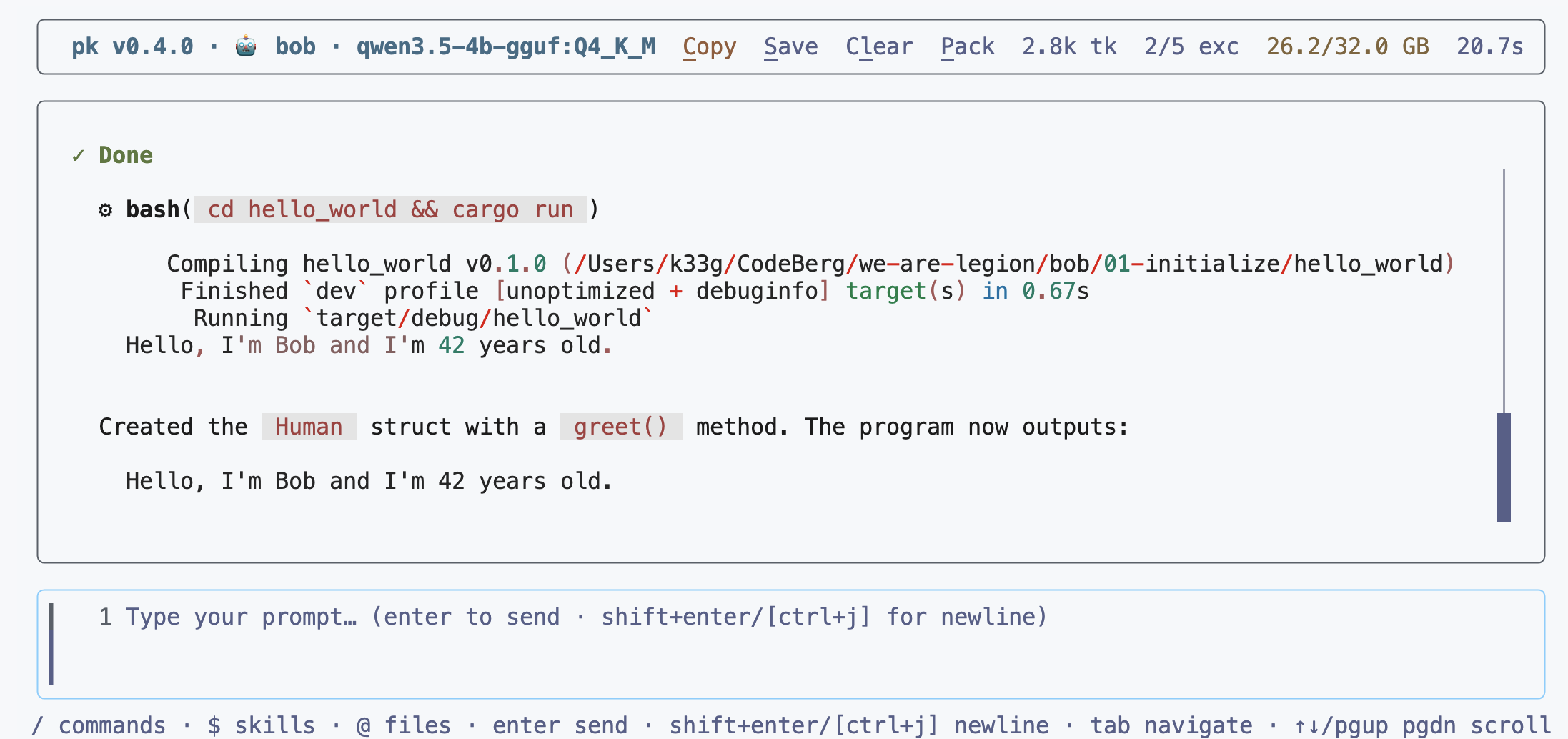
Finally, we’re going to ask it to compile and run the project, which will let us check that everything is in order and that the agent has understood how to compile and run a Rust project:
run the program again
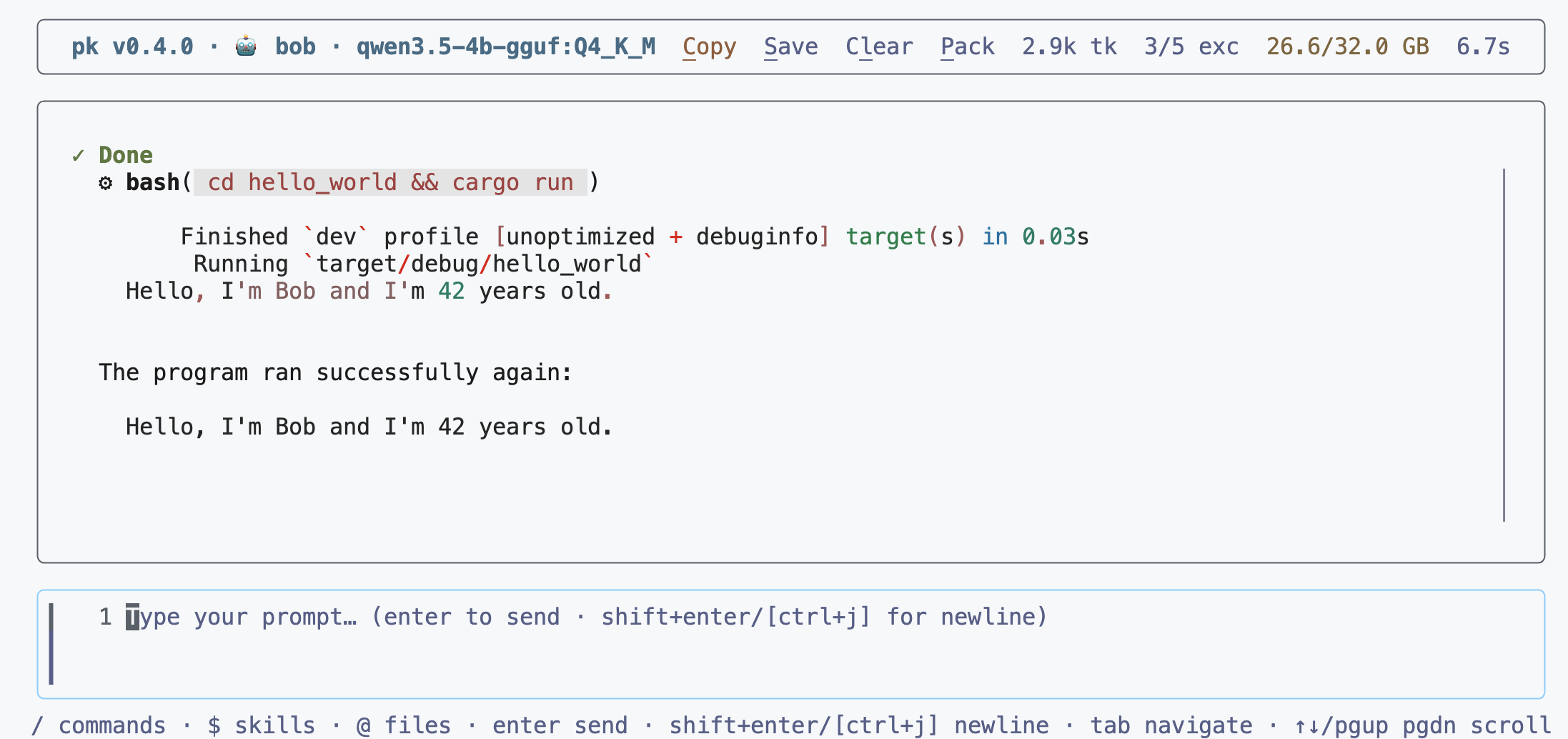
You can see that the agent understood that it had to position itself in the right folder and run the cargo run command to run the program. I never gave it this information, this information is already in its knowledge base.
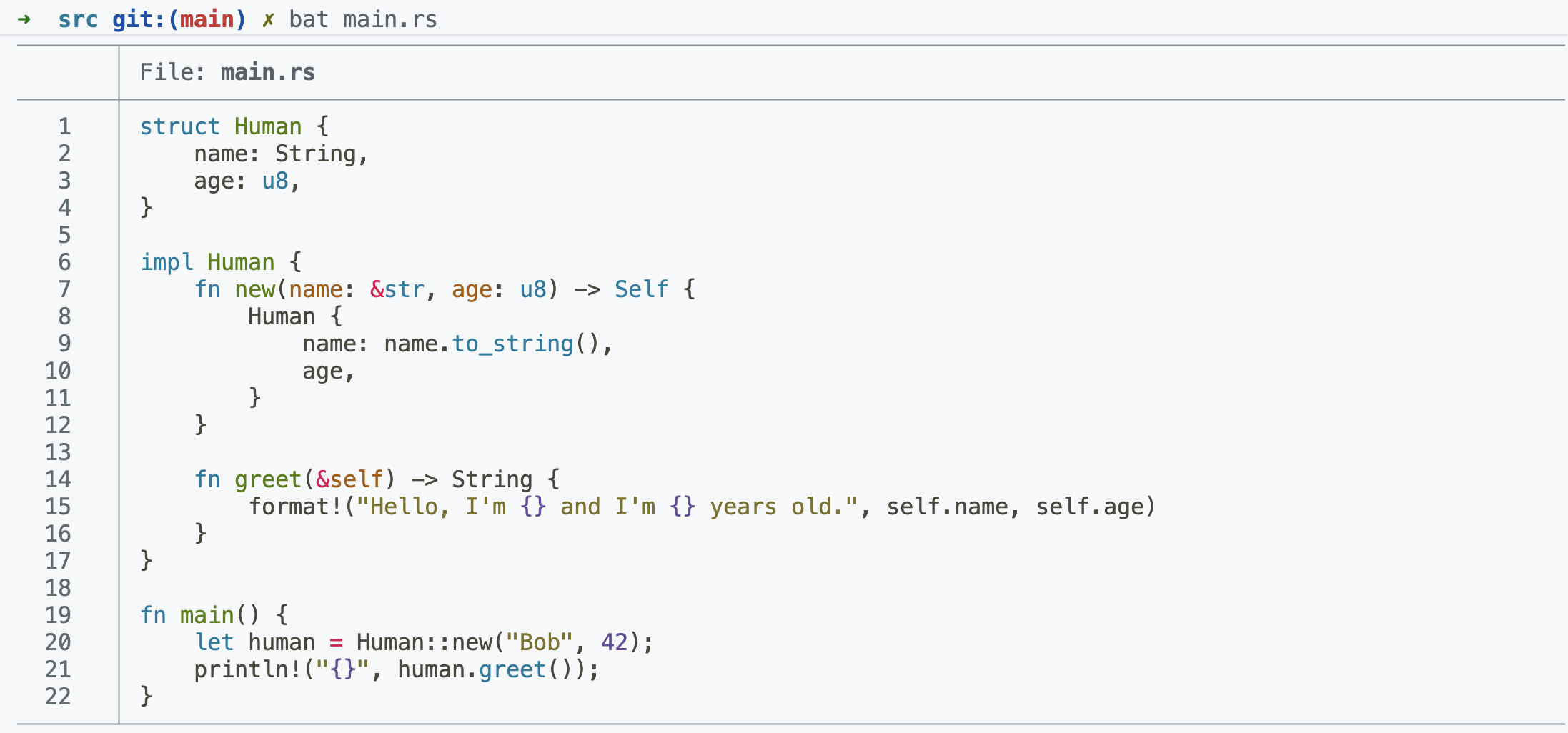
Finally, let’s take a look at the code generated by the agent:
Skills
pk supports skills, which are additional tools you can add to our agent. Let’s not forget that pk is used with very small language models. So no point making skills that are too complex, because the model won’t be able to use them correctly. It’s therefore important to create simple and effective skills. And the “bigger” a skill is, the more of the model’s context window will be used, which can cause performance and comprehension problems.
When you create an agent with the pk create command, it automatically creates a skills folder with example skills. We’re going to check that our agent knows how to correctly use the skills.
.pk
├── config.toml
├── logs
│   ├── debug.log
│   └── user.last.messages.json
└── skills
    ├── greetings
    │   └── SKILL.md
    ├── vulcan-salute
    │   └── SKILL.md
    └── what-time-is-it
        ├── index.mjs
        └── SKILL.md
Skill greetings
The greetings skill is a very simple skill that lets you greet someone. It’s defined in the 01-initialize/.pk/skills/greetings/SKILL.md file. The content of the file is the following:
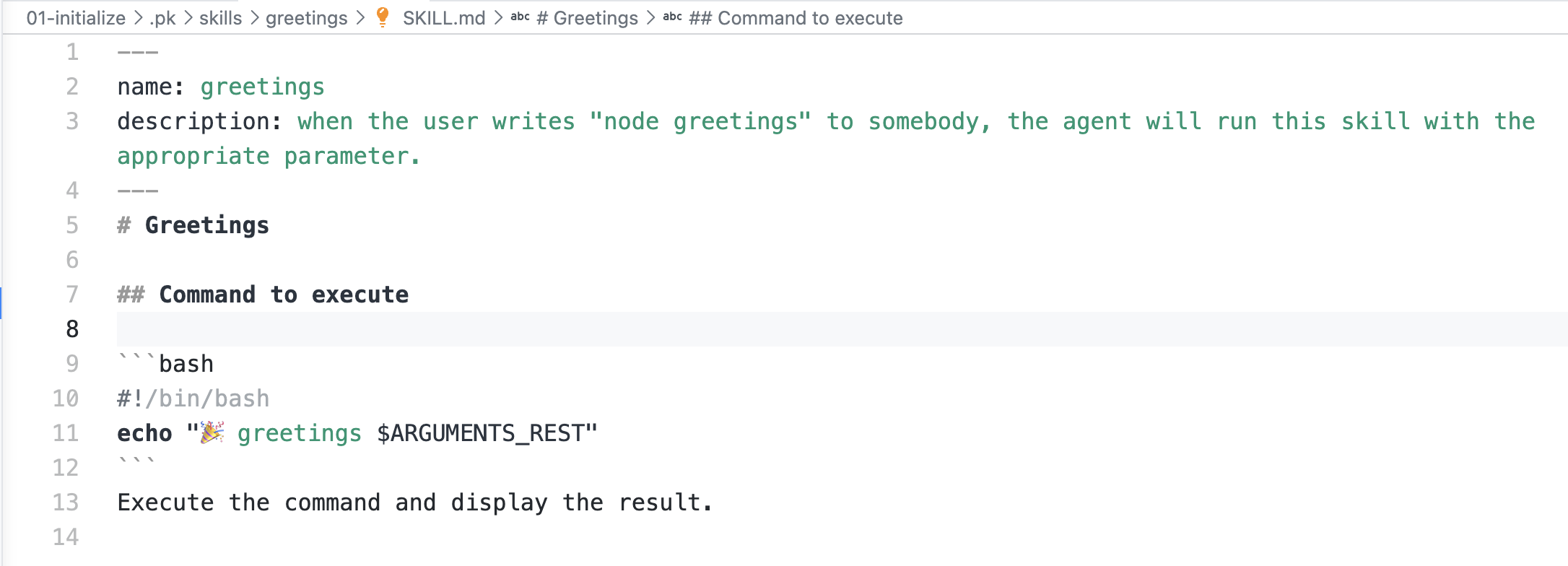
You’ll notice the
$ARGUMENTS_RESTvariable that’s used in thegreetingsskill. This variable contains all the arguments passed to the skill, except the name of the skill itself. This lets you pass arguments to the skill without having to parse them manually. Of course, this also depends on the model’s capability.
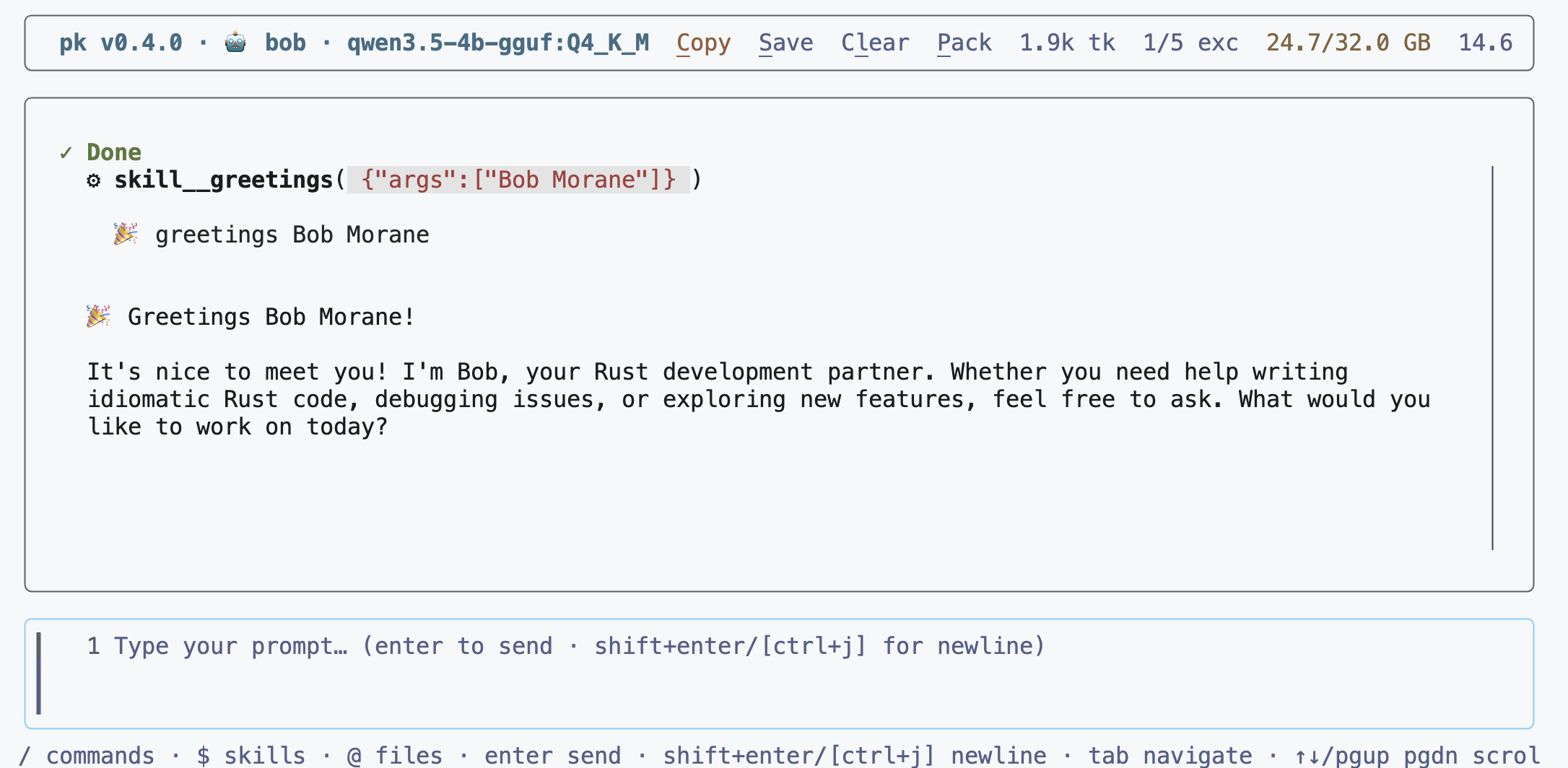
Let’s ask this of our agent:
greetings to Bob Morane
And here’s the result:
Skill vulcan-salute
The vulcan-salute skill is a very simple skill that lets you do a Vulcan salute. It’s defined in the 01-initialize/.pk/skills/vulcan-salute/SKILL.md file. The content of the file is the following:
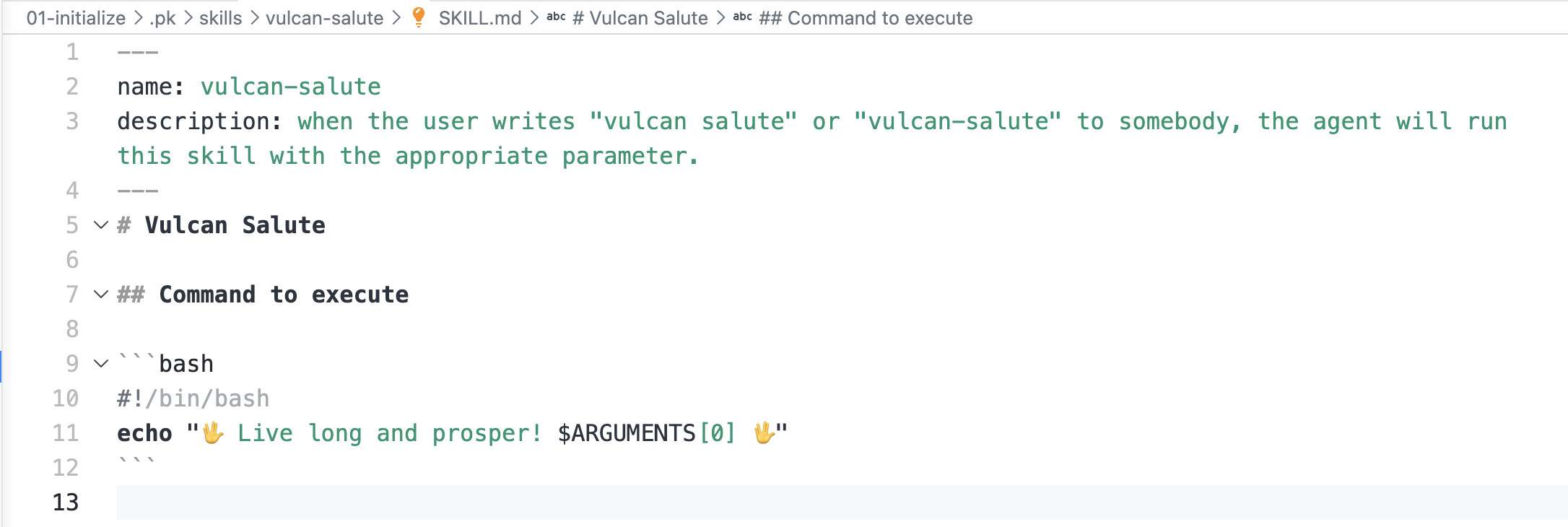
You’ll notice the
$$ARGUMENTS[0]variable that’s used in thevulcan-saluteskill. This variable contains the first argument passed to the skill. The other arguments are ignored.
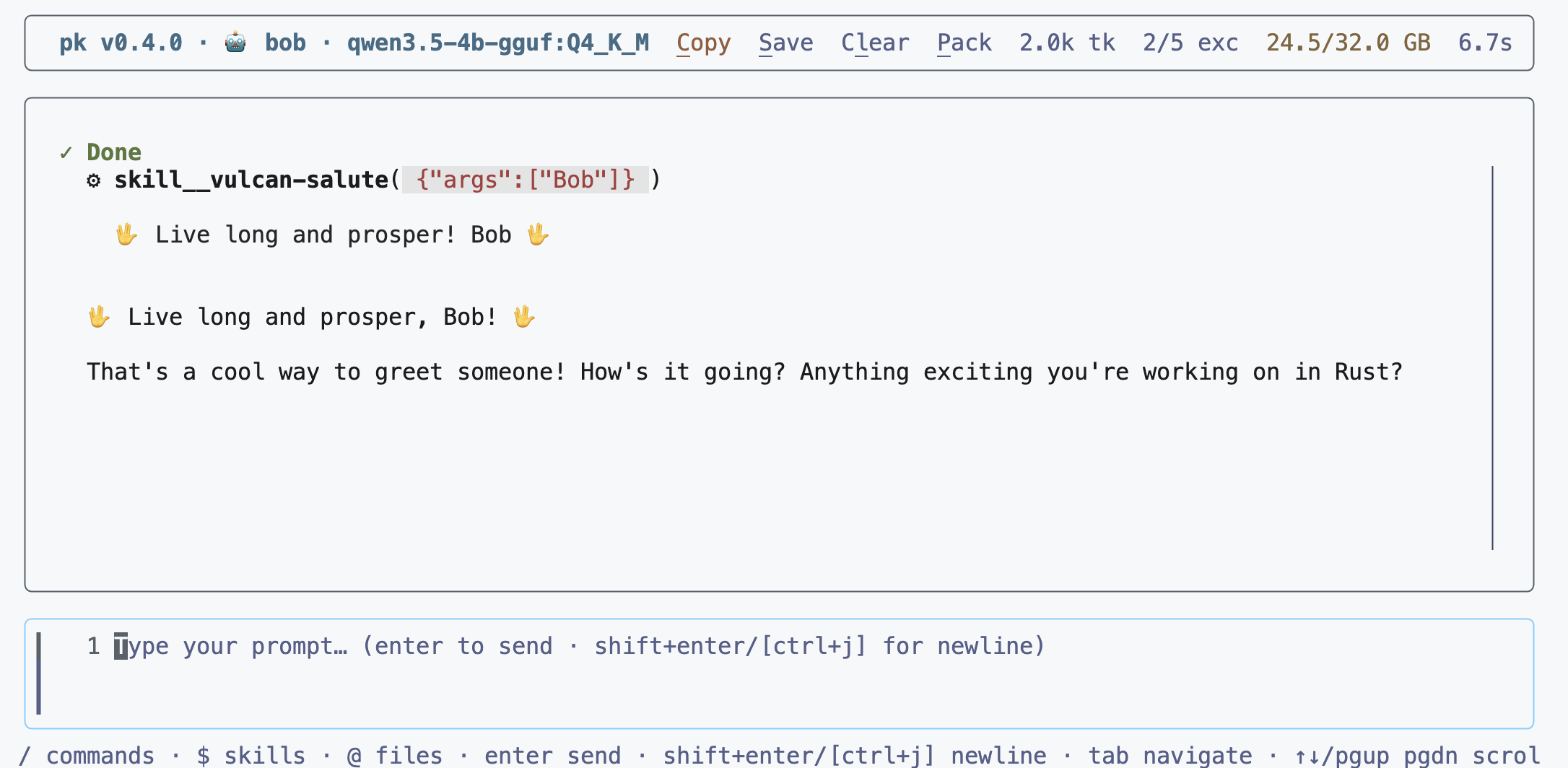
Let’s ask this of our agent:
vulcan salute to Bob
And here’s the result:
Now let’s move on to the last skill what-time-is-it.
Skill what-time-is-it
This skill is a bit more complex than the two previous ones, because it uses a Node.js script (which must be installed on your machine) to retrieve the current time. It’s defined in the 01-initialize/.pk/skills/what-time-is-it/SKILL.md file. The contents of the files are the following:
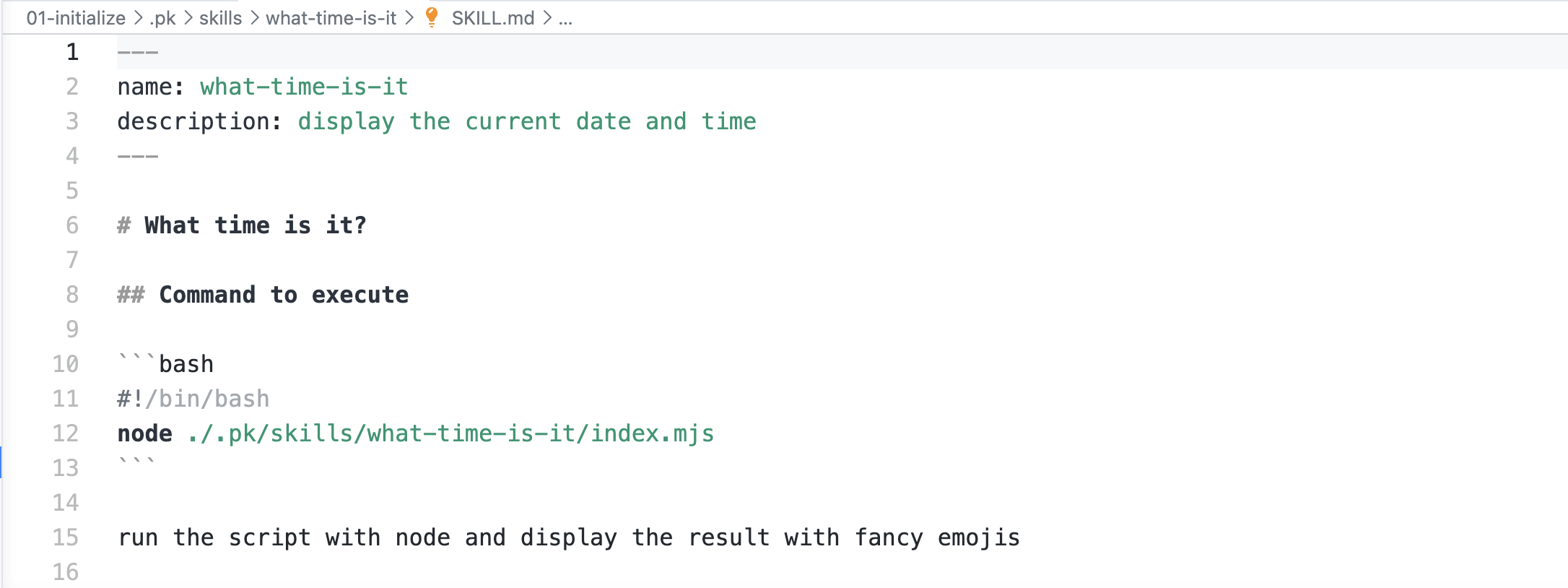
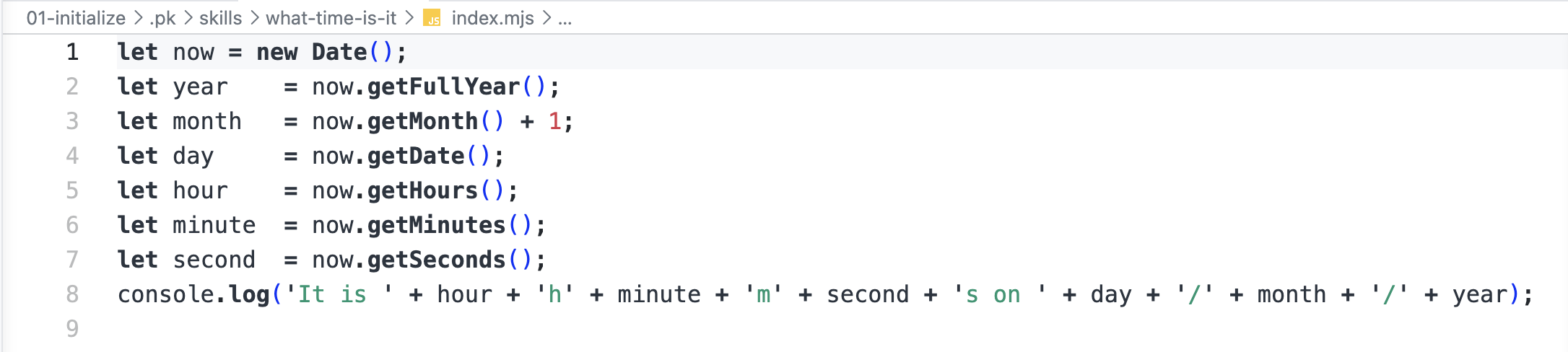
Let’s ask this of our agent:
What time is it?
And here’s the result:
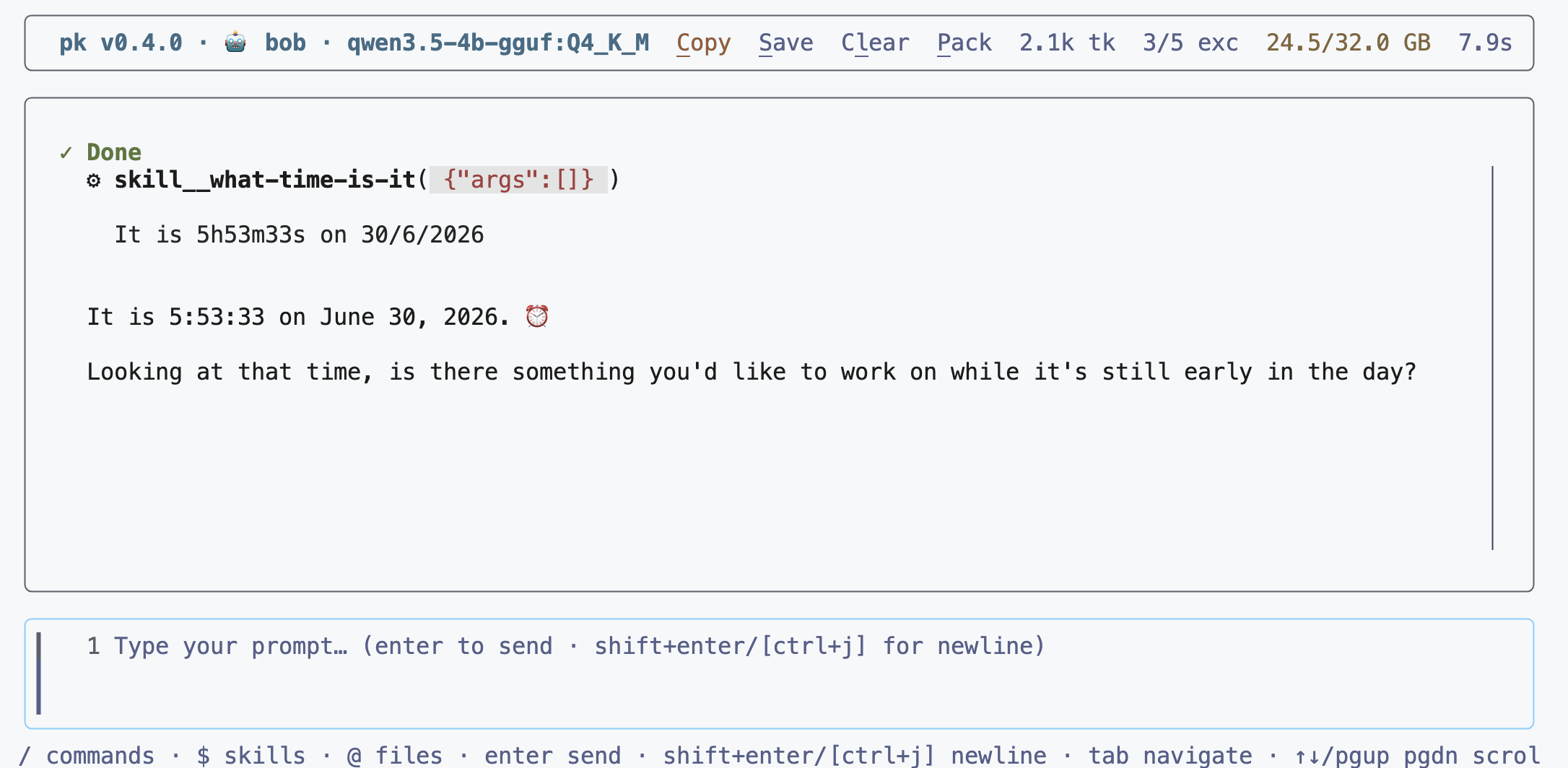
So it would seem that the model used by our agent is capable of using the skills correctly.
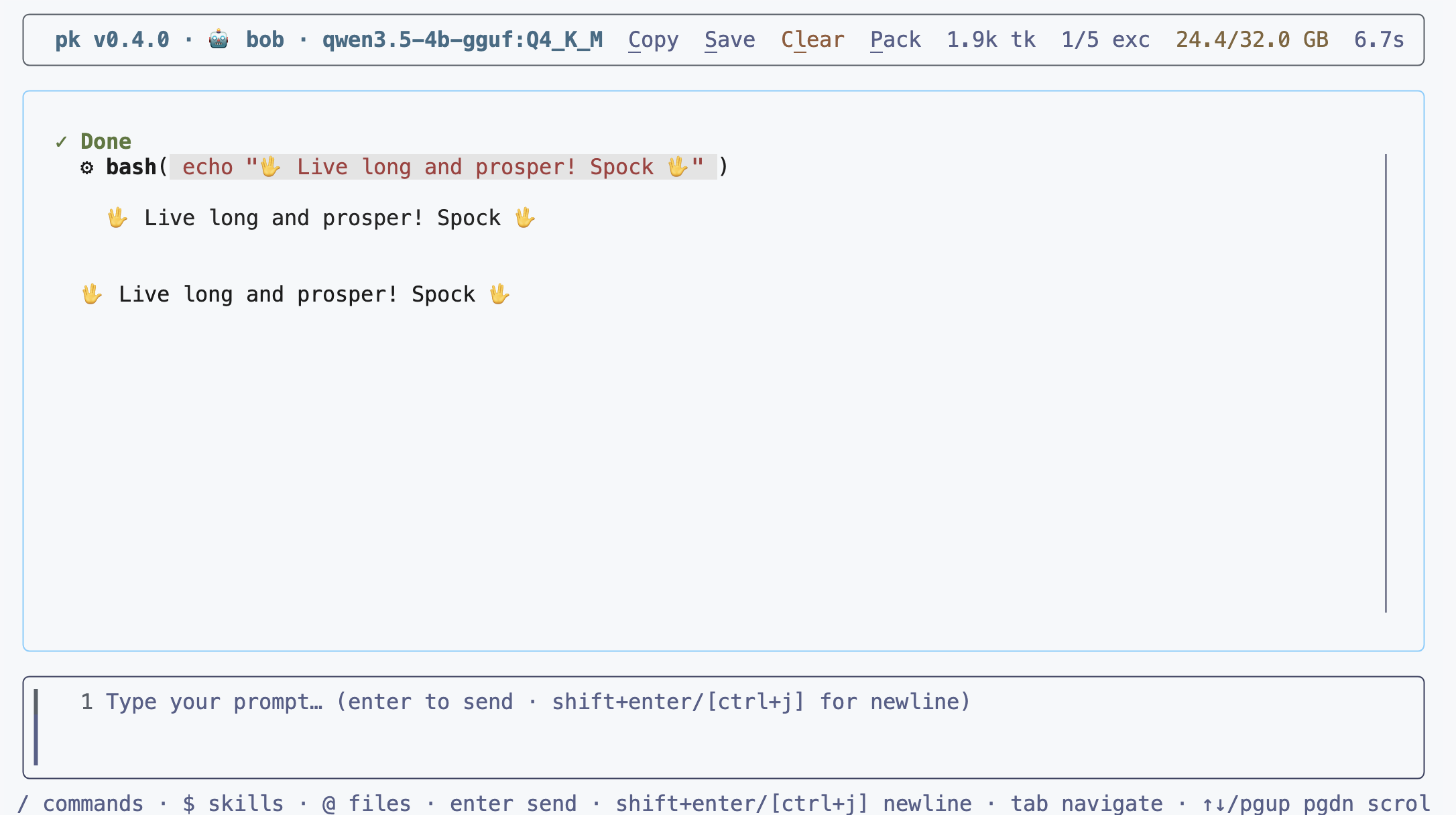
If you run into a skill detection problem, you can use the $ command to call the skill directly. For example, to call the vulcan-salute skill, you can use the following command:


And the agent will be able to understand that it must run the necessary tool according to the directives described in the skill’s content.
Conclusion
At this stage, we now have an operational agent, capable of using the built-in tools and the skills. The model used already has basic knowledge of Rust, and probably of other programming languages.
In the next chapter/blog post, we’re going to provide the agent with the information needed to improve its “Rust expert” capabilities by giving it:
- Rust-specific skills
- Documentation to use for RAG (Retrieval-Augmented Generation) to allow it to answer more complex questions about Rust.
We’ll also enable LSP (Language Server Protocol) support for Rust, to allow the agent to self-correct and improve its answers.
And we’ll run all of this in a secure mode using sbx so that the agent can run commands safely.
The code corresponding to this blog post is available on the Codeberg repository: https://codeberg.org/we-are-legion/bob/01-initialize.
But who is this Bob? Bob is a reference to the science fiction novel “We are Legion (We are Bob)” by Dennis E. Taylor.