Running Mistral’s Vibe CLI in an sbx sandbox
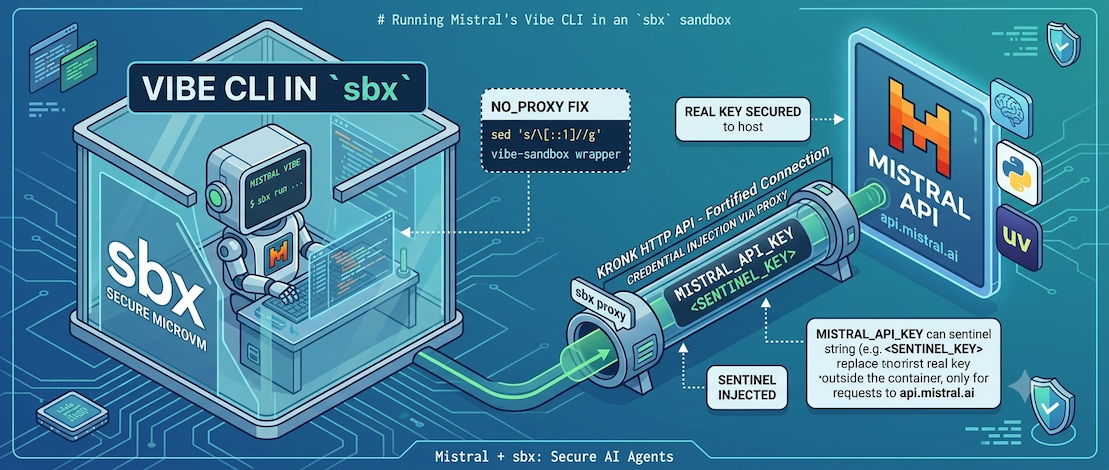
Mistral just released Vibe, its open-source coding agent CLI (powered by Mistral models). And as usual, rather than installing it directly on my machine, I prefer to run it inside a secure sandbox with sbx.
The good news is that Mistral is already one of the services natively supported by sbx: https://docs.docker.com/ai/sandboxes/security/credentials/#built-in-services, so there’s no need to use “custom secrets”: https://docs.docker.com/ai/sandboxes/security/credentials/#custom-secrets.
Three quick reminders before we begin:
sbxis a Docker CLI that creates and manages microVM-based sandboxes, to run AI agents safely (network isolation, secret management, workspace mounting).- a template is simply a base Docker image for a sandbox (for example
docker/sandbox-templates:shell). It’s the “ready-to-use” starting point.- a kit is a
spec.yamlfile that describes the sandbox: which image to use, what to launch at startup, which environment variables, which network domains to allow, etc.
The Mistral API key: already supported by sbx
sbx maintains a list of “built-in services”: providers whose name is already known to the CLI. Mistral is one of them (alongside anthropic, openai, google, github, groq, nebius, openrouter, etc).
✋ Watch out for what “built-in” means (and doesn’t mean):
sbxknows the name of themistralservice — so we can store the key under that name (sbx secret set -g mistral …) andsbxknows how to resolve it. However, the wiring (which domain, which header, where the key comes from) still has to be declared in the kit. “Built-in” ≠ “automatically injected without writing anything”.
What this gives us, concretely, is the proxy-managed mechanism: the MISTRAL_API_KEY variable only holds a dummy value (a sentinel) inside the container, and it’s sbx’s proxy that replaces it with the real key, only for requests to api.mistral.ai.
📝 Why does this matter?: the real key is never written into the container. Vibe does see a non-empty
MISTRAL_API_KEYvariable (so it doesn’t prompt for configuration at startup), but the actual secret only travels through the proxy. If the agent tries to exfiltrate the variable, all it gets is the sentinel.
So all you need to do is provide the key to sbx on the host side, once:
export MISTRAL_API_KEY="…" # or: sbx secret set -g mistral -t "$MISTRAL_API_KEY"
Personally, I use 1Password to store my keys: load secrets into the environment
The template: shell + vibe
Vibe is a Python application installed with uv. Rather than installing it on every startup, I prefer to prepare an image once and for all, based on the official shell sbx template (which already contains uv, git, ripgrep and Python):
# syntax=docker/dockerfile:1
ARG BASE_IMAGE=docker/sandbox-templates:shell
FROM ${BASE_IMAGE}

# The startup wrapper (see below)
USER root
COPY --chmod=0755 start.sh /usr/local/bin/vibe-sandbox

# Installing the Vibe CLI (as the agent user)
USER agent
RUN uv tool install mistral-vibe \
    && vibe --version

CMD ["vibe-sandbox"]
Then we build and publish the image:
DOCKER_HANDLE=k33g
NAME=sbx-mistral-vibe
TAG=0.0.0
docker buildx build \
  --platform linux/amd64,linux/arm64 \
  -t ${DOCKER_HANDLE}/${NAME}:${TAG} --push .
The kit: spec.yaml
This is where everything gets wired together. Here’s the spec.yaml:
schemaVersion: "1"
kind: agent
name: mistral-vibe
displayName: Mistral Vibe (prebuilt image)

agent:
  image: docker.io/k33g/sbx-mistral-vibe:0.0.0
  aiFilename: AGENTS.md
  entrypoint:
    run: [vibe-sandbox, "--agent", "auto-approve"]

network:
  serviceDomains:
    api.mistral.ai: mistral
  serviceAuth:
    mistral:
      headerName: Authorization
      valueFormat: "Bearer %s"

credentials:
  sources:
    mistral:
      env:
        - MISTRAL_API_KEY

environment:
  proxyManaged:
    - MISTRAL_API_KEY
Explanations
| Field | Why |
|---|---|
kind: agent |
We’re declaring a standalone agent: a complete image + its launch configuration. |
name: mistral-vibe |
The kit’s machine identifier, reused in the sbx run command. |
agent.image |
Our image prepared just before (with vibe already installed). |
agent.aiFilename |
AGENTS.md — the instructions file Vibe reads in the project. |
agent.entrypoint.run |
The program launched when the sandbox starts (see below). --agent auto-approve starts Vibe in yolo mode: it automatically approves every tool execution. |
network.serviceDomains |
Maps the api.mistral.ai domain to the mistral service. Required: this is what tells the proxy “for this domain, use the mistral service’s key”. |
network.serviceAuth |
The header injection format: Authorization: Bearer <key>. Required (unless you use the egress: sugar, which provides defaults for known services). |
credentials.sources |
Required. Indicates where the key comes from: the host variable MISTRAL_API_KEY (or the credential store). Without this block, the proxy has no key to inject → unauthenticated calls to api.mistral.ai (401). |
environment.proxyManaged |
Places a sentinel MISTRAL_API_KEY inside the container. Needed so that Vibe sees a non-empty key and doesn’t show its configuration screen at startup. |
Why entrypoint.run: [vibe-sandbox] and not [vibe]?
This is the only real “gotcha”. Vibe is a Python application that uses the httpx HTTP library. Now, sbx injects into the sandbox a NO_PROXY variable that contains an IPv6 entry in brackets, [::1], with no port:
NO_PROXY=localhost,127.0.0.1,::1,[::1],gateway.docker.internal
httpx can’t parse that [::1] entry and crashes at startup:
Background initialization failed: Invalid port: ':1]'
Since we can’t dynamically transform a variable in the spec.yaml, I created a small wrapper (start.sh, installed in the image under the name vibe-sandbox) that cleans up NO_PROXY right before launching the real vibe:
#!/usr/bin/env bash
set -euo pipefail

# Remove only the "[::1]" token, keep everything else
_np="${NO_PROXY:-${no_proxy:-}}"
_np="$(printf '%s' "$_np" | sed 's/\[::1\]//g; s/,,*/,/g; s/^,//; s/,$//')"
export NO_PROXY="$_np" no_proxy="$_np"

exec vibe "$@"
📝 The
execmatters: the wrapper replaces itself withvibe(same PID), and"$@"forwards tovibeany argumentssbxmight add (for example in--taskmode). The daysbxfixes thisNO_PROXYon the runtime side, we’ll be able to go back torun: [vibe]and remove the wrapper.
Launching the sandbox
Once the key is provided on the host side, all that’s left is a single command:
sbx run --kit ./mistral-vibe mistral-vibe .
--kit ./mistral-vibe: the folder that contains ourspec.yaml.mistral-vibe: the agent’s name (the one defined inspec.yaml)..: the project directory to mount in the sandbox.
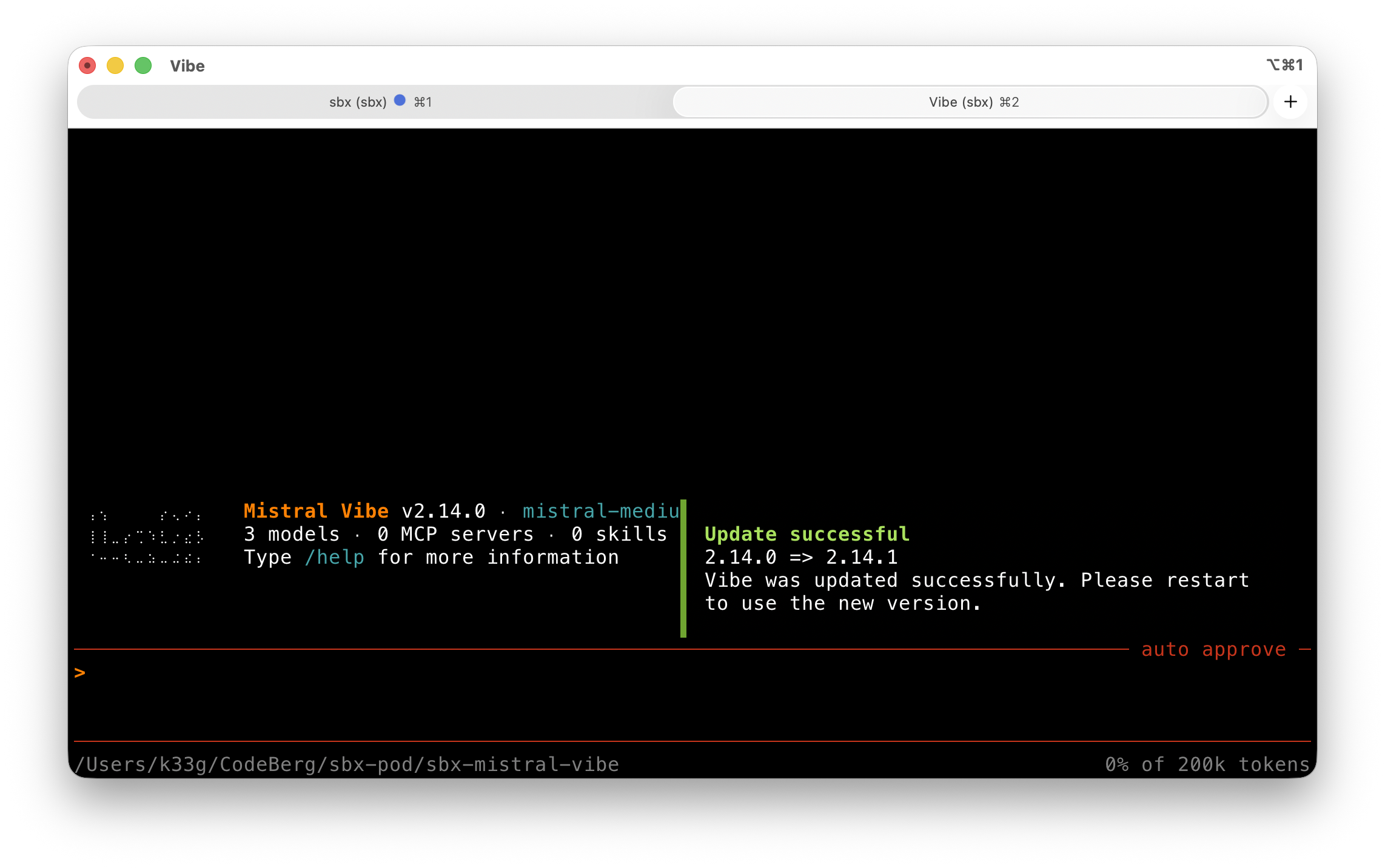
And there you go: Vibe starts in an isolated microVM, talks to the Mistral API through the proxy, and the real key never touched the container.
Conclusion
In a few lines of spec.yaml, we turned Mistral’s Vibe CLI into a clean, isolated and reusable sbx agent. Most of the work is already done for us: since Mistral is a built-in service, API key management is automatic. The only adjustment to know about is the little wrapper that works around the NO_PROXY issue with httpx.
Official documentation:
The source code is available at https://codeberg.org/sbx-pod/sbx-mistral-vibe.